Tutorials


 Ahura
Ahura Plugins

 Blog
Blog
Tutorials
Managing a website should not feel complicated or overwhelming. This WordPress and Website Management Tutorials category is designed specifically for beginners and business owners who want to confidently manage their websites without technical stress.
In this section, you will find step-by-step tutorials that explain how WordPress works, how to manage your website efficiently, and how to avoid common mistakes that slow down growth or harm performance.
All tutorials are written in a simple, clear, and practical way. You do not need coding knowledge or prior technical experience. Each guide focuses on real-world use cases, making it easy to apply what you learn directly to your own website.
Table of Contents
What You Will Learn in This Category
- How to install and set up WordPress correctly
- How to manage pages, posts, media, and menus
- How to install, update, and remove themes and plugins safely
- How to improve website speed and performance
- How to manage backups, updates, and security
- How to prepare your website for SEO and growth
Who These Tutorials Are For
This category is ideal for:
- Beginners who are new to WordPress
- Business owners managing their own websites
- Entrepreneurs launching online projects
- Freelancers learning website management fundamentals
Why Website Management Matters
Proper website management helps you avoid technical problems, reduce downtime, and keep your website secure and fast. A well-managed website builds trust with visitors, improves user experience, and supports long-term SEO success.
By following the tutorials in this category, you will gain the confidence to control your website instead of relying on others for every small change.
Beginner-Friendly and Practical Approach
All tutorials focus on clarity and practicality. Technical terms are explained in simple language, and every step is broken down so you can follow along easily.
Whether you are managing a personal website or a business website, these guides will help you build a strong foundation for long-term success.
Choosing the right domain; features and common mistakes
MihanPanel
Rakhsh
Fix the error “The plugin could not be activated due to a serious problem”
Displaying user locations in WordPress with Breadcrumb

Product Page Copywriting in 4 Steps

What Is Domain Parking? Connecting Two Domains to a Single Website

Phishing and its problems for online businesses

WooCommerce Analytics and Reviewing Your Site’s Sales
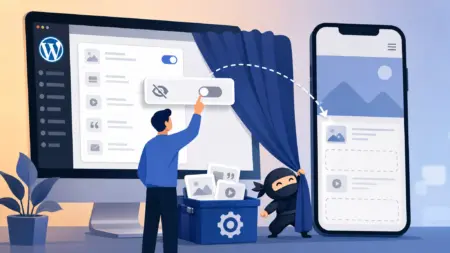
Hiding WordPress Widgets on Mobile with the Widget Options Plugin