
 Tutorials


 Ahura
Ahura Plugins

 Blog
BlogChoosing the right domain; features and common mistakes

If you’ve been thinking about building a website or launching an online business, you’ve probably arrived at one of the hardest and yet most important decisions on your path: choosing your site’s name — the domain. And if you’re saying to yourself right now, “How am I supposed to know which name is any good?”, don’t worry at all; that’s exactly the question that occupies almost everyone’s mind when getting started.
To be honest, this confusion is so common that many people give up on launching their online business altogether just because of this one step! But the reality is that choosing a domain, with a little familiarity with the principles, isn’t nearly as scary as it seems.
In this article, we’re going to tell you in a completely practical, step-by-step way exactly what features a good domain has, how to choose between different extensions (like .com and .co), what mistakes you should avoid, and finally, we’ll introduce you to three excellent online tools that help you more easily come up with ideas for your brand. So stick with us to the end; we promise that after this article, you’ll choose your site’s name with confidence and peace of mind.
Table of Contents
What Is a Domain and Why Does Choosing It Matter So Much?
Before we get into the principles of choosing one, let’s take a simple, casual look at what a domain even is. A domain, or domain name, is the name and address users type in to reach your site. For example, when you type ertano.com into your browser and land on this very site, you’re using our domain.
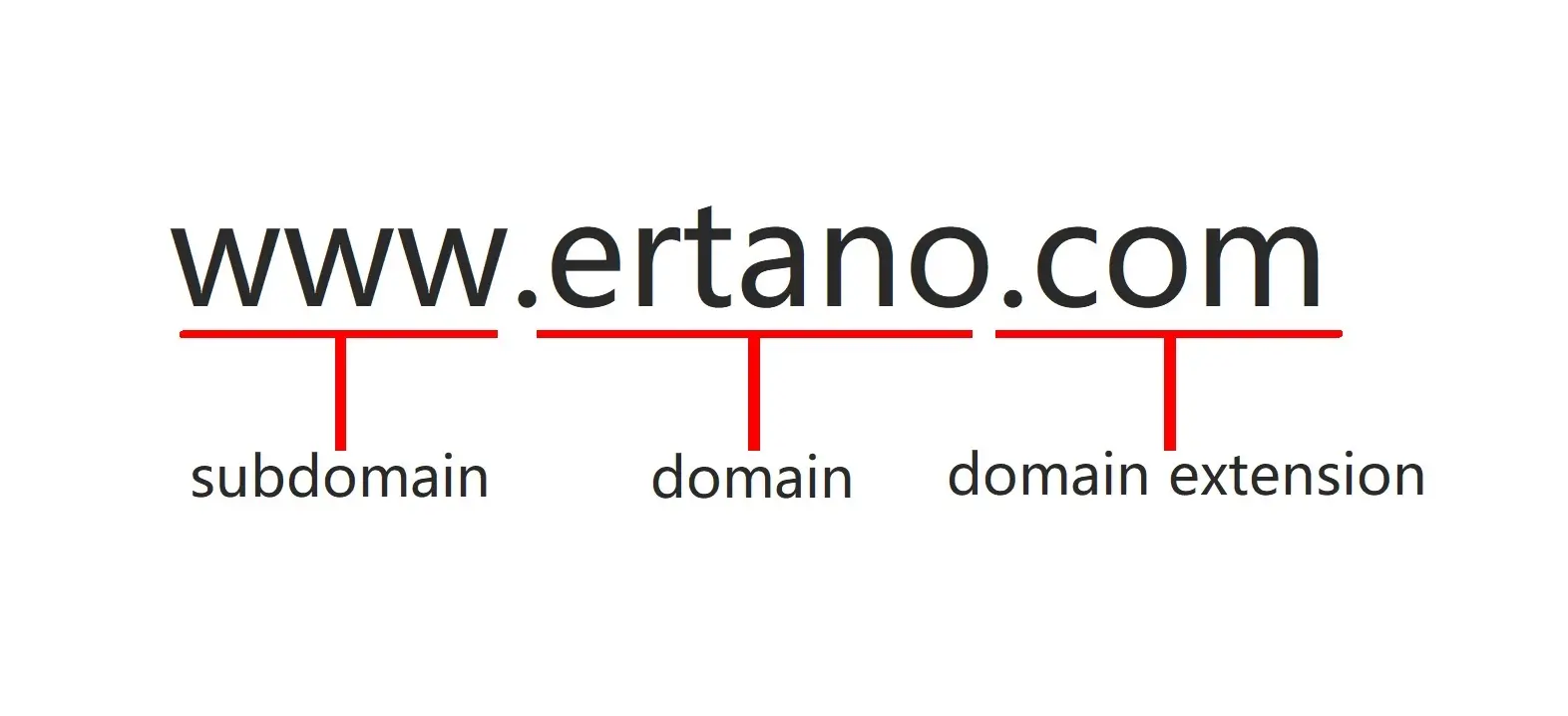
To put it more simply, a domain is like your home’s address in the world of the internet; a unique name that belongs only to you, and no one else can have exactly the same one.
So why do we place so much emphasis on “choosing it well”? For one very important reason: your domain is actually the customer’s first encounter with your brand, and it counts as a long-term decision. Your site’s name gets repeated on business cards, in ads, on customers’ lips, and in Google’s results. A good domain sticks in people’s minds, builds trust, and makes brand-building easier for you; but a bad, irrelevant domain can make things hard for you right from the start.
Most importantly, changing your domain after a while is no simple task at all. Once your site has ranked on Google, customers have memorized your name, and your brand has become established, changing your domain means largely going back to square one. That’s why it’s better to choose correctly from the very beginning so you don’t have to redo things later. Well, now that we understand why this decision matters so much, let’s get to the heart of it: what features does a good domain actually have?
What Are the Features of a Good Domain?
Alright, we’ve reached the most important part of the article. A good domain has a set of shared features, and if you keep an eye on them while choosing, you can be almost certain you’ve picked the right name. Let’s go through them one by one:
It Should Be Short and Concise
The shorter your domain, the better. Short names are easier to remember, faster to type, and less prone to user typos. Try to keep your domain under 15 characters where possible, and preferably made up of two or three short parts. A long, complicated name is both forgettable and frustrating for customers to type.
It Should Be Easy to Pronounce and Type
There’s a simple test that always works: say the domain name out loud and see whether someone who only hears it could write it down without a mistake. If your name has a difficult spelling or can be written several ways, you’ll lose customers. Choose a domain that’s both easy to pronounce and easy to type on a keyboard; that way, when someone hears your site’s name from another person, they can find you without any trouble.
It Should Have No Hyphens or Numbers
As much as you can, avoid using hyphens (-) and numbers in your domain. These make a domain confusing; because when you tell someone your site’s name out loud, they don’t know whether to write the number as a digit or spell it out, or where exactly to put the hyphen. This causes confusion and lost visitors. A clean domain consists only of letters.
It Should Have a Relevant Keyword Where Possible
If you can work a word related to your field into the domain, you help both the user and Google quickly understand what your site is about. For example, if your business is selling flowers, having a related word in the name can help. Just be careful not to force this at the cost of making the domain long and awkward; branding and memorability are always more important than cramming in a keyword.
It Should Have Branding Potential
The best domains are the ones a brand can be built from, not merely a dry description of the business. Distinctive, unique, and pleasant-sounding names (like many well-known brands) stick in the mind and create an identity for you. Before choosing, ask yourself: “Will this name still suit my growing business five years from now, and is it something worth investing in?”
It Should Be Legally and Trademark-Free
Before you fall in love with a name, be sure to check that it hasn’t already been registered by another brand (especially well-known ones). Choosing a name similar to a big brand can both create legal trouble for you and prevent you from having an independent identity. Do a quick check that your chosen name is also free on major social networks (like Instagram) so your brand stays consistent everywhere.
Which Domain Extension Should You Choose?
After you’ve found a suitable name, you arrive at another important question: what should its extension be? The domain extension is the last part of the address; like .com or .co. Choosing the right extension affects both your site’s credibility and the cost you’ll pay. Let’s compare the most important options together:
| Extension | Best For | Key Point |
|---|---|---|
| .com | International businesses and global branding | The most credible and widely recognized extension in the world; most people’s first guess when typing |
| country codes (.co, .us, .de, etc.) | Local businesses targeting a specific national market | Signals local presence and builds trust with local users; availability and pricing vary by country |
| .net / .org | Organizational, technical, or non-profit sites | Solid alternatives when the .com of your name is already taken |
| specialty extensions (.shop, .io, .ai) | Specific niches (e-commerce, tech, AI) | Modern and distinctive, but usually pricier and less familiar to the general public |
Our general recommendation: if your target market is local, a country-code extension is often cheaper and helps win the trust of local users. But if you’re thinking about an international brand or more credibility, .com is still the undisputed king of extensions and the best investment. Many people, just to be safe, buy both the country-code and .com versions of their name together, so they have peace of mind and no one else can register another version of their brand.
Common Domain-Selection Mistakes You Should Avoid
Sometimes knowing “what not to do” is just as important as knowing what’s right. Many people, when choosing a domain, unwittingly make a set of common mistakes that they later come to regret. Let’s see what these mistakes are so you don’t fall into them:
Choosing a name that’s too long and complicated: As we said, the longer the name, the more forgettable and harder to type it is. Long, multi-word, drawn-out names are the biggest enemy of memorability.
Copying well-known brands: Choosing a name similar to a big, recognized brand not only fails to give you an independent identity, but can also create legal trouble. Try to be yourself, not a copy of someone else.
Using numbers and hyphens: This point is important enough that we’ll mention it again. Numbers and hyphens cause confusion for the user when typing and hearing the site’s name. Avoid them.
Ignoring the right extension: Some people choose an extension without thinking, just because it’s cheaper or available. But an unsuitable extension can damage your brand’s credibility. Choose the extension to match your target market and type of business.
Rushing and not doing research: Choosing a domain is a long-term decision, so take your time with it. Write down a few options, say them out loud, ask others for their opinion, and then decide. A hasty choice may bother you months later.
Forgetting about social media: If you choose a name that’s already taken on Instagram and other major social networks, your brand won’t stay consistent. Before finalizing, check that the name is free on these platforms too.
The Best Online Domain Suggestion Tools
Alright, so far you’ve learned the principles and rules of choosing a domain. But you might still need a little help coming up with a creative name. This is where domain suggestion tools come to your aid. These tools take your keyword or field of work and suggest plenty of creative, available names. Let’s introduce three of the best:
Lean Domain Search
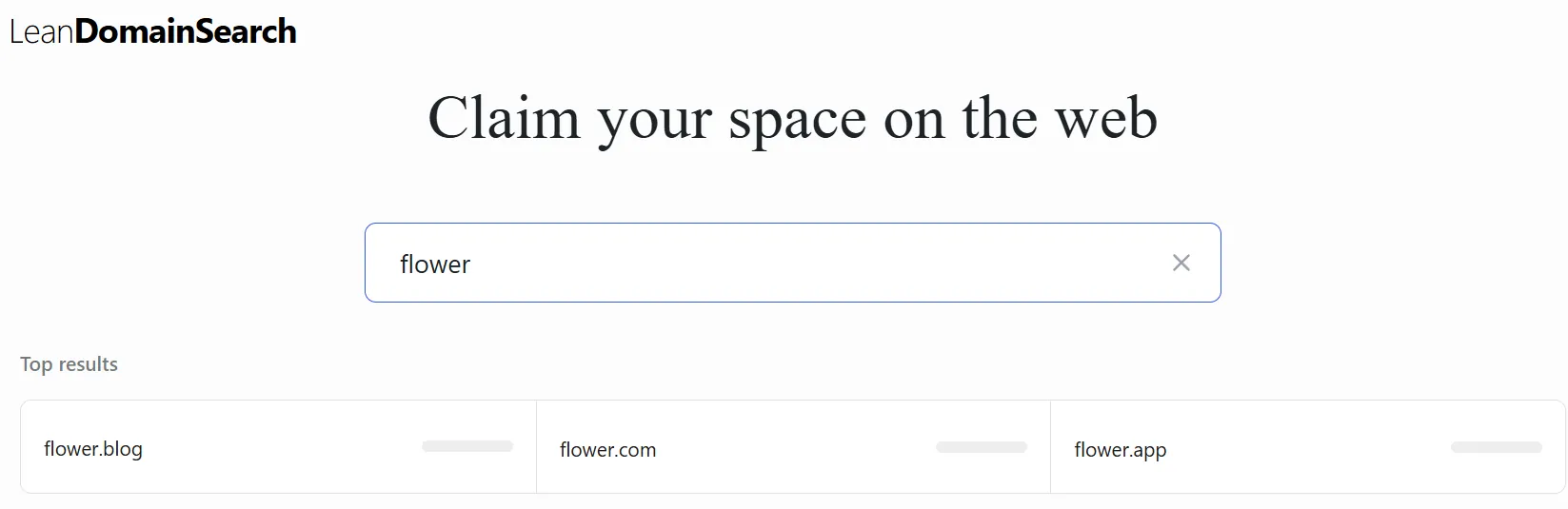
Lean Domain Search is one of the most popular and trusted domain suggestion tools. Using it is incredibly simple: just enter your desired word or phrase into the search box and hit the search button; a long list of suggested domains opens up in front of you right away.
What makes this tool special is its handy filters. You can sort results by popularity, domain length, or ease of pronunciation to get to your ideal option faster. For kicking off a brainstorm and gathering ideas, it’s an excellent choice.
Panabee

Panabee is a creative tool with plenty of appealing features. Here you can compare the best relevant domain across all the well-known extensions (like .com, .co, .io, .ai, and more) side by side and pick the most suitable one.
But the most important feature that makes Panabee special is that it doesn’t limit itself to just the site name; this tool helps you find a suitable name for your business’s social media and app as well. In other words, if you want a name that’s consistent with your brand on Instagram, Twitter, or anywhere else, this tool comes in really handy.
NameMesh
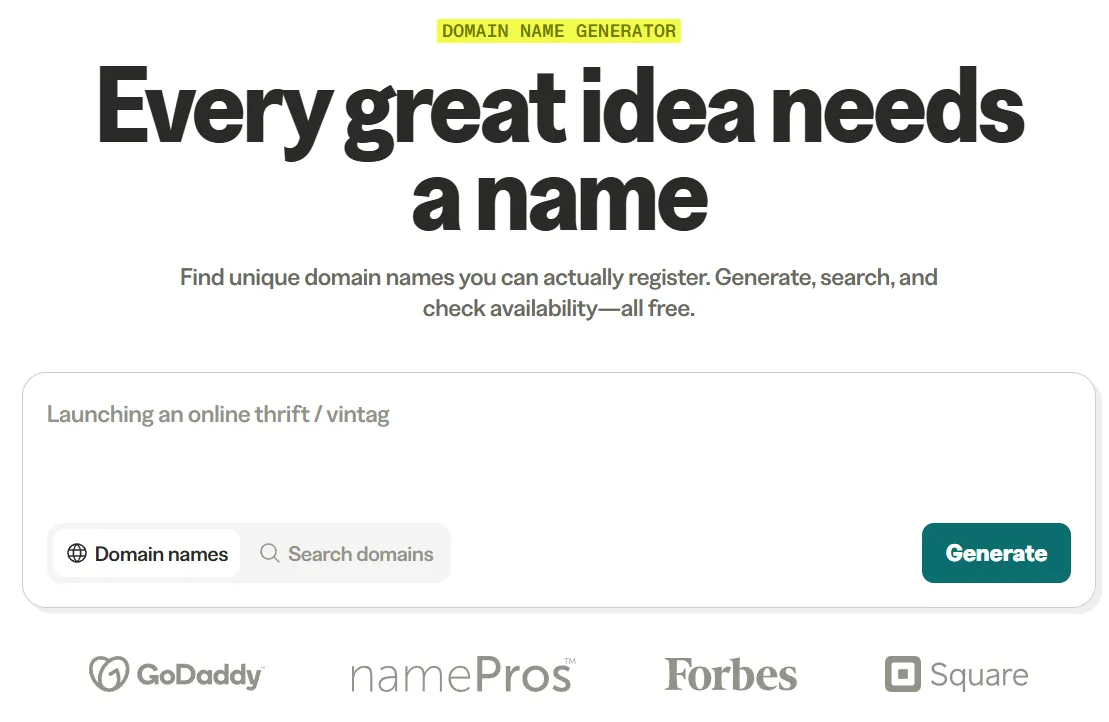
Many domain suggestion tools hand you a bunch of nonsensical, bizarre names; but NameMesh isn’t like that. Just enter one or two of your main keywords and this tool shows you a whole host of relevant, appealing domains (that might not have even crossed your mind).
The nice thing about NameMesh is its smart categorization; it classifies domains by whether they’re new or old, short or long, distinctive, and more, so with a few simple filters you can find the best name for your business.
💡 An important note: These tools are great for getting ideas, but for actually registering a domain, we recommend jotting down your chosen name and heading to a reputable domain registrar to register it. We’ll explain exactly this in the next section.
Where and How to Register Your Chosen Domain
Alright, now that you’ve found your dream name with the help of the principles and tools we mentioned, it’s time to register it. Here’s an important point you should definitely know: as we noted, many foreign tools and sites that suggest domains also offer registration; but it’s often better to register through a dedicated registrar you trust rather than the first suggestion tool you come across, so you get better pricing, proper support, and full ownership control.
The best and most reliable approach is to jot down your chosen name and register it through a reputable domain registrar such as Namecheap, Cloudflare, Porkbun, or Google Domains’ successors. That way you get transparent pricing, solid support, and you drive the risk of running into problems down to almost zero.
A useful tip: when registering, look for a registrar that includes free WHOIS privacy protection and doesn’t lure you in with a rock-bottom first-year price only to hike the renewal cost dramatically. Also check the transfer policy, in case you ever want to move your domain elsewhere later.
So the general domain registration flow looks like this: first you check that the name is available, then you register it through a reputable registrar, and finally your chosen name is officially and permanently (as long as you keep renewing it) yours.
After Choosing Your Domain, What’s the Next Step?
Congratulations! By choosing and registering your domain, you’ve taken the most important first step, and now you own a dedicated address in the world of the internet. But a domain on its own is just a name; now you need to build a site behind that name so your online business really gets going.
Your next step is to get hosting (a web host) and then set up your site on it. If you’d like to know exactly what steps building a site involves, how much it costs, and what the best methods are, we recommend checking out ertano’s free web design tutorial.
Frequently Asked Questions About Choosing a Domain
What features should a good domain have?
A good domain should be short and memorable, easy to pronounce and type, free of numbers and hyphens, have branding potential, and be legally free. If it can also contain a word related to your field, all the better — but not at the cost of making it long and awkward.
Is a country-code extension better, or .com?
It depends on your target market. If your audience is local, a country-code extension (like .co, .us, or .de) is often cheaper and helps win the trust of local users. But if you’re thinking about an international brand and more credibility, .com is the most credible and widely recognized extension in the world. Many people, just to be safe, register both together.
Is having a keyword in the domain necessary for SEO?
It’s not necessary, but it can help. Having a related word in the domain helps the user and Google understand more quickly what your site is about. These days, though, branding and memorability are far more important than cramming in a keyword; so if you’re torn between a brandable name and one packed with keywords, choose the brandable one.
How and where do I register a domain?
Check that the name is available, then register it through a reputable domain registrar (such as Namecheap, Cloudflare, or Porkbun). These registrars usually walk you through the whole process step by step, and it’s worth choosing one that includes free WHOIS privacy and has fair renewal pricing.
Can I change my site’s domain later?
Technically yes, but it’s really not recommended. Changing your domain after your site has ranked on Google and your brand has become established means largely going back to square one and losing part of your credibility and audience. That’s why it’s better to choose carefully from the very start.
Can I buy a domain forever?
No, domains are registered and leased annually (or for several years), not forever. But as long as you renew your domain every year, it stays yours forever and no one can take it from you. Just be careful not to forget its renewal date.
Conclusion: Choose Your Site’s Name with Peace of Mind
Well, we’ve reached the end of the road. Now you know that choosing a domain isn’t the scary monster you thought it was; you just need to follow a few simple principles. Let’s pull everything together in a few lines.
A good domain is short, easy to pronounce and type, has no numbers or hyphens, is brandable, and is legally free. As for the extension, if your business is local choose a country-code extension, and if you’re thinking about a global brand choose .com. Avoid common mistakes like overly long names, copying well-known brands, and rushing. And if you get stuck coming up with ideas, tools like Lean Domain Search, Panabee, and NameMesh will come in really handy.
Our most important piece of advice: take your time with this decision, but don’t get stuck in it. Some people search so hard for the “perfect, flawless name” that they stall for months and never start their business. The truth is there’s no such thing as a flawless name; a good name that follows these principles is perfectly enough to start and grow your business with.
So write down a few good options, choose one with confidence, register it, and get on with building your site and your business. Your success starts with this very step. Wishing you all the best! 🙂

Ahura WordPress Theme
The Power to Change EverythingElementor Page Builder
The most powerful WordPress page builder with 100+ exclusive custom elements.
Incredible Performance
With Ahura’s smart modular loading technology, files load only when they are truly needed.
SEO Optimized for Google
Every line of code is carefully aligned with Google’s algorithms and best practices.

To post a comment, please register or log in first.