
 Tutorials


 Ahura
Ahura Plugins

 Blog
BlogWhat Is a One-Page Website? When Should You Use a Mini Site?
- Tutorials
- Updated on

When people hear the term web design, they usually picture websites with several different pages — a homepage, an about page, a services page, a contact page, and so on. But you don’t always need a big, multi-page website. Sometimes a one-page website can get the job done faster and better.
A one-page website, or mini site, does exactly what the name suggests: it puts all the information a visitor needs on a single page, and they simply scroll to reach the different sections. This type of website is usually used to showcase a single product, run advertising campaigns, or serve businesses that don’t have a lot of content.
But is a mini site the right choice for every business? What are its pros and cons? How does it perform when it comes to SEO? In this article, we’re going to answer all of these questions and figure out exactly when using a one-page website can be a smart choice.
Table of Contents
What Is a One-Page Website?
As the name suggests, a one-page website is a site where all the information and different sections live on a single page. In other words, to see your services, portfolio, about section, or contact details, the user doesn’t need to jump between multiple pages — they just scroll or click on the menu to reach the section they want.
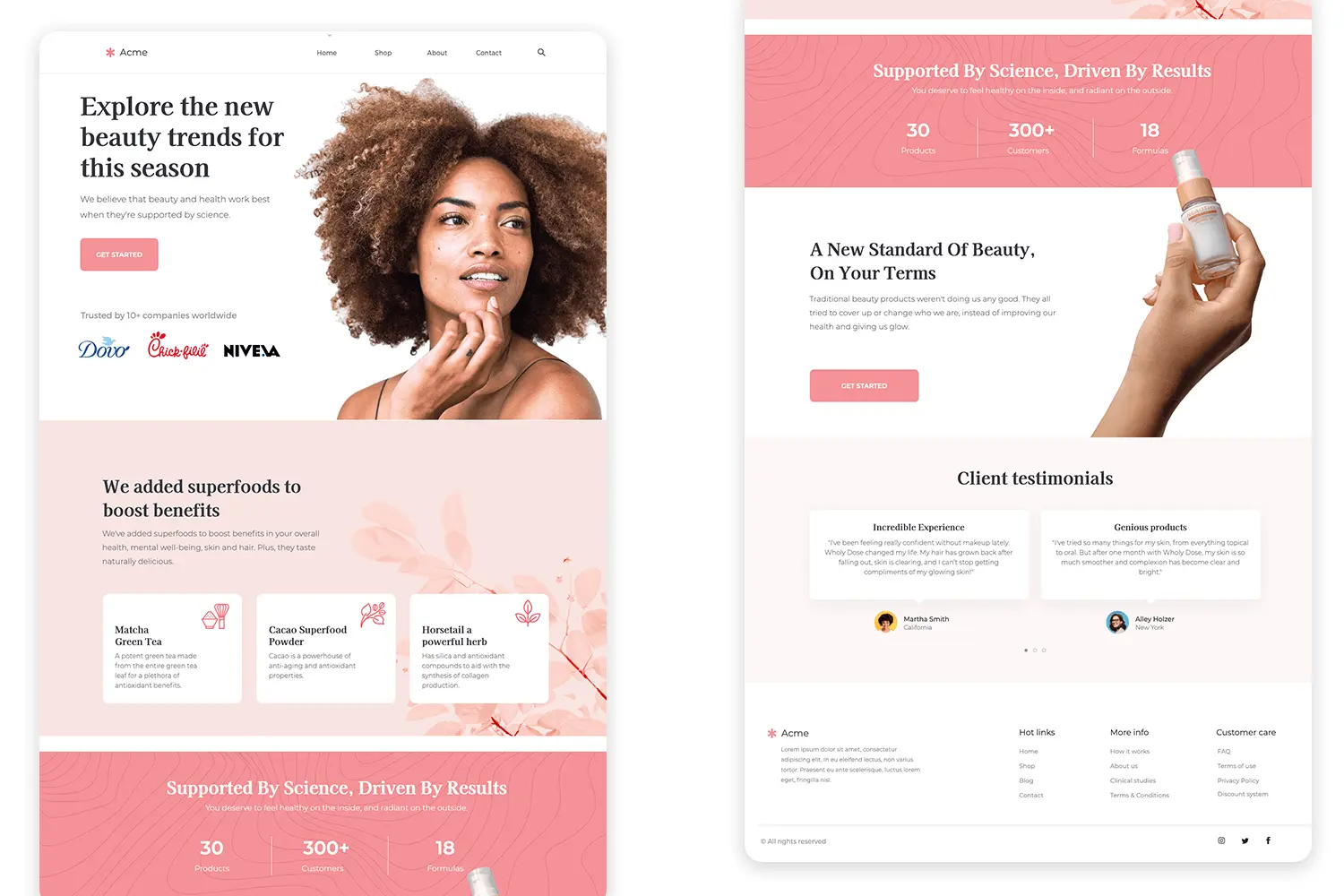
The core idea behind these sites is to let users access information more quickly and easily. That’s why everything is gathered onto one page, and the experience of using the site feels smoother.
Generally speaking, websites are designed in two models: multi-page and one-page. If you pay attention, most of the websites out there are multi-page — but that doesn’t mean mini sites are a bad thing. In fact, for certain businesses and projects, a one-page website can be the better option.
For example, imagine you want to showcase a specific product, an event, an advertising campaign, or even your own personal résumé. In these situations, you usually don’t need to build dozens of different pages, and a mini site can present all the required information to your visitor in a neat and appealing way.
One interesting feature of one-page websites is that the site menu links to the different sections of that same page. So when a user clicks on any option, they’re taken directly to that section without needing to load a new page. If you’re unsure about which website design approach to choose, check out our article on the best way to build a website.
The Difference Between a One-Page and a Multi-Page Website
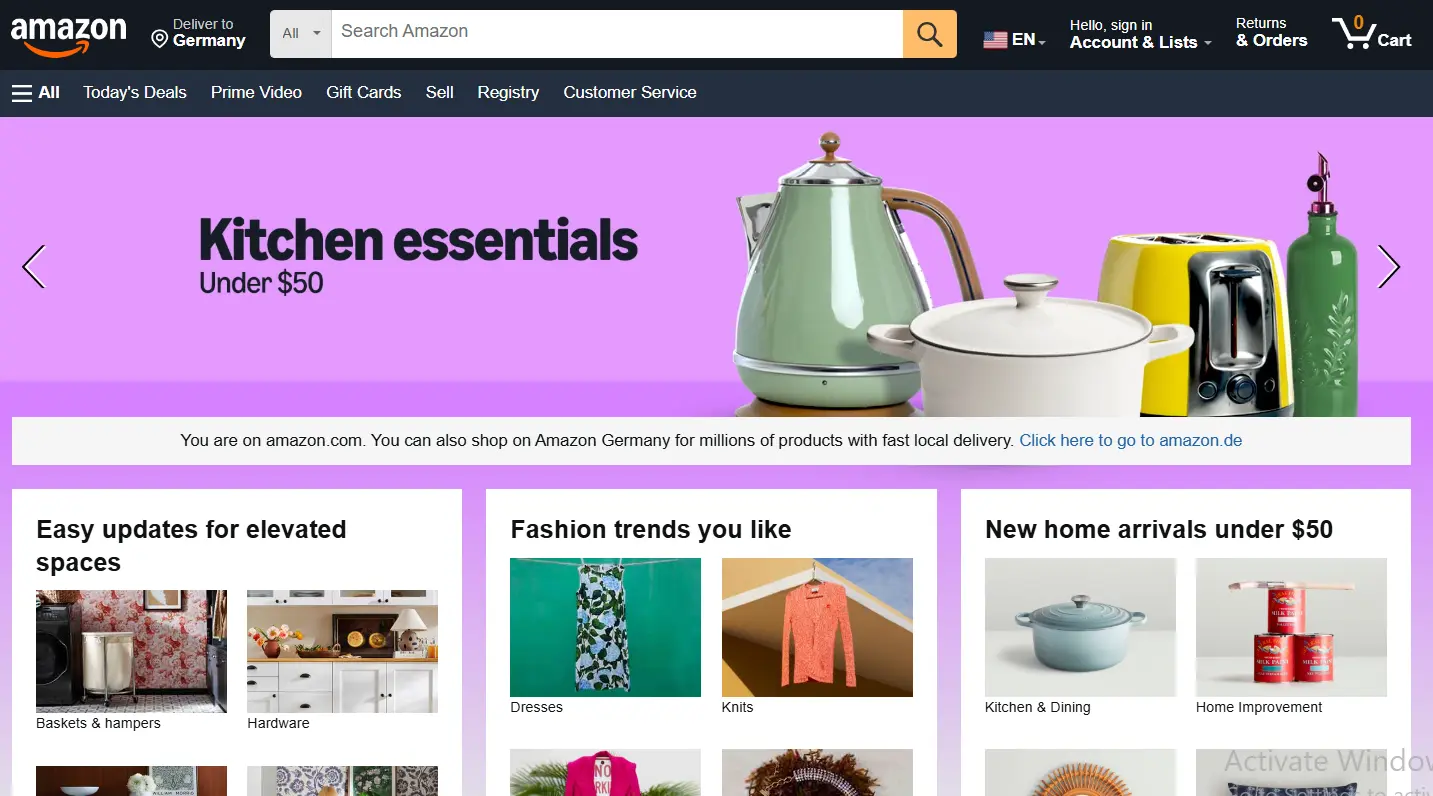
The most important difference between one-page and multi-page websites lies in how content is displayed. On a mini site, all the information sits on a single page, and the user moves between different sections just by scrolling or using the menu. But on multi-page websites, each section has its own dedicated page — for example, the services page, about page, blog, and contact page are all designed separately.
One-page websites usually offer a simpler and faster user experience, since the user doesn’t have to keep going back and forth between different pages. For that reason, they’re an appealing option for showcasing a single product, running an advertising campaign, presenting a personal résumé, or serving small businesses.
On the other hand, when you have a large volume of content or want to showcase a diverse range of products and services, a multi-page website is the more logical choice. For instance, trying to fit an online store with hundreds of products onto a single page is nearly impossible — it wouldn’t create a good experience for the user, nor would it be easy to manage.
In terms of structure, multi-page websites usually give you more capabilities, but in return, designing and managing them takes more time. That’s why you can’t say one of these two models is always better than the other; the choice between a one-page and a multi-page website depends entirely on the goal and needs of your business.
The Advantages of One-Page Websites
Despite their simplicity, one-page websites have some interesting advantages that have led many businesses to go for them. Of course, this type of site isn’t right for everyone, but when used in the right place, it can deliver great results.
Faster site speed
Since the user isn’t moving between several different pages, one-page websites usually feel faster. This both improves the user experience and means visitors spend less time waiting for new pages to load.
Easier to use
On a mini site, everything is right in front of the user. There’s no need to search through different menus or go back and forth between pages. A little scrolling is all it takes to reach the information they’re looking for.
Simpler, cleaner design
Because all the content sits on a single page, the user interface design usually ends up simpler and more organized too. That makes it easier for the user to connect with the site.
Better display on mobile
These days, most users visit websites on their phones. Thanks to their structure, one-page websites usually perform very well on mobile, and users can view all the sections without any hassle.
Higher conversion rate
When the user isn’t distracted by different pages, they’re more likely to take the action you want — filling out a contact form, signing up, or clicking the buy button.
Easier use of CTA buttons
On one-page websites, you can place call-to-action buttons in several different spots on the page. That way, whenever the user makes up their mind, they can take action right at that moment.
Better storytelling for presenting your services
One of the most appealing features of these sites is that they can walk the user along step by step. In other words, information is presented in a way that guides the visitor all the way to the bottom of the page and helps them get more familiar with your business.
Easier to update
When you only have one page to manage, adding content or making changes is easier too. As a result, maintaining this type of site is usually less of a hassle.
Great for résumés and portfolios
If your goal is to introduce yourself, showcase your portfolio, or present a specific product, a one-page website can be an excellent choice. That’s because the user gets straight to the point and doesn’t need to wander between different pages.
No unnecessary clutter
One of the strengths of mini sites is that everything is focused on a single, clear goal. For that reason, there are usually fewer extra, distracting sections, and the site’s main message gets across to the audience more easily.
The Disadvantages of One-Page Websites
Despite all the advantages that mini sites have, this type of site isn’t without its flaws. Before you decide to launch a one-page website, it’s a good idea to be aware of its limitations too.
SEO becomes harder
One of the biggest challenges of one-page websites is SEO. On multi-page websites, you can have a separate page for each service, product, or topic and work on different keywords. But on a one-page website, everything sits on a single page, and that ties your hands a bit when it comes to SEO.
Limitations on content production
If your business needs to publish educational articles, news, or specialized content, a one-page website isn’t a great choice. That’s because it doesn’t give you enough space to categorize and expand your content.
More limited site growth
You might have a small amount of content today, and a mini site might be enough for you — but as your business grows, you’ll probably need more pages. In that situation, you’ll usually have to change the site’s structure or move toward a multi-page website.
Ongoing updates are harder
Google usually favors websites that regularly publish new content and get updated. On one-page websites, this is a bit harder, because you effectively don’t have a new page to publish content on, and you have fewer opportunities to add fresh material.
Not every project is suited to a mini site
If you have an online store, offer a variety of services, or plan to add different sections to your site in the future, a multi-page website will probably be the more logical choice. One-page websites are more suited to small projects, product showcases, advertising campaigns, and personal résumés.
How to Do SEO for One-Page Websites
One of the questions that usually comes up about mini sites is whether you can even do SEO for a one-page website at all. The answer is yes — but you should know that doing SEO for this type of site is a little different from multi-page websites.
In recent years, Google has developed its algorithms in a way that lets it better understand and evaluate one-page websites too. So a site being one-page doesn’t, in itself, prevent it from being seen in search results.
One of the most important things you need to pay attention to is site speed. When a user lands on a mini site, they expect all the sections to load very quickly. If the images are heavy or there’s extra code on the site, the user experience suffers, and that can have a negative impact on SEO too.
The next important issue is updating content. One of the challenges of one-page websites is that not much new content usually gets added to them, whereas Google favors sites that are updated regularly and provide fresh information to users.
For that reason, if you’re using a one-page website, it’s a good idea to occasionally update the content, portfolio, services, or information on the page. This shows Google that your site is active and still creating value for users.
Alongside these points, following basic SEO principles — like choosing the right keywords, optimizing images, using headings correctly, and improving the user experience — can also increase the chances of your site being seen in search results.
SEO for the Different Sections of a Mini Site
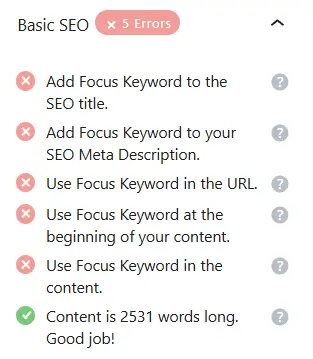
One of the mistakes some people make when designing one-page websites is thinking that because they only have one page, there’s no longer any need to structure the content or follow SEO principles. In reality, mini sites actually require you to organize the different sections of the page with even more care.
Before you start designing, it’s a good idea to identify the main and secondary keywords for your business. Then set aside a separate section within the page for each topic. For example, if one of your keywords is “SEO consulting,” you can create a dedicated section for it and assign it an appropriate ID.
These IDs make it easier for both users and search engines to identify the different sections of the page. On top of that, the site menu can link to these same sections so that the user goes directly to the part they want with a single click.
For each section, try to write a clear heading and relevant content. In fact, each part of the page should have a specific goal and topic, rather than having all the material thrown together without any order.
Also, just like any other website, you shouldn’t neglect image optimization. Using alt text, choosing appropriate names for your images, and following image SEO principles can help Google better understand the content of the page.
Finally, even though your site only has one page, it’s a good idea to treat each section like an independent page and have a specific plan for its title, content, images, and keywords.
The SEO Downsides of a One-Page Website
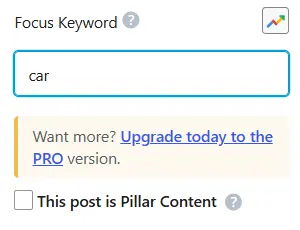
Although mini sites can perform very well on certain projects, they do have some SEO limitations that you’d do well to know about before choosing this structure.
You have less room for SEO growth
On multi-page websites, you can create a separate page for each service, product, or topic and work on different keywords. But on a one-page website, everything sits on a single page, and that reduces your SEO opportunities.
Optimization becomes more complex
When several different topics are placed on a single page, managing titles, keywords, and content structure becomes a bit more difficult. For that reason, doing SEO for a mini site usually requires more care.
Limitations on keyword use
On multi-page websites, you can focus on one specific keyword for each page. But on a one-page website, you have to manage several topics and keywords all on a single page, which isn’t always an easy task.
A need for ongoing updates
For your site to hold onto its position in Google’s results, you need to update its content regularly. This matters even more on one-page websites, since you don’t have the option of producing new pages.
Not suitable for every business
If you have a large brand or offer a variety of services and products, a multi-page website will probably be a better choice. Mini sites are more suited to smaller projects, advertising campaigns, or showcasing a specific service.
Analyzing user behavior becomes harder
On multi-page websites, you can easily see which page users entered from and which part of the site they spent the most time on. But on one-page websites, since everything sits on a single page, analyzing user behavior and evaluating the performance of different sections becomes a bit more complex.
A single problem can affect the whole site
On multi-page websites, if a problem occurs with one of the pages, the other sections of the site usually remain accessible. But on a mini site, since all the content is on a single page, a serious issue can affect the display of the entire site.
They usually need more time to rank
One-page websites can rank on Google too, but because of their content limitations and smaller number of pages, competing with large, multi-page sites is usually harder for them, and reaching top rankings takes more time.
If you’d like to learn more about SEO, you can check out the free SEO course on our website. Click the button below.
Final Thoughts
One-page websites might not be as common as multi-page ones, but on certain projects they can be a fantastic choice. If your goal is to showcase a product, a specific service, a personal résumé, or to run an advertising campaign, a mini site can meet your needs with a simple, user-friendly structure.
Of course, as we’ve seen, alongside advantages like decent speed, simplicity, and a high conversion rate, this type of site has its limitations too — especially when it comes to SEO, content production, and growing the site in the future. That’s why, before choosing between a one-page and a multi-page website, it’s a good idea to consider both your current needs and your future plans for the business.
In the end, you can’t say a one-page website is always better, or that a multi-page one is. The right choice is the site that best aligns with your business goals.
If you have any experience designing or using mini sites, we’d be glad to hear your thoughts and share them with us and other users. Take care and all the best. 🙂

Ahura WordPress Theme
The Power to Change EverythingElementor Page Builder
The most powerful WordPress page builder with 100+ exclusive custom elements.
Incredible Performance
With Ahura’s smart modular loading technology, files load only when they are truly needed.
SEO Optimized for Google
Every line of code is carefully aligned with Google’s algorithms and best practices.

To post a comment, please register or log in first.