
 Tutorials


 Ahura
Ahura Plugins

 Blog
Blog7 Best Download Manager Plugins for WordPress
- TutorialsWooCommerce Plugins
- Updated on
Managing downloadable files in WordPress is one of those critical tasks that can make or break your site. If you do not handle it properly, you will probably end up wasting your hosting space and frustrating your users when they try to download something. One of the best and most effective ways to take control of file management on your WordPress site is by using specialised plugins.
Now, WordPress does have a built‑in file download feature. But let us be honest. It is very basic and simply not enough for any kind of advanced functionality. Today, I am going to introduce you to several plugins that are not only packed with useful features but are also completely free.
Table of Contents
Why You Need a Download Management Plugin
A huge number of WordPress sites offer content that users might want to download as files. This is especially true for educational websites, online course platforms, and resource libraries. For these types of sites, having a proper download management plugin is not just nice to have—it is essential.
In this guide, I will show you several plugins that will help you manage file downloads on your site with ease. All of these plugins are available from the official WordPress plugin repository. You can download and install them just like any other plugin.
Selling Digital Files with Easy Digital Downloads
The first plugin I want to introduce is Easy Digital Downloads, often shortened to EDD. This plugin has over sixty thousand active installations and has earned a loyal following among its users.
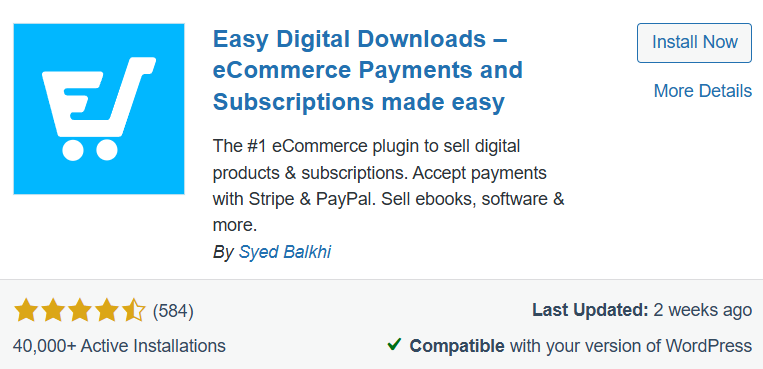
With EDD, you can easily offer files for download on your site. The plugin works well with a wide range of themes, so you do not need to worry about compatibility issues with your current design.
If you want to learn more about this plugin, I recommend reading a detailed guide on what EDD is and how to sell files with it. But here is a quick summary of its pros and cons.
On the plus side, EDD is very lightweight. It also has many extensions that allow it to connect with various payment gateways. On the downside, if you plan to sell physical products alongside digital files, this plugin is not a good fit. It is designed specifically for digital goods and nothing else.
CM Download Manager
With CM Download Manager, you can easily manage everything related to file downloads on your WordPress site. This plugin offers several useful features for both administrators and regular users.
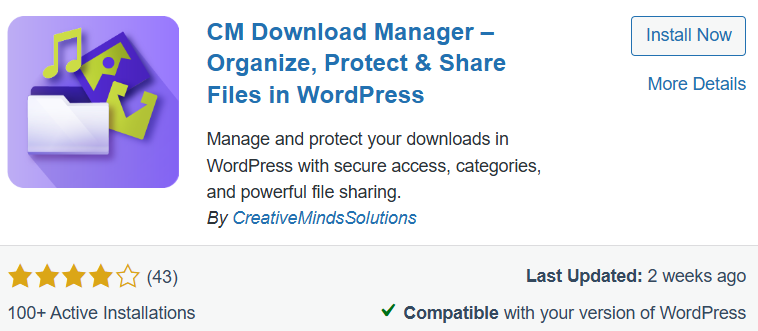
For example, users can track all their downloaded files from their own profile page. You can also filter downloads using a built‑in search engine, which is very handy for sites with many files.
CM Download Manager allows you to add a thumbnail or preview image for each download. You can also customise the appearance of the download area to some extent. On the positive side, the internal search filter is excellent for busy sites with lots of content. On the negative side, the free version looks a bit plain. To make it look great, you will need to either customise it with code or upgrade to the paid version.
Download Monitor
If you are looking for a simple, clean interface, Download Monitor is an excellent choice. This plugin is very easy to use, and you are unlikely to run into any difficulties while working with it. You can display download links on your pages using shortcodes, which is straightforward even for beginners.
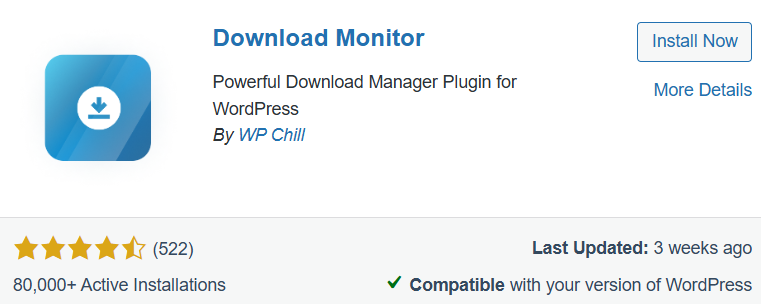
Download Monitor comes with a range of useful features. You can change how download links appear, track view counts, and take advantage of full compatibility with the Gutenberg editor. You can also organise your downloads using categories and tags.
The main advantage is how easy it is to use. You do not need any technical knowledge at all. And it works perfectly with Gutenberg. The downside is that it does not offer advanced features for selling files or creating very complex categorisation systems.
WooCommerce
WooCommerce is one of the most popular plugins in the entire WordPress ecosystem. With over five million active installations, it has earned its reputation by offering an incredible range of features.
As a WordPress site administrator, WooCommerce gives you almost everything you could possibly need for running an online store. Its interface is very simple and user‑friendly. One of its standout features is the built‑in invoice builder, which means you do not need to install any additional plugins just to create professional invoices.
Of course, WooCommerce is best known as an e‑commerce plugin for building online stores. But it handles digital file downloads very well too. If you are looking for a powerful, all‑in‑one solution for selling files on your WordPress site, WooCommerce is a fantastic choice.
On the positive side, it is the most powerful e‑commerce builder for WordPress. It manages customer financial records and invoices with great accuracy. On the downside, if your site only offers free files for download, WooCommerce is overkill. It is quite heavy and will use up hosting resources that you could save with a lighter plugin.
WordPress Download Manager
With this plugin, you can control exactly who has permission to download specific files. WordPress Download Manager has over one hundred thousand active installations, so you know it is trusted by a large community of users.
One interesting feature is that users must agree to any terms and conditions you set before they can download a file. Other features include the ability to add custom icons for each download, control download speeds, password‑protect files, use custom link labels, and even add a login form.
If you have videos on your site, this plugin allows users to watch them online but prevents them from downloading the video file directly. You can also link your files to cloud storage services like Google Drive or Dropbox.
The main strength of WordPress Download Manager is its excellent security features. You can force users to accept your site rules before downloading anything. The downside is that there are so many settings that beginners might feel overwhelmed at first.
File Manager
File Manager puts a lot of power directly into the hands of site administrators. In simple terms, it gives you everything you need to access your site’s folders and root directory directly from your WordPress dashboard. You do not need to log into cPanel or DirectAdmin at all. However, keep in mind that this plugin is more about managing your hosting files than creating download links for users.
As an administrator, you can easily drag and drop files to move them wherever you need. You can also manage file sizes and types, controlling exactly what can be uploaded or downloaded on your hosting account.
With File Manager, you can share files via email directly from the plugin. Other features include PDF preview, multiple themes, FTP and SFTP support, and the ability to archive files.
The big advantage is that you can manage your hosting files without needing FTP or logging into cPanel. The downside is that this plugin was not designed for user downloads. If you are not careful, you could accidentally delete critical site files. So use it with caution.
WP-DownloadManager
WP-DownloadManager is a bit different from the other plugins I have mentioned. It has an older structure and appearance. To take full advantage of its features, you will need some knowledge of coding and WordPress functions.
If you have programming skills, this plugin offers some impressive capabilities. That said, there are more modern options available today. So if you are a developer looking to explore advanced customisation, give this plugin a try. For everyone else, one of the other options will probably serve you better.
On the plus side, if you know how to code, you can customise every single aspect of this plugin to match your needs perfectly. On the downside, the interface looks quite dated, and if you are not familiar with WordPress functions, you might find it frustrating to work with.
Securing Your Download Folder and Preventing Direct File Access
When you put valuable files on your site for download, one of your biggest fears is that unauthorised users might guess the direct folder path and access your files without paying. To prevent this kind of link stealing, you need to increase the security of your download folder on your hosting server.
One of the best approaches is to block direct access to your download plugin’s dedicated folder using the .htaccess file. In professional plugins like WooCommerce or Easy Digital Downloads, you can also set the file download method to “Force Downloads” or use X-Accel-Redirect or X-Sendfile. These methods place your files in a secure folder outside the public web directory, so no one can access them without proper permission.
Connecting Download Manager Plugins to Cloud Storage
Uploading large files directly to your main hosting account consumes a lot of space and bandwidth. If your site has a high number of downloads, your main server will slow down quickly, and your site will start having problems. The professional solution is to use cloud storage or a dedicated download host.
You can connect your download management plugins to cloud storage services. For example, in WooCommerce or EDD, you can simply enter the cloud storage file URL instead of your own hosting path. When users click the download button, the file downloads directly from the cloud server at high speed, putting no pressure on your main server at all.
URL Masking: Hiding the Real File Path in WordPress
One of the most impressive features that download manager plugins offer is URL masking. If the real address of your file gets exposed, users can share that link with anyone, and all your security efforts go out the window.
These plugins automatically encrypt the real file links. Instead of showing the direct file address, they display a structured, temporary link that looks something like yourwebsite.com/download/id=45. In this setup, WordPress first checks the user’s permissions. Only if everything is approved does it securely deliver the file, without ever revealing the original server download address.
Tracking and Analysing Download Statistics in Your WordPress Dashboard
As a site administrator, understanding your audience’s needs and managing your hosting resources effectively means knowing which files are most popular and how often they are being downloaded. Professional download manager plugins provide this data accurately.
By going to the reports or statistics section of your plugin dashboard, you can view detailed charts showing the number of downloads per file, the date and time of each download, and even the IP addresses and locations of users. This information helps you understand what type of content your audience prefers so you can focus your efforts there.
Optimising Download Speed with Resume Support
Few things are more frustrating than downloading a large file only to have your internet connection drop at ninety‑nine percent, forcing you to start all over again. To prevent this, your server and download plugins should support resumable downloads.
When this feature is enabled, users can download files using download manager software like IDM, often with multi‑threaded connections for maximum speed. If their internet disconnects, they can simply resume the download later from where it stopped. To make this work, check that your download manager plugin has chunked downloading enabled and that your hosting server does not block this protocol.
Quick Selection Guide
If you do not have time to read the whole article or you are still unsure which plugin to choose, this simple table will help you decide at a glance.
| Plugin Name | Best For | Learning Curve | Free Version |
|---|---|---|---|
| Easy Digital Downloads | Selling digital files and products | Easy to moderate | Yes |
| CM Download Manager | Managing files with a user dashboard for members | Moderate | Limited free version |
| Download Monitor | Sharing and tracking free files | Very easy | Yes |
| WooCommerce | Hybrid stores selling both digital and physical products | Moderate | Yes |
| WordPress Download Manager | Access control and locking download links | Moderate | Yes |
| File Manager | Direct hosting file management from your dashboard | Easy | Yes |
| WP-DownloadManager | Developers and custom coding projects | Difficult | Yes |
Use this table as your cheat sheet. Find your main goal in the “Best For” column, check if the learning curve feels comfortable for you, and make sure a free version is available if that matters for your budget. From there, you can confidently pick the plugin that fits your needs.
Real‑World Scenarios
Let me walk you through a few common scenarios to help you decide which plugin is right for you. If you want to sell educational videos or podcasts, go with Easy Digital Downloads. Unlike WooCommerce, it will not slow down your hosting, and its focus is purely on digital files. If you run a corporate or personal site and just want to offer a few free PDF catalogues for download, Download Monitor is your best choice. Install it quickly, add the shortcode to your page, and you are done.
If your site is a clothing or auto parts store but you also sell an educational ebook on the side, this is where WooCommerce shines. It can handle both product types seamlessly. If you only want to give access to files to users who have registered on your site and have a password, go with WordPress Download Manager. It offers strong security locks for your files.
Frequently Asked Questions
Do these plugins slow down my website?
Specialised plugins like Download Monitor or Easy Digital Downloads are very lightweight and have no noticeable impact on speed. WooCommerce, however, performs heavier processing. If your hosting is weak, it might slow down your site.
How do I know if my download host is properly connected to the plugin?
After uploading your file to your download host, simply copy the direct link and paste it into the file path section of your plugin, such as in EDD or WooCommerce. If users can download the file without issues after purchasing or clicking, your connection is working correctly.
Is the free version of these plugins enough to get started?
Absolutely. The free versions of plugins like EDD, WooCommerce, and Download Monitor will handle all your core tasks perfectly. You do not need to spend any money upfront.
How can I prevent bots or unauthorised users from downloading my files?
Plugins like WordPress Download Manager have built‑in CAPTCHA features. Also, by setting the download method to a secure mode in WooCommerce or EDD, download links become encrypted and direct access is blocked.
Final Thoughts
Managing files and download links in WordPress is one of those tasks that can become a real headache later if you do not set it up correctly from the start. As your site grows and attracts more visitors, having the right system in place becomes even more critical. The best plugin for you depends entirely on your current needs and your future plans for your site.
If you want an all‑in‑one system for selling files, Easy Digital Downloads and WooCommerce are your best options. If you simply need to share a few free files and track their download statistics, Download Monitor is ideal. And if security and locking down your links are your top priorities, WordPress Download Manager is exactly what you need.
My suggestion is to write down your site’s main requirements on paper first. Then, using the guide and scenarios I have laid out above, choose the best option and install it. You have got this. I hope you can now easily choose the best WordPress download manager plugin for your website. Good luck. 🙂

Ahura WordPress Theme
The Power to Change EverythingElementor Page Builder
The most powerful WordPress page builder with 100+ exclusive custom elements.
Incredible Performance
With Ahura’s smart modular loading technology, files load only when they are truly needed.
SEO Optimized for Google
Every line of code is carefully aligned with Google’s algorithms and best practices.
To post a comment, please register or log in first.