
 Tutorials


 Ahura
Ahura Plugins
 Blog
BlogCan You Launch a Large, High-Traffic Website with WordPress? Is It Really Possible?!
- Tutorials
- Updated on
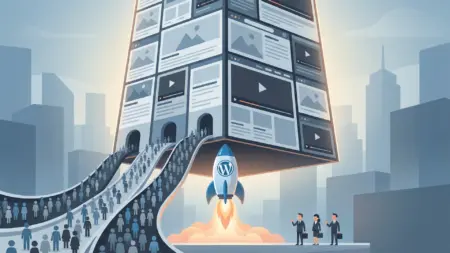
A very common question among people interested in web design is whether WordPress can handle a large, high-traffic website. For example, a site that attracts millions of daily visitors, manages heavy traffic loads, and is expected to perform reliably under constant demand. Do you need fully custom development for something at that scale, or is WordPress enough?
WordPress is one of the most popular content management systems in the world. Why? Because it’s incredibly user-friendly and supported by a vast ecosystem of plugins and themes that make it possible to build almost any type of website. On top of that, it offers strong capabilities for SEO, performance optimization, security, and customization.
But the main question remains: Is WordPress only suitable for small blogs and simple websites, or can it truly support large, professional platforms as well?
In this article, we’ll explore that exact topic. Together, we’ll examine whether WordPress has the real capacity to manage a large, high-traffic website. From security and speed to code optimization, large database management, and handling significant traffic volumes, every key factor will be carefully analyzed.
Table of Contents
Can a WordPress Website Stay High-Traffic Over Time?
Hello! I hope you’re doing great. In this article, I want to address one of the most important and frequently asked questions in the web design space: if you launch a website using WordPress, can it eventually grow into a large, high-traffic platform and continue running smoothly on WordPress?
Imagine you have a website with a massive database and significant daily traffic. Now picture that site continuing to grow, attracting more visitors every day. This naturally raises an important question: does WordPress have the capability to manage such conditions, or should you consider moving toward fully custom development as your platform expands?
This is a concern shared by many website owners. In this article, we’ll explore exactly that—examining how WordPress performs for large-scale, high-traffic websites and whether it can remain a reliable choice for the future.
An Industry Experience and a Key Question About WordPress
I remember attending a major technology exhibition several years ago when two entrepreneurs approached me with an exciting idea. They said, “We’re planning to launch an online store with a very large number of products. Do you think WordPress can handle something at that scale?”
At the time, the question felt both surprising and challenging. It made me wonder: could WordPress truly support a project of that magnitude? That curiosity led me to spend years researching the topic and gaining hands-on experience across different types of projects.
Over time, I’ve worked on numerous websites—some built with WordPress, others developed entirely from scratch. Each project offered valuable lessons. We collaborated on websites of all sizes: some with just a handful of products, others with thousands. Some attracted moderate traffic, while others received tens of thousands—even hundreds of thousands—of visitors per day through search engines.
Today, with years of experience behind me, I can confidently say that many large, high-traffic websites have been successfully built on WordPress and continue to operate without issues. Of course, this depends on following best practices for setup, optimization, and ongoing maintenance.
So if you’re planning to launch a large website—one that might eventually serve millions of visitors and manage extensive amounts of data—your question is completely valid: is WordPress the right choice? In the rest of this article, I’ll share practical insights and real-world observations to help you understand how WordPress performs in real scenarios.
Evaluating Your Needs
To determine whether WordPress is suitable for a large website, the first step is to clearly define the features and capabilities you expect from your platform. The truth is, choosing between WordPress and custom development depends primarily on your goals and requirements.
For example, imagine you want to launch a news website. The needs are fairly straightforward: you should be able to publish articles across multiple categories, allow readers to leave comments, and dedicate sections of your site to advertising. When you look closely, nearly all of these features are available in WordPress by default—or can be added easily with a few well-chosen plugins.
If WordPress already meets these requirements, why invest the time and expense in building a custom system from the ground up? For most news platforms, the essential tools are already built into WordPress or accessible through its ecosystem. Rather than reinventing the wheel, it often makes far more sense to rely on a platform that has already proven its stability and effectiveness.
SEO and Security in WordPress: Myths You Should Leave Behind
Before we continue, let’s clear up a common misconception. Many people still claim that “WordPress isn’t good for SEO” or “WordPress isn’t secure.” In reality, neither statement is accurate.
Search for “What is WordPress?” on Google, and you’ll immediately find numerous WordPress-powered websites ranking at the top for highly competitive keywords. If WordPress lacked strong SEO capabilities, achieving such visibility simply wouldn’t be possible. The idea that WordPress is weak in SEO has no real foundation.
First and foremost, WordPress is widely regarded as one of the most SEO-friendly content management systems available today. Hundreds of major websites rely on it and consistently achieve excellent search engine rankings. The reason is straightforward: WordPress follows many SEO best practices by default, and with plugins such as Yoast SEO or All in One SEO, you can optimize your site to a professional standard.
Features like XML sitemaps, meta tags, keyword analysis, and seamless integration with tools such as Google Search Console and Google Analytics can all be implemented effortlessly. In other words, the platform provides both the structure and the flexibility needed for effective search engine optimization.
What About Security?
The same misunderstanding often applies to security. WordPress is not inherently insecure. Problems typically arise when site owners use unverified themes or plugins, neglect updates, or fail to follow basic security practices.
By implementing proven measures—installing reputable security plugins like Wordfence, enabling SSL, choosing a reliable hosting provider, and keeping the core software up to date—you can significantly strengthen the security of any WordPress website.
It’s important to remember that security is never determined solely by the CMS. Any website, regardless of the programming language or platform, can be either secure or vulnerable depending on how well it is maintained. Ultimately, responsibility lies with the site administrators and their commitment to best practices.
The persistent myth that WordPress lacks SEO or security is often fueled by companies attempting to promote proprietary systems. In truth, WordPress offers both strong optimization capabilities and robust security, making it a powerful and dependable platform.
WordPress for Large Websites and Massive Databases
You might be wondering whether WordPress can handle large-scale websites and extensive databases. The answer is yes—provided it is managed correctly.
WordPress runs on MySQL, which is more than capable of supporting medium-sized websites. For enterprise-level projects, database optimization and performance tools such as WP-Optimize, along with more advanced infrastructure solutions, can maintain high levels of speed and efficiency.
Of course, launching a high-traffic WordPress site does come with challenges. You’ll need a powerful server, effective caching strategies, performance plugins like WP Rocket, routine database optimization, and tools such as WP Smush to manage large media files. The good news is that these challenges are solvable and rarely become barriers to growth.
If you’d like additional reassurance, consider a few real-world examples. TechCrunch, which attracts millions of monthly visitors, runs on WordPress. So does the renowned magazine The New Yorker. Even the official website of the White House and major technology blogs have relied on WordPress infrastructure. These platforms serve enormous audiences every day—yet WordPress remains their trusted foundation.
The takeaway is simple: when implemented properly, WordPress is fully capable of supporting large, high-traffic websites. The key is to prioritize security, performance, and ongoing optimization while relying on trusted tools and resources.
Don’t Build a New System Until You Truly Need One
There’s another important point to consider. As mentioned earlier, choosing a content management system should always depend on your website’s requirements. For many use cases—especially news platforms—WordPress is one of the strongest options available.
So why build a custom system from scratch when a proven solution already exists? If WordPress delivers the features you need, developing a proprietary platform often results in unnecessary costs and extended timelines.
Looking at real-world examples makes this even clearer. Major organizations and global brands trust WordPress to power parts of their digital presence. When platforms with millions of daily visitors rely on it, choosing WordPress for a news site, blog, or content-driven platform becomes not only logical but strategically sound.
WordPress provides the essential tools for publishing content, organizing categories, enabling user comments, and managing advertising—all within a mature ecosystem. For many websites, that combination makes it both the smarter and the safer choice.
When Is WordPress Not Enough?
So far, we’ve mostly discussed the strengths of WordPress for content-driven websites such as blogs and news platforms. But the reality isn’t always that simple. Sometimes the challenge goes beyond basic features like categorization, publishing articles, or managing users. Certain projects require advanced functionality that WordPress doesn’t provide out of the box—even at a basic level.
Example: Building an AI Content Platform
Let’s look at a practical example. Imagine launching a platform that generates content using artificial intelligence. Users log in, submit requests, and the system automatically produces high-quality, SEO-optimized content.
What would a platform like this require? Integration with AI services, API management, a wallet or credit system for users, advanced authentication (such as Google sign-in), a comprehensive user dashboard, a powerful admin panel for handling transactions and user activity, global payment gateways, and much more.
Out of all these requirements, WordPress only covers the simplest layer—basic user registration and login. Everything else would require building custom plugins or stitching together multiple third-party solutions, often leading to unnecessary complexity. In a scenario like this, designing the system from the ground up becomes the more logical choice. If nearly every component must be customized, building on top of a platform with inherent limitations may slow your progress rather than support it.
Example: Launching a Real-Time Chat System
Consider another scenario: creating an online chat service that stores massive volumes of messages and data while maintaining real-time performance.
For this type of project, the database architecture must be optimized for rapid data processing. Since WordPress relies on MySQL, it may not be the ideal fit for high-frequency, real-time communication systems. Alternative architectures—such as NoSQL databases—and programming environments designed for real-time data exchange are often better suited for these demands.
This highlights an important truth: WordPress isn’t built for everything. If your project depends on highly specialized features that the platform cannot realistically support, forcing WordPress into the role can complicate development, limit scalability, and slow long-term growth. In these cases, building a custom system from day one allows you to design an architecture precisely aligned with your product’s needs.
Do You Really Need to Build Everything from Scratch?
Here’s the honest answer: if you’re planning a highly unique platform with unconventional functionality, WordPress probably isn’t the right tool. But the reality is that roughly 90% of websites don’t require that level of complexity.
Take an online store as an example. With WooCommerce, WordPress already provides product management, customer accounts, secure checkout, digital downloads, and more. Everything is readily available—so why invest months building a custom system that will cost significantly more?
Hosting and domain pricing are predictable, and with a well-designed theme plus a few reliable plugins, you can launch your website quickly and affordably. Custom development, on the other hand, often involves long timelines, higher financial risk, and no guarantee that the final product will perfectly match your expectations.
Many teams have learned this firsthand. Highly specialized platforms—such as AI-driven tools or real-time communication systems—often require months of development, substantial investment, and occasional restarts when technical assumptions change. For a straightforward eCommerce site, that level of effort rarely makes business sense.
The practical rule is simple: use WordPress for as long as it effectively meets your needs. It’s faster to deploy, more cost-efficient, and thoroughly battle-tested. Only consider a fully custom solution when there is truly no viable way to implement the functionality you require within WordPress.
Why Didn’t Major E-Commerce Giants Start with WordPress?
This question comes up frequently: if WordPress is so powerful, why didn’t some of today’s largest online retailers build their platforms on it?
The answer is largely historical. When many major eCommerce companies first launched, WordPress lacked the advanced capabilities it offers today. At the time, it was primarily a blogging platform—not the versatile ecosystem it has since become. Choosing a custom-built system was simply the most practical option available.
Today, however, the landscape is very different. WordPress has evolved dramatically, with stronger security, an expansive plugin ecosystem, and features capable of supporting a large portion of modern online store requirements. If some of those companies were launching today, there’s a strong possibility they would at least consider starting with WordPress.
More importantly, most startups aren’t operating at enterprise scale from day one. Early-stage businesses rarely have the resources to invest heavily in fully custom software before validating their market. Launching quickly, testing ideas, attracting customers, and iterating over time is usually the smarter strategy—and WordPress supports exactly that approach.
Real-world experience continues to show that many websites run successfully on WordPress for years, generating significant traffic and revenue without major issues. The concern that “WordPress won’t scale” is often overstated.
Will a Large WordPress Database Slow Down Your Site?
Another common concern is database size. People often ask, “If a WordPress database grows significantly, won’t the website become slow?”
Yes, databases grow—but that doesn’t automatically translate into poor performance.
Here’s why: when a visitor opens a page, the system doesn’t load the entire database into memory. Instead, it queries only the specific tables and data required for that request. For example, displaying a blog post involves retrieving information from the relevant posts table—not scanning gigabytes of unrelated data.
Even if a database reaches tens or hundreds of gigabytes, proper optimization ensures that performance remains strong. Indexing, caching strategies, query optimization, and efficient architecture all play a role in maintaining speed.
Server infrastructure is equally critical. A well-configured, high-performance server can process requests rapidly regardless of database size. With the right setup and ongoing optimization, the difference between a 2-GB database and a 200-GB one may be practically invisible to users.
Ultimately, a large database isn’t the problem—poor management is. When handled correctly, database growth is simply a sign that your website is expanding, not that it’s slowing down.
Stronger Servers: The Natural Solution for Growing Websites
Here’s an important point to understand: as your website grows—your database expands and visitor numbers increase—your server infrastructure needs to grow with it. That’s not unusual. Just like a small retail shop eventually requires a larger warehouse as demand rises, a successful website needs more powerful hosting to support its growth.
That doesn’t mean you need an excessively expensive, enterprise-grade server from day one. What matters is choosing infrastructure that comfortably handles your traffic and data requirements while remaining cost-effective.
For most high-traffic websites, server expenses are simply part of doing business. When a platform generates meaningful revenue, investing in better hosting becomes a logical and sustainable decision rather than a financial burden.
Server Upgrades Are a Normal Part of Scaling
Every growing digital product—whether built on WordPress or a custom framework—eventually requires stronger infrastructure. A larger database does not automatically lead to slower performance or downtime. In most cases, the solution is straightforward: upgrade your server resources.
Think of it as moving into a larger office when your company expands. It’s not a sign of failure; it’s evidence that your platform is succeeding.
Many high-traffic WordPress websites have followed this exact path—starting with modest hosting environments and gradually scaling their infrastructure as their audiences expanded. With proper planning, these transitions are smooth and predictable.
The key takeaway? A large database does not equal a slow website. What truly matters is selecting the right infrastructure and scaling it at the right time.
Is There a Database Limit in WordPress?
A common question is whether WordPress has a built-in ceiling—does it stop performing once the database reaches a certain size? The short answer is no.
WordPress runs on widely adopted technologies such as PHP and MySQL (or MariaDB). These systems don’t impose arbitrary limits on how much content you can store. Instead, performance depends largely on your hosting environment, database optimization, caching strategy, and server configuration.
As your website grows, both your database and your revenue potential typically increase together. By the time your platform reaches a scale where infrastructure upgrades are necessary, the business value it generates should easily justify those improvements.
So rather than worrying about database capacity, focus on aligning your infrastructure with your growth trajectory.
The Most Important Factor: Your Feature Requirements
When deciding whether WordPress is the right choice, one factor outweighs everything else—your product requirements.
Start by clearly defining what your website must accomplish. What features are essential? What type of experience are you building? Your answers will naturally guide the technology decision.
If most of your requirements already exist within the WordPress ecosystem—or can be implemented with a well-built theme and a handful of reliable plugins—then WordPress is often the fastest and most efficient route to launch.
However, if your platform depends on capabilities that fundamentally fall outside WordPress’s architecture, a custom-built solution may provide greater long-term flexibility.
In other words, the decision isn’t about which technology is “better.” It’s about choosing the one that aligns with your goals.
A frequent mistake is assuming that custom development is inherently more professional. In reality, many projects could launch months earlier by leveraging mature platforms instead of rebuilding functionality that already exists.
Is the WordPress Database Reliable?
Another concern sometimes raised is whether the WordPress database structure has technical flaws.
From a purely theoretical perspective, engineers could always debate ways to refine database schemas—this is true for virtually any large-scale software project. But the real question is practical: does the database create operational problems?
For the vast majority of websites, the answer is no.
WordPress databases successfully power thousands of large, high-traffic platforms worldwide. When properly maintained and optimized, they rarely become a performance bottleneck.
It’s also important to remember that WordPress is an open-source project. Its codebase is publicly accessible, allowing developers across the globe to review, improve, and strengthen the platform continuously. If meaningful issues arise, they are typically identified and addressed through ongoing community contributions.
This constant evolution is one of WordPress’s greatest strengths—it is not a static system but a living project that grows more stable and capable over time.
The Strength of the Open-Source Community
WordPress is built on an open-source foundation, meaning anyone can inspect the code, propose enhancements, or contribute directly to its development. Thousands of developers and teams actively participate in refining the platform, testing improvements, and strengthening security.
For more than a decade, WordPress has seen continuous updates and refinements—evidence of a highly active global contributor network working to make the system faster, more secure, and more resilient.
This is the real power of open source: innovation doesn’t rely on a single company or small engineering team. Instead, it’s driven by a worldwide community committed to improving the platform.
That collaborative momentum is a major reason why WordPress today powers a significant portion of the web.
WordPress or a Custom-Built System? When Should You Choose Each One?
Let’s start with a simple example. If you need a reliable way to commute to work every day, almost any car will do the job. Whether it’s a compact vehicle or a luxury model, they all serve the same purpose: getting you from point A to point B. It wouldn’t make much sense to design and build a car from scratch—especially when that process would be time-consuming, expensive, and full of potential issues.
WordPress works in a very similar way. For many types of websites—such as news platforms, online stores, corporate sites, educational portals, or service-based businesses—most of the required tools are already available. You can launch your site quickly by choosing a suitable theme and adding a few plugins if needed. This approach allows you to reach your goals faster without investing months of development time or a significant budget into building a custom system.
However, there are situations where the story changes. Imagine the street leading to your home is extremely narrow—so narrow that no standard car can pass through it. In that case, you would need a specialized vehicle, or perhaps even design something entirely new. The same logic applies to digital projects with highly unique requirements that fall far outside common standards. When your project demands functionality that existing platforms cannot realistically support, a custom-built system becomes the more practical choice.
So what’s the takeaway?
As long as WordPress can meet your needs, it is often the smartest option: fast, cost-effective, and dependable. But if your project has truly specialized requirements—and you cannot find even a reasonable portion of the features you need within the WordPress ecosystem—then investing the time and resources into a custom solution is a logical decision.
Final Thoughts
Building a platform comparable to WordPress is no small task. It is the result of years of continuous development by thousands of contributors around the world who have refined its performance, improved its security, and expanded its capabilities. Creating something of that scale is not a short-term project for even a large development team.
Ultimately, the choice is yours. You can leverage a platform that has been tested and improved over many years, allowing you to move forward more quickly, or you can decide to build a fully custom system tailored specifically to your vision.
What truly matters, however, is your commitment to what you create. Whether you choose WordPress or a custom-built platform, the real goal is to deliver a high-quality experience, keep your users satisfied, and build a sustainable source of revenue. That is what defines long-term success. Wishing you the very best on your journey.
Ahura WordPress Theme
The Power to Change EverythingElementor Page Builder
The most powerful WordPress page builder with 100+ exclusive custom elements.
Incredible Performance
With Ahura’s smart modular loading technology, files load only when they are truly needed.
SEO Optimized for Google
Every line of code is carefully aligned with Google’s algorithms and best practices.

To post a comment, please register or log in first.