
 Tutorials


 Ahura
Ahura Plugins

 Blog
BlogComparison of 2 Page Builder Plugins: Elementor and Beaver Builder

If we want to be realistic, building a professional WordPress website is no longer as difficult and complicated as it used to be. Now you can design a complete website with just a few clicks, without even knowing a single line of code. But there’s always one important question in the middle of it all: Is Elementor better or Beaver Builder?
If you’ve recently entered the world of WordPress, you’ve probably heard the names of these two page builders very quickly. One is packed with features and diverse widgets; the other is lighter, faster, and more focused on stability. The problem is that everyone seems to have a different opinion. Some say Elementor is the best choice because it has everything you need, while others say Beaver Builder is better because it keeps your site lighter and comes with fewer headaches.
The truth is, there’s no single, absolute answer here. The right choice completely depends on what kind of website you want to build: a busy, professional online store, or a lightweight, fast, and reliable site for serious projects.
In this article, we’re going to compare these two page builders side by side in a simple and straightforward way—from speed and SEO to features, security, pricing, and even real-world user experience. By the end, you’ll know exactly which one suits you and which one doesn’t. So if you’re looking to make the right choice and avoid regretting it halfway through, stay with us until the end of this article.
Table of Contents
What Is a WordPress Page Builder?
Before we move on to the comparison, it’s good to start with a brief definition so we’re all on the same page. A WordPress page builder is essentially a practical tool that helps you design your website pages easily and visually—without writing even a single line of code. That means you no longer need to deal with HTML, CSS, or other technical stuff; everything is done through drag and drop.
Let me put it more simply. Imagine you want to create an attractive page for your website. Without a page builder, you would have to deal with themes, coding, or complicated settings. But with a page builder, you simply take different elements like text, images, buttons, and videos, and place them exactly where you want until the result matches what you have in mind. The best part is that you see the results live as you design; every change you make appears instantly on the page, so there’s no need to keep saving and previewing.
Most importantly, with page builders you’re no longer limited to a pre-made theme. You can fully customize your website’s appearance—from colors and fonts to the overall page layout. In short, a WordPress page builder is a lifesaver for anyone who wants to create a beautiful, professional website without technical knowledge and have full control over the design.
Two of the most well-known and popular WordPress page builders are Elementor and Beaver Builder, which we’re going to review in detail in this article.
Introduction to the Elementor Plugin
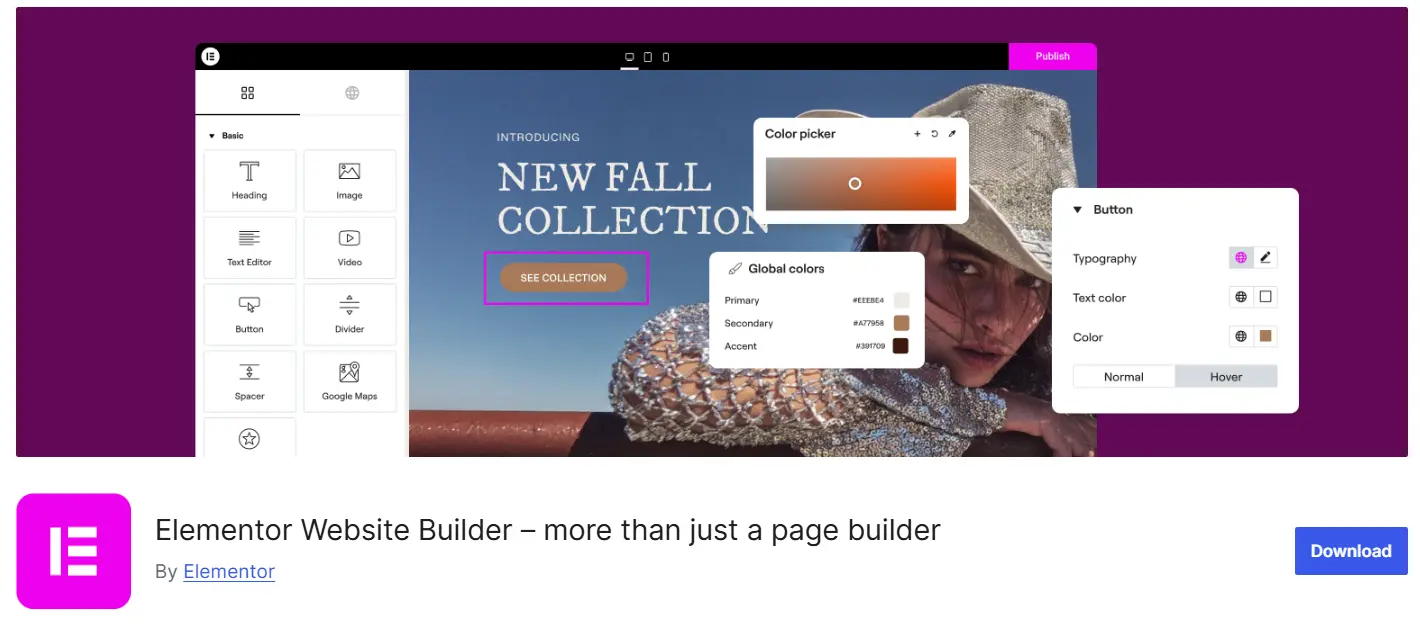
Elementor is one of the most well-known and popular page builders in the world, with millions of websites built using it globally. This high number shows that you’re not dealing with an ordinary tool, but with one of the most powerful options on the market.
What has made Elementor so popular is its ease of use alongside its extensive features. You don’t need to know how to code; you work in a fully visual environment, and everything you build is displayed instantly in front of your eyes. On the other hand, it offers a large library of ready-made templates and sections, fully integrates with WooCommerce, and has a vast ecosystem of add-ons that multiply its capabilities.
Another important point is that the newer versions of Elementor have added many AI-powered features that help you design faster and generate ideas. Elementor offers both a free version, which is sufficient to get started, and a Pro version that provides more advanced professional features.
In simple terms, Elementor’s philosophy is: everything you need for design is right here, at your fingertips.
Introduction to the Beaver Builder Plugin
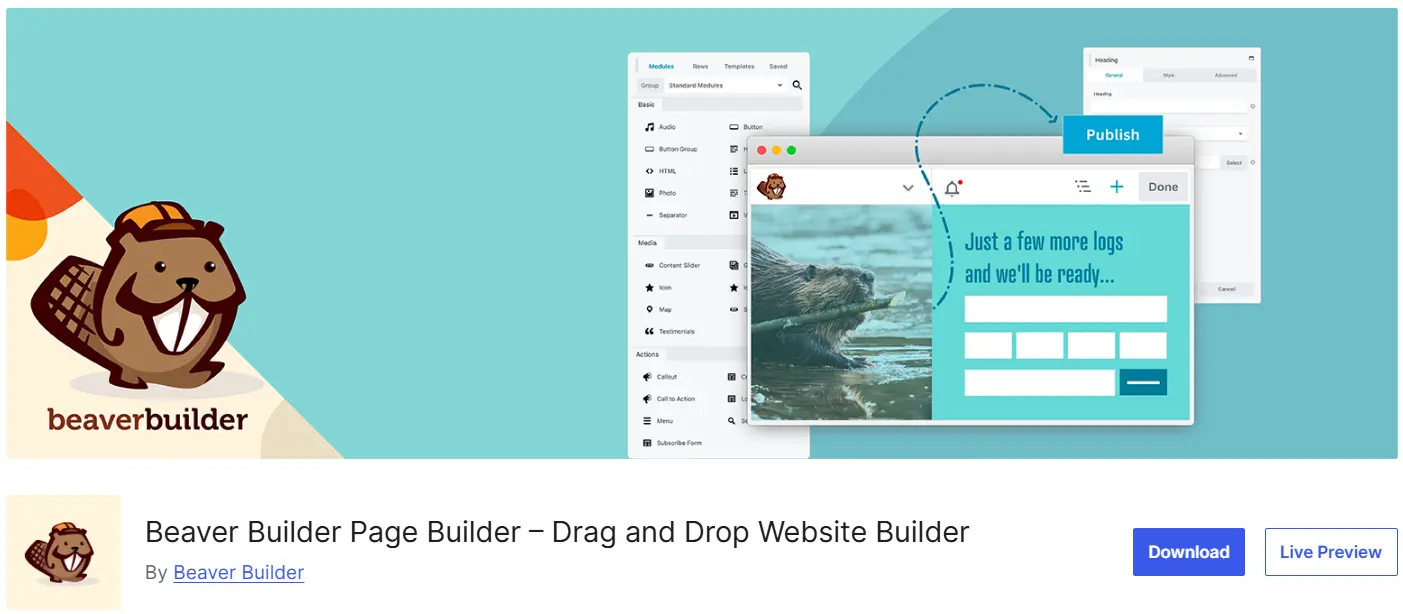
Beaver Builder is one of those page builders that may not have made as much noise as Elementor, but it holds a strong reputation among professionals. In fact, it’s one of the oldest and most stable WordPress page builders, and it has been running cleanly and reliably for years without causing headaches.
This plugin is especially popular among users who are looking for a professional, dependable, and low-maintenance tool—such as web design agencies, WordPress developers, and large companies. These types of users usually deal with heavy, complex projects, and it’s crucial for them that their tools remain stable and don’t cause issues in the middle of a project.
The core philosophy of Beaver Builder is built precisely around this idea: simplicity, stability, and clean coding. Instead of cramming in a bunch of flashy and unnecessary features, it focuses on delivering a lightweight, reliable, and hassle-free tool. It may not be as flashy as some competitors, but once you start working with it, you realize how dependable and trustworthy it can be—especially for projects where stability and reliability matter more than anything else.
A Quick Comparison of Elementor and Beaver Builder
Before diving into the details and analyzing each section one by one, let me give you a general overview. If you’re in a hurry and just want a quick snapshot of the differences between these two, the table below will give you what you need. Later in the article, we’ll break down each of these points in full detail.
| Feature | Elementor | Beaver Builder |
|---|---|---|
| User Interface | Modern, intuitive, and very easy to get started | Simpler, minimal, and professional |
| Design Capabilities | Very extensive and varied | More limited but practical |
| Site Speed | Moderate (requires optimization) | Very lightweight and fast |
| Pre-built Templates | Abundant and varied | More limited |
| Widgets | Plentiful and professional | Basic and fewer |
| Beginner-Friendly | Excellent | Good |
| Suitable for Professionals | Good | Excellent |
| Plugin Ecosystem | Very extensive | More limited |
| Artificial Intelligence | Yes | No |
| WooCommerce Support | Very strong | Moderate |
A quick look at that table tells you almost everything: Elementor leans heavily toward features and variety, while Beaver Builder focuses on lightweight performance and stability. But that’s just the big picture. The real story lies in the details—what those “extra features” or “lighter weight” actually mean for your specific needs. That’s why, starting in the next section, we’ll move into a real, section-by-section comparison, where we’ll also introduce a winner for each category.
Detailed Comparison of Elementor and Beaver Builder
Well, now we’ve reached the main point. From here on, we’ll examine each section separately and at the end of each one, we’ll say which tool wins in that area. This way, by the end of the article, you’ll have a complete picture of the strengths and weaknesses of each.
User Interface
The user interface is the first thing you encounter when working with a page builder, so it has a direct impact on your experience. Let’s see how these two differ.
When you enter Elementor, you’re presented with a fully visual and modern environment. The tools panel is on the left side of the screen, and you can easily drag elements and drop them into the center of the page. Its biggest advantage is that you see changes instantly and live; there’s no need to keep saving and previewing. This makes it very easy to get the hang of quickly. If you’re a beginner or want to achieve results fast, you’ll connect with Elementor very easily.
Beaver Builder also offers a visual environment, but its appearance is more minimal and cleaner. Settings open in floating windows, giving you more control over your workspace. At first, it might seem a bit different and you may need a few days to get used to it, but after that, you’ll realize how clean and well-organized its design is. This uncluttered environment helps you focus more on the design itself rather than being distracted by crowded tools.
Conclusion
There’s no clear winner here, because it depends on your taste and skill level. Elementor offers a faster and more modern experience and is more appealing to beginners; Beaver Builder provides a cleaner and more professional experience that seasoned users tend to appreciate more. If you’re a beginner, Elementor has a slight edge.
Design Features and Widgets
This is where the difference between the two really becomes noticeable. Both tools will get the job done, but their level of features is not the same at all.
Elementor is one of those tools that gives you complete freedom. Almost everything you need to design a professional website is available out of the box—from sliders, pricing tables, and contact forms to countdown timers, image galleries, accordions, tabs, a built-in popup builder, and advanced buttons with plenty of effects. In other words, for building most sections of a website, you won’t need any additional tools. More importantly, hundreds of add-ons have been built for it; so if one day you feel a specific feature is missing, you can be almost certain there’s a plugin available for it.
Beaver Builder provides the core and essential design tools and works perfectly well for standard projects. However, its variety of features is not as extensive as Elementor’s. You get the basic widgets, but for highly advanced tasks, you’ll usually need to rely on additional add-ons. This isn’t necessarily a weakness; Beaver Builder has intentionally remained lightweight and streamlined to focus on simplicity and stability rather than feature overload.
Conclusion
The winner of this section is undoubtedly Elementor. It offers a wider variety of tools, gives you more design flexibility, and has a larger ecosystem that covers almost any need.
Ready-Made Templates
One of the things that’s especially useful for those of you who are just starting to build a website is ready-made templates. Instead of starting from scratch, you simply pick a pre-designed layout and replace the content with your own.
In this area, Elementor really stands out. It gives you access to hundreds of pre-designed pages, individual blocks, and even complete website kits. All you need to do is choose a template, replace the text and images with your own, and your site is almost ready. For someone in a hurry or looking to launch a website quickly, this is a real blessing.
Beaver Builder also offers ready-made templates, but they are fewer in number and more limited in variety. As a result, to achieve a specific design, you may often need to put in more hands-on work and build parts from scratch.
Conclusion
If your goal is to get a professional, ready-to-launch website in the shortest time possible, the winner in this section is Elementor. It offers more templates, greater variety, and helps you reach the final result faster.
Speed, Performance, and Core Web Vitals
Read this section carefully, because website speed directly affects two important factors: user experience and SEO. No matter how beautiful your design is, if your site loads slowly, users will leave and Google won’t be happy either.
Let’s start with Elementor. Since Elementor provides many features, it naturally generates more files behind the scenes. That means more CSS and JavaScript are created to power all those capabilities. The result is that if you don’t optimize your site, page load times may increase and your scores in tools like PageSpeed may drop.
In contrast, Beaver Builder takes a lighter approach from the ground up. It tries to produce minimal extra code and keeps everything clean. As a result, it usually sends fewer requests to the server, generates smaller output files, and performs better in speed tests.
Now let’s talk about something that has become very important recently: Core Web Vitals. Google no longer looks only at raw site speed; it also focuses on the quality of user experience, measured through three main metrics:
- LCP: How quickly the main content of the page loads.
- CLS: How stable the layout remains while the page loads, without elements shifting around.
- INP: How quickly the site responds to user interactions (such as clicks).
These three metrics directly impact your website’s ranking. Reviews typically show that websites built with Beaver Builder, due to their lighter structure, score better on these metrics—especially when no special optimization has been performed.
However, there’s an important point you shouldn’t forget: this difference is not absolute. If you optimize Elementor properly, the gap becomes much smaller. With a few simple steps—such as using a caching plugin, enabling a CDN, and optimizing images—you can remove much of the extra load and achieve very acceptable results. (If you want to learn more in depth, the MihanWordPress WordPress speed optimization course can help you.)
Conclusion
If we look at it purely from a technical and neutral perspective, the winner in this section is Beaver Builder, because it is lighter and more optimized by default. However, keep in mind that with some time spent on optimization, Elementor can get very close to Beaver Builder. So the choice here depends on how much time you’re willing to invest in optimization.
Security
Security is one of those things that might not seem very noticeable at first, but in practice, it’s one of the most important factors when choosing a page builder. After all, you’re working with a tool that directly affects your entire website structure, so it’s not something you can overlook casually.
Because Elementor is very popular and widely used, it naturally attracts more attention. Many developers work on it, and it is more frequently the subject of security reviews and sometimes attacks. On the other hand, that same large ecosystem full of add-ons—one of its strengths—can slightly increase risk here. Every plugin you add to your site is a potential new entry point for bugs or vulnerabilities. This doesn’t mean Elementor is insecure; it simply means it requires more careful management and regular updates.
Beaver Builder, in contrast, takes a more streamlined approach. There isn’t a massive ecosystem with thousands of add-ons, which makes its structure cleaner and more controllable. Because of this simplicity and focus on clean coding, it has generally shown a strong security track record and tends to face fewer complex issues.
Conclusion
The winner in this section is Beaver Builder. Not because Elementor is weak, but because Beaver Builder’s simpler and more controlled structure inherently presents a smaller attack surface. Of course, keep in mind that a large part of your site’s security depends on you and keeping your plugins up to date—not just on the tool you choose.
Artificial Intelligence
Artificial intelligence has evolved from being a luxury feature into a serious part of website design, and many tools are now using it to speed up workflows. This is where one of the clearest differences between these two tools becomes apparent.
Elementor is far ahead in this area and offers many built-in capabilities. With Elementor’s AI, you can generate text, create custom images, produce CSS and HTML code, design overall page structures, and even build landing pages much faster. These features can significantly increase your productivity, especially for tasks that previously had to be done manually and were time-consuming.
Beaver Builder currently does not offer built-in AI features and continues to focus on its classic and stable structure. If you want to use AI in your design process, you’ll need to rely on separate tools—which naturally isn’t as convenient as having it integrated directly into the builder.
Conclusion
The winner here is clear: Elementor. Its broader AI capabilities are a real and modern advantage that can save you a considerable amount of time.
WooCommerce Compatibility

If you’re planning to launch an online store with WordPress, this section directly concerns you. The page builder affects your store’s appearance and the overall user shopping experience—meaning the very thing that ultimately determines whether a visitor makes a purchase or leaves your site.
Elementor is one of the best choices for building a store and offers a very wide range of features. With Elementor, you can design your product pages completely custom, professionally arrange category pages, personalize the cart, and even build the checkout page exactly the way you want. In other words, you’re no longer limited to WooCommerce’s default template—you design the shopping experience yourself.
Beaver Builder is also fully compatible with WooCommerce, and you can build your store with it. However, its ready-made tools and dedicated store design features are not as extensive as Elementor’s. This means that to achieve more advanced designs, you’ll likely need to put in more manual work or rely on additional add-ons.
Conclusion
The clear winner in this section is Elementor. For anyone who wants a professional WooCommerce store, Elementor’s more complete features and greater flexibility are a real advantage.
Developer Features and White Label Capability
This section is more relevant for WordPress developers or those working on professional and custom projects. Here, the situation shifts a bit.
Elementor gives you more power and features, but its structure is somewhat more complex. That means you have more flexibility, but for professional use and detailed customization, you’ll need to spend more time learning it.
Beaver Builder, however, is very popular among programmers and developers—and the reason is clear: it produces cleaner and lighter code, building custom modules is easier, and overall it has a more developer-friendly structure. This means you have greater control and can implement custom development more easily.
One special Beaver Builder feature that’s a major advantage for agencies is White Label capability. With this feature, you can change the plugin’s name, replace it with your own brand logo, and customize the admin panel for your client. The result is that when you deliver the site, everything reflects your own branding, and it’s not obvious which plugin you used. For a web design agency, this is a serious professional advantage.
Conclusion
The winner in this section is Beaver Builder. For developers and agencies, its cleaner and more controllable structure combined with White Label capability makes it a winning combination.
Compatibility with WordPress Plugins
An important factor when choosing a page builder is how well it works with other essential WordPress plugins. The good news is that both tools perform well here and are compatible with most popular and widely used plugins—from SEO plugins like Rank Math and Yoast, to WP Rocket for speed optimization, WPML and Polylang for multilingual sites, ACF, and of course WooCommerce. So generally, you won’t run into major issues in this regard.
However, there’s a subtle difference worth noting: because Elementor has a much larger user base and popularity, developers usually test and optimize their plugins for Elementor first. As a result, in some cases Elementor may be slightly ahead in terms of compatibility and less likely to encounter issues.
Conclusion
Both perform well in this area and there’s no major difference, but due to developers prioritizing Elementor for testing, it has a slight edge.
Pricing (With Real Numbers)
Now we get to the part many people jump straight to: the cost. First, a small warning: the prices and plan structures of these two plugins change frequently (especially Elementor, which recently launched a new ecosystem called Elementor One). So the numbers mentioned here are accurate at the time of writing, and you should definitely check the official websites of both before purchasing.
An even more important point is that the real cost is not just the price of the plugin itself. You also need to factor in add-ons, themes, and annual renewal fees to get a realistic picture of the total expense.
Elementor Pro Pricing
Elementor Pro is an annual subscription with several plans. The basic plan (Essential) for one site starts at about $59 per year. The Advanced plan for 3 sites is around $99 per year, and the Expert plan for 25 sites costs about $199 per year. The highest-tier plan for agencies goes up to around $399 per year (for 1,000 sites). An important note: since 2022, Elementor has removed the lifetime license option, and all plans are renewed annually.
Beaver Builder Pricing
Beaver Builder is also offered only as an annual subscription, with no monthly plans available. The base plan (Starter) for one site costs about $89 per year, and higher-tier plans become more expensive depending on the number of sites and features such as White Label support. One key feature of Beaver Builder is that its plans typically support a higher number of sites—or even unlimited sites—making it potentially more cost-effective if you manage multiple websites.
Cost Summary: If you only have one site, Elementor has a lower entry price with its $59 plan. However, if you manage multiple sites or run an agency, Beaver Builder’s pricing model (supporting many sites under one plan) can be more economical in the long run. In practice, Elementor’s final cost for full-scale projects often ends up slightly higher because you may need additional add-ons for more features—but in return, you get greater flexibility and variety.
Conclusion
There’s no absolute winner here—it entirely depends on your needs. For a single site, Elementor has a cheaper entry point; for multiple sites and agencies, Beaver Builder can be more cost-effective.
What Happens If You Remove a Page Builder?
This is one of the most important and frequently asked questions that many people don’t consider before choosing a page builder—but later end up facing serious issues. So it’s better to know the answer from the start.
The harsh reality is that in most cases, if you remove a page builder, the design of the pages you created with it will break. That’s because those designs are directly dependent on the builder itself. Once the tool is removed, much of your site’s layout may disappear or display in a messy form filled with extra code. This issue isn’t specific to one particular tool—almost all page builders behave this way to some extent.
That’s why, before locking yourself into a page builder, you should consider a few things:
- Carefully evaluate your project’s long-term needs so you won’t have to switch constantly.
- Think ahead about the challenges you might face if you ever decide to migrate or change tools.
- Avoid tying core content (such as article text) too heavily to a specific page builder whenever possible.
In short, if you choose wisely from the beginning with a long-term perspective, you’ll face far fewer problems when it comes to switching or migrating later. That’s why selecting a page builder isn’t a casual decision—it deserves careful consideration.
Which Page Builder Is Right for Whom?
So far, we’ve done a lot of technical comparisons. But let’s move beyond theory and simply see who each of these tools is best suited for. You might find yourself in one of these categories.
Who Is Elementor Suitable For?
Elementor serves a very broad range of users—from WordPress beginners to professional designers. The reason is its combination of ease of use and extensive features. If you fall into one of these categories, Elementor is probably the better choice:
| If you are… | Why Elementor? |
|---|---|
| A beginner | Simple, visual interface with no coding required; you get started easily |
| A freelancer | Ready-made templates and widgets let you deliver projects faster |
| A web designer | You have the freedom to implement almost any idea you can think of |
| Running an online store | Custom design for product pages, cart, and WooCommerce checkout |
| Building landing pages | Quickly create professional landing pages for ad campaigns |
Who Is Beaver Builder Suitable For?
Beaver Builder focuses more on stability, speed, and extensibility, which is why its audience is usually a bit more professional. If you have serious, long-term projects, Beaver Builder will likely suit your needs better:
| If you are… | Why Beaver Builder? |
|---|---|
| A professional developer | Clean, lightweight code makes building custom modules easier |
| Running a web design agency | Stable updates and White Label capability for client-focused work |
| Working on enterprise projects | Stability and reliability matter more than having hundreds of features |
| Someone for whom site speed is critical | Lightweight structure, ideal for high-traffic, SEO-focused sites |
| Working on a long-term project | A conservative approach, suited to a site that will run for years |
In short, if you’re looking for quick setup, variety, and ease of use, go with Elementor; if stability, lightness, and long-term reliability are your priorities, Beaver Builder is the better choice.
Real-World Selection Scenarios (For Quick Decision-Making)
So far, we’ve reviewed everything you need to know. Now let’s bring it all down to a practical, real-world choice. Because often the main issue isn’t “which one is better,” but rather “which one is more suitable for my situation.” In the table below, we’ve placed the most common scenarios alongside the recommended choice so you can make your decision in just a few seconds:
| Your Situation | Better Choice | Reason |
|---|---|---|
| You’re a beginner building your first site | Elementor | Simpler interface, plenty of ready-made templates, faster results |
| You want an online store or a professional site | Elementor | More complete features for designing WooCommerce pages and a better user experience |
| You’re looking for extensive features and full design freedom | Elementor | Very wide range of widgets and capabilities |
| You want AI assistance in your design | Elementor | Built-in AI tools for generating text, images, and layouts |
| You’re an agency or juggling multiple projects at once | Beaver Builder | Greater stability, easier management, and White Label capability |
| Speed and SEO matter a lot to you (high-traffic site) | Beaver Builder | Lighter and puts less load on the server |
| You’re working on a long-term, low-maintenance project | Beaver Builder | Stable updates and clean structure |
With a quick look at this table, you probably already figured out which side of the table you’re sitting on. If most of your scenarios lean toward Elementor, your choice is clear; if they lean toward Beaver Builder, it’s just as clear. And if you’re exactly in the middle, don’t worry— in the following sections, the team’s real-world experience and the future outlook of these two tools will help you make the final decision.
Common Mistakes in Choosing and Using Page Builders
Often, the problem isn’t the tool itself—it’s how we choose and use it. Let’s review some of the most common mistakes that could cause trouble for you, so you can avoid them.
Focusing Only on Features and Forgetting Real Needs
One of the biggest mistakes is simply looking at the list of features and choosing the one that has more. The real question isn’t “Which one has more features?” The right question is “What does my project actually need?” Sometimes a simpler tool is exactly what gets the job done.
Using Multiple Page Builders on One Website
This mistake is very common and may seem harmless at first, but in practice it makes the site heavier, causes style conflicts, and disrupts the overall design. Focus on one page builder per website.
Overusing Widgets and Effects
Many people think that the more widgets and effects they use, the more professional their site will look—but it’s actually the opposite. Excessive clutter slows down the site and harms the user experience. Remember, good design is simple and purposeful—not crowded and flashy.
Making Decisions Based on Advertising Instead of Needs
Just because a tool is more popular or you’ve seen more ads for it doesn’t necessarily mean it’s the best choice for you. The right decision should be based on your website type, your goals, your experience level, and the future of your project—not marketing hype.
Ignoring the Future of the Website and Migration Possibilities
This is the same point we mentioned earlier. Many people never think about what would happen if they wanted to switch page builders one day. If your design is overly dependent on a specific tool, making a change later can create significant costs and headaches.
If you keep these few simple points in mind, you’ll avoid many of the common mistakes that trip up so many users.
Experience and the Ertano Team’s Choice
Up to this point, we’ve tried to stay neutral and place both tools side by side in a fair comparison. But you might be curious to know which one we actually use at Ertano.
To be honest, in most sections of the Ertano website, we use Elementor. The reason is simple: Elementor allows us to design pages faster, more precisely, and with greater flexibility. We are constantly publishing new educational and content pages, and Elementor helps us do this without getting involved in coding complexities or changing themes. Its large ecosystem and diverse widgets also mean that almost anything we need for design is almost always readily available.
But this doesn’t mean Elementor is always the “best” choice for everyone. Our experience across different projects has shown that it completely depends on the type of project:
- In projects where speed of execution, extensive features, and design flexibility were priorities, Elementor was usually our main choice.
- In projects where stability, structural simplicity, and long-term performance were more important, we leaned more toward Beaver Builder, because it involves fewer changes, has a cleaner structure, and carries lower risk in long-term work.
So our final word is this: the right choice is determined by your project type and goals—not simply by popularity or number of features. If you adopt this perspective, you’ll make far fewer wrong decisions, and the final result will satisfy you much more.
The Future of Elementor and Beaver Builder
An interesting point when comparing these two tools is that each is moving in a completely different direction. If you want your choice to remain valid for the next few years, it’s good to know where each one is headed.
Elementor: Moving Toward Artificial Intelligence
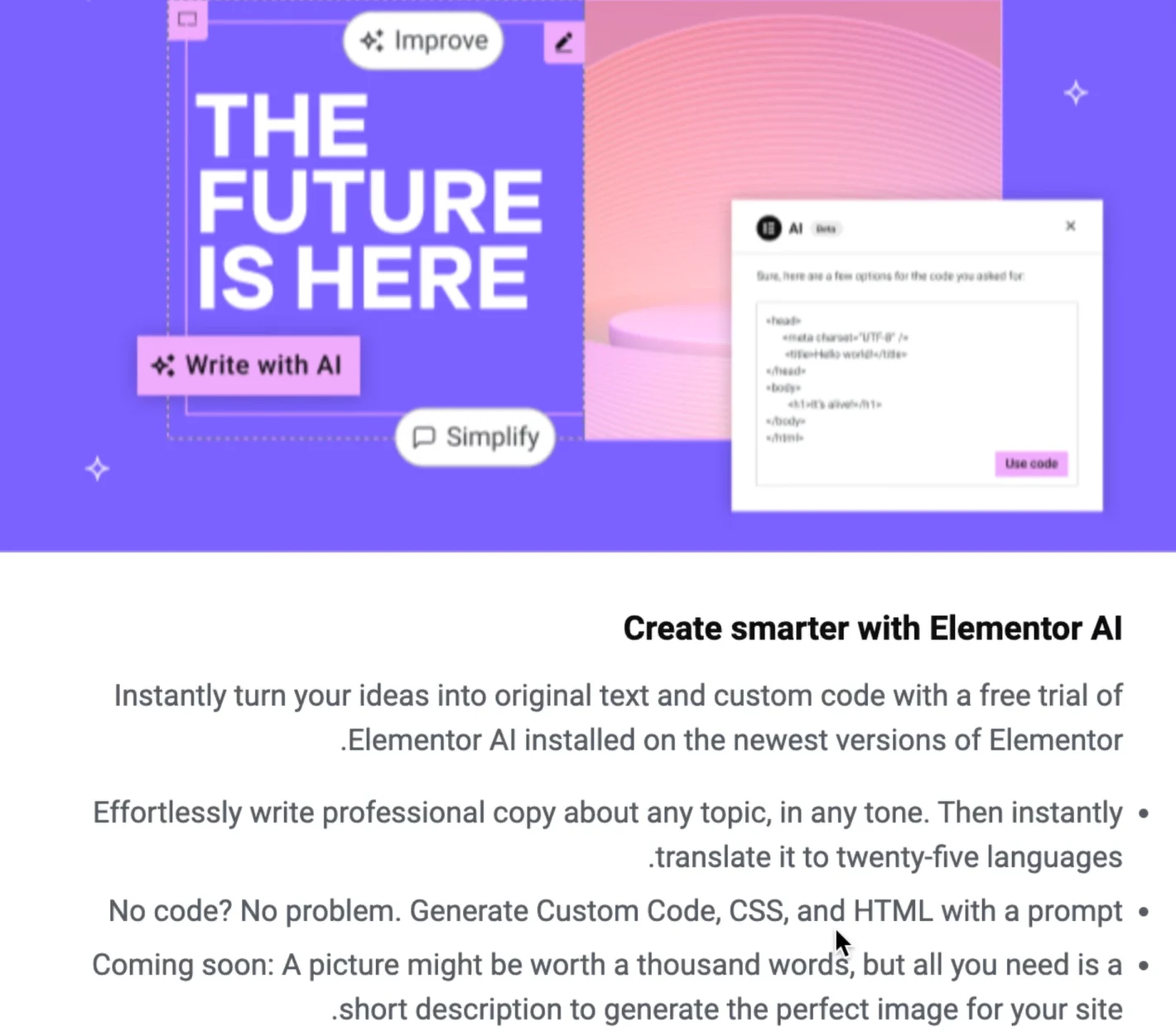
In recent years, Elementor has clearly shown that it is tying its future to artificial intelligence. It’s no longer just a simple page builder—it’s gradually becoming a smart website design tool. Tasks that previously had to be done manually and were time-consuming can now be completed much faster with the help of AI; from content generation and initial page design to suggesting landing page structures and even assisting with coding.
If this trend continues, in the next two or three years Elementor will likely become more of an “intelligent design assistant” rather than just a page builder. You provide the idea, and it prepares a large part of the execution for you.
Beaver Builder: A Conservative and Stable Path
Beaver Builder, however, has chosen a completely different path. Instead of constantly adding new and complex features, it focuses on stability, security, and optimization. Its developers prefer strengthening the same simple and reliable structure rather than introducing big and rapid changes.
This approach has made Beaver Builder perhaps not as packed with new features as Elementor, but in return it remains more reliable and predictable—especially for projects that don’t want to face major changes every few months.
So What Will Happen in the Coming Years?
If we look at it realistically, the difference between these two tools in the future will be seen more in their working philosophy than simply in the number of features:
- Elementor is moving more toward smart tools, automated design, and AI-driven experiences.
- Beaver Builder is focusing more on stability, lightweight performance, and long-term compatibility.
So in the future, you’ll likely face two paths: one fast, intelligent, and full of new features (Elementor), and one stable, simple, and reliable for long-term projects (Beaver Builder). Choosing which path is closer to you depends on what you expect from your website.
Frequently Asked Questions
Is Elementor suitable for professional websites?
Yes, absolutely. With Elementor, you can build corporate websites, online stores, and even advanced projects. Just keep in mind that for heavy projects, proper optimization (caching, CDN, image compression) is very important to prevent your site from slowing down.
Is Beaver Builder suitable for beginners?
Beaver Builder is designed more for professionals and development teams, but if you’re looking for a simple and uncluttered tool, you can work with it comfortably. It may just take a few days at the beginning to get used to its interface.
Which page builder is better for SEO?
Neither of them is inherently better for SEO, but site speed and code structure do affect SEO. Because it’s lighter, Beaver Builder usually scores better in Core Web Vitals. However, Elementor is also perfectly acceptable if properly optimized.
Can Elementor be used without the Pro version?
Yes, the free version of Elementor offers good features and is completely sufficient for getting started. However, for more professional design and advanced features (such as Theme Builder and WooCommerce capabilities), the Pro version is very useful.
Does removing a page builder break the website?
In most cases, yes. Content designed with a page builder becomes dependent on that tool, and removing it usually disrupts the layout of your pages. That’s why you should choose with a long-term perspective from the start.
So, which one is better for an online store?
If your goal is a professional and scalable online store, Elementor is the better option because it offers far more features for designing WooCommerce pages. Beaver Builder also works, but it is more limited.
Final Summary
If we want to summarize this entire comparison in one sentence, we should say: neither of these tools is the “absolute best”; each is built for a different type of need.
Elementor is an all-in-one tool focused on abundant features, fast design, ready-made templates, AI capabilities, and high flexibility. With Elementor, you can quickly go from zero to a professional website without getting involved in technical complexities. That’s why it’s usually the first choice for beginners, freelancers, designers, and online stores.
Beaver Builder focuses more on simplicity, stability, clean code, and long-term performance. At first glance, its features may seem fewer, but in return, it provides a more stable and lightweight experience. That’s why it’s more popular among developers, agencies, and enterprise projects.
The key point emphasized throughout this article is this: don’t base your choice solely on “popularity” or “number of features.” Instead, consider your website’s goals, how much speed and SEO matter to you, your level of experience, and the type of development you plan for the future. In short:
- If you’re looking for fast setup, many features, and easy design → Elementor is the more logical choice.
- If you’re looking for stability, lightweight performance, and a long-term project → Beaver Builder is the safer choice.
Ultimately, the best choice happens when you select a tool based on your real needs—not advertising. This way, you’ll be more comfortable during design, face fewer issues in the future, and your website will perform better.
If you want to learn how to use these two tools from the ground up, you can check out the free Elementor tutorial and the WordPress speed optimization training on MihanWordPress to build your site more professionally. Wishing you success!

Ahura WordPress Theme
The Power to Change EverythingElementor Page Builder
The most powerful WordPress page builder with 100+ exclusive custom elements.
Incredible Performance
With Ahura’s smart modular loading technology, files load only when they are truly needed.
SEO Optimized for Google
Every line of code is carefully aligned with Google’s algorithms and best practices.

To post a comment, please register or log in first.