
 Tutorials


 Ahura
Ahura Plugins

 Blog
BlogHow to protect WordPress against XML-RPC attacks
- WordPress SecurityTutorials
- Updated on

If you have a WordPress site and have never dealt with the xmlrpc.php file, you’ve probably left a back door open that a lot of hackers love. Don’t worry, closing it isn’t hard, and in this very article we’ll tell you step by step what to do. It only takes a few minutes but sets your mind at ease about one of the most common attacks.
First, let’s clear up something a lot of people get wrong: WordPress isn’t inherently insecure. Some people who want to sell you their own custom content management system make WordPress out to be an insecure monster. But the reality is that security is relative and depends entirely on the settings and the server you’re running on. In other words, if someone walks into your data center and steals your server’s hard drive, that’s not WordPress’s fault! So let’s secure this small but important corner together.
Table of Contents
What Is XML-RPC?
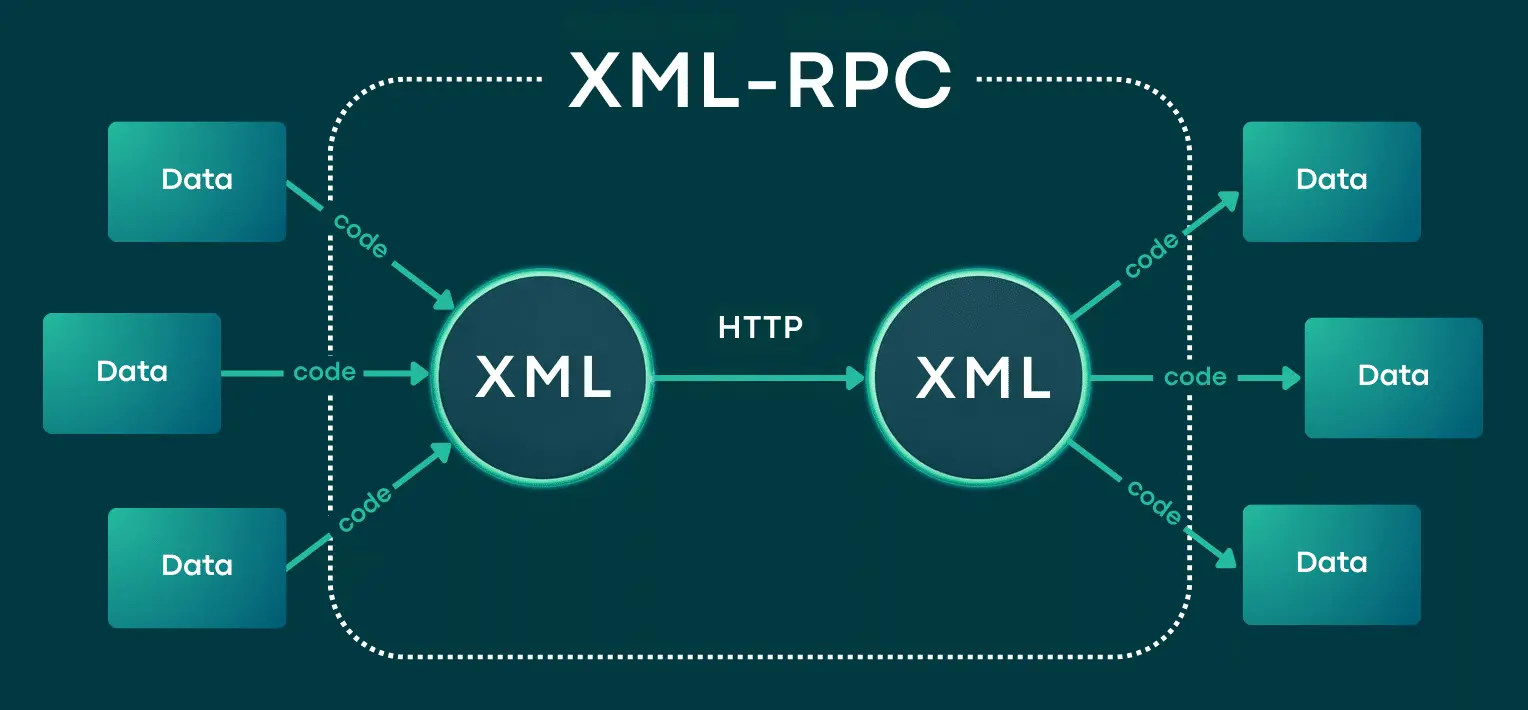
Alright, let’s get straight to the point. WordPress has a protocol called XML-RPC whose job is to let other services and sites talk to your site remotely and run its functions. What does that mean? It means an external service can come along and call the functions of your site’s themes and plugins.
For example, back in the day, when you wanted to publish a post using the WordPress mobile app, this XML-RPC was right in the middle of it. It’s useful, but the problem is that most of us don’t use it at all, and it just sits there switched on for no reason.
Where Is the xmlrpc.php File?
The protocol we mentioned works through a file called xmlrpc.php that sits right in your site’s main folder, that is, the public_html directory. This is the very file that’s the gateway for these requests. So if we want to prevent misuse, this is what we need to go after.
Why Disabling the xmlrpc.php File Matters
Now you might ask, “So what? Just let it stay on.” Let us explain how hackers misuse this file, so you’re convinced:
Typically, when a hacker wants to strike at you through XML-RPC, they do two things:
First, when your site throws a database error, the attacker can read the exact details of that error and find clues in it. Second, by sending POST /xmlrpc.php requests one after another, they start bombarding your site, which can serve both as a brute-force attack and as a way to eat up your server’s resources and slow your site down.
And this is exactly where the simple logic comes in: when you and most sites don’t use this protocol at all, why let it stay open and cause trouble? Shut it down and be done with it.
Disabling the xmlrpc.php File
You have a few options. We’ll show you the two main methods that don’t require a plugin, because, let’s be honest, the fewer plugins you install on your site, the lighter and more secure it is.
Method One: Using the htaccess File (for Apache Servers)
This is the simplest way. Just go to your hosting file manager and open the .htaccess file for editing. As we mentioned, this file is in your site’s main public_html path.
Now put this code at the very top of the file:
apache
<Files xmlrpc.php>
   order allow,deny
   deny from all
</Files>
That easy! Access to the xmlrpc.php file is now blocked and no one can touch it anymore.
Method Two: If You Use NGINX
If your server runs on NGINX, first off, congratulations, because you probably have a dedicated or semi-dedicated server and you’re a cut above in that regard.
In this case, you need to go to the /etc/nginx/nginx.conf file and put this code inside the server { } block:
nginx
location = /xmlrpc.php {
   deny all;
   access_log off;
   log_not_found off;
   return 403;
}
This way the request is denied, and no extra logs are recorded to clutter up your server. Nice and clean.
Method Three: Using a Plugin (If You’re Not Into Coding)
If you have no appetite for touching files at all, there are also plugins that do this for you with a single click. We’ve covered this method fully in a separate article, so if that’s your preference, take a look at that piece. But honestly, for something this simple, installing a whole plugin is a bit much.

How Do We Know It’s Really Been Blocked?
Now that you’ve done the work, let’s make sure it went through correctly. It’s very easy: open yourdomain.com/xmlrpc.php in your browser (for example, yoursite.com/xmlrpc.php).
If you get a 403 or 404 error, it means everything’s fine and access has been blocked. Nicely done! But if the page opens and shows you a message, it means something’s off and you need to check the code again.
A Few Final Notes on WordPress Security
Before we wrap up, keep in mind that closing off XML-RPC is just one piece of the puzzle. As we said at the start, security is something relative and multi-layered, and it depends on your entire server setup and configuration. In other words, you shouldn’t think that by closing one file, your site has become impenetrable.
If you truly want to raise your site’s security, we recommend following WordPress security tutorials or courses so you get familiar with the other protective layers too.
Frequently Asked Questions
Does disabling XML-RPC harm my site?
For most sites, no. Unless you use a service or application that needs this protocol (like some older mobile apps or specific services). If you’re not sure, close it first, and if you find that some part of your site runs into trouble, open it back up.
What’s the difference between the htaccess method and a plugin?
The htaccess method is direct and lightweight and puts no load on your site, but it requires you to work with files a bit. A plugin is easier but adds extra weight to your site. If you’re comfortable with code, htaccess is always the better choice.
What happens if I use the WordPress mobile app?
Some of the mobile app’s older features relied on XML-RPC. Newer versions mostly work with the REST API, but if you find that your app doesn’t work correctly after closing it, this is probably the reason and you’ll need to temporarily reopen it.
Conclusion
Well, we’ve reached the end of the line. What we did was very simple, but its impact is no small thing: we closed off a high-risk gateway that’s mostly unused and shut down one of the most common ways into WordPress. Now go try it on your own site right away, and then set your mind at ease by testing the address. Wishing you all the best. 🙂

Ahura WordPress Theme
The Power to Change EverythingElementor Page Builder
The most powerful WordPress page builder with 100+ exclusive custom elements.
Incredible Performance
With Ahura’s smart modular loading technology, files load only when they are truly needed.
SEO Optimized for Google
Every line of code is carefully aligned with Google’s algorithms and best practices.

To post a comment, please register or log in first.