
 Tutorials


 Ahura
Ahura Plugins

 Blog
BlogTop 5 Project Management Plugins for WordPress
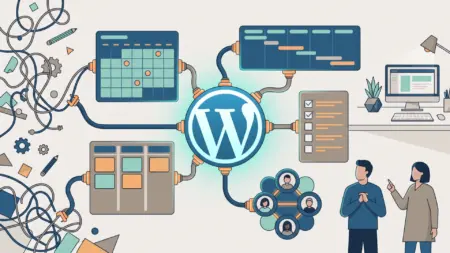
It doesn’t matter whether you run an online store, own a web design agency, or work as a freelancer handling multiple projects at the same time; all of these have one common weak point: once the number of tasks and people passes a certain threshold, things start slipping through the cracks. A deadline gets forgotten, a file goes missing, and an “I told you about this!” damages your relationship with the client. Poor project management isn’t just frustrating; it directly affects your reputation, income, and peace of mind.
The good news is that you don’t need to leave WordPress to solve this problem. Instead of constantly switching between email, Excel, and various tools, you can bring your entire team workflow into your own WordPress dashboard: assign tasks, track progress, upload files, and coordinate with clients—all in one place.
In this article, we introduce five practical project management plugins for WordPress and compare them side by side. But this time, we haven’t just listed features; we’ve reviewed up-to-date installation statistics, ratings, and pricing for each plugin, and we’ve honestly discussed their drawbacks as well, so you can make a more realistic choice. First, you’ll see a quick comparison table so you can decide right away if you’re in a hurry, and then we’ll dive into the details of each plugin one by one.
Table of Contents
Why Do You Need a Project Management Plugin in WordPress?
You might say, “I’ve managed everything with email and a few Excel files so far—why would I need a plugin?” The answer is simple: as long as projects are few and the team is small, everything runs smoothly. But once the workload increases, those same emails and spreadsheets turn into the main source of confusion. A project management plugin steps in exactly at this point. Its five main benefits are:
Complete transparency. In a multi-person team, everyone can clearly see what they are responsible for, when it needs to be completed, and its current status. No more duplicate work or “I thought you were handling it.”
Goodbye to endless emails. Instead of ten back-and-forth emails for a simple decision, all discussions, files, and decisions are recorded directly within the task itself. Later, you won’t have to dig through hundreds of emails to remember what was agreed upon.
Greater accountability. When a task with a clear deadline is assigned to someone and others can see its progress, motivation and responsibility naturally increase. Tasks are less likely to be postponed.
Real time savings. No need for daily one-hour coordination meetings. With a quick five-minute look at the dashboard, you can see who is ahead of schedule and who needs help.
Integration with your own website. If your WordPress site is the heart of your business, using a separate tool means constantly switching between platforms. With a plugin, everything is inside your WordPress dashboard—no separate login and no constant switching.
Before Choosing: What Features Should a Good Plugin Have?
Before we move on to recommendations, it’s important to know what a proper project management plugin should include to truly meet your team’s needs. These criteria will help you evaluate plugins carefully instead of skimming past them. First, the basic features that almost every good plugin should offer:
- Task management. The ability to create tasks, assign them to team members, set priorities and deadlines, and track their status.
- Team management and access control. The option to add users with different roles (manager, developer, designer, client) and define what each can and cannot see.
- Time tracking. Especially if your projects are billed hourly, tracking the time spent on each task is essential.
- Reporting and progress charts. A visual overview of project status, whether through Gantt charts or percentage-based progress charts.
- File uploads and attachments. The ability to upload documents, design images, and related files directly to each task.
- Notifications and reminders. Email or in-app notifications for deadlines and status changes.
- Mobile compatibility. The ability to manage projects from a phone or tablet as well.
Quick Comparison Table of Five Plugins
If you don’t have the patience or time to read the entire article, this table will do the job. At a glance, see which plugin suits your needs, and if you’d like, scroll down for a detailed review:
| Best For | Price | Rating | Active Installs | Extension |
|---|---|---|---|---|
| All-purpose modern & Kanban fans | Free + Pro version | High | ~6,000 | FluentBoards |
| Agencies; Gantt, time tracking & invoicing | Free + Pro version | 3.8 | ~7,000 | WP Project Manager |
| Small team + mobile app (Android) | Free + Pro version | 4.8 | ~1,000 | Zephyr |
| Visual reporting & client interaction | Free + ~$69–$99/year | Good | Lite version free | Project Panorama |
| Freelancer & simple client panel | Free + paid add-ons | 4.2 | ~700 | UpStream |
What exactly is each plugin best for?
If the last column of the table feels too general, here’s the specific use case of each one in a single line:
- FluentBoards — For teams that want to manage tasks visually using a Kanban board (like Trello) and care about a modern, fast user interface. Ideal for everyday team workflows.
- WP Project Manager — For agencies and professional teams that need full-featured capabilities: Gantt charts, time tracking for each task, and invoicing. Perfect when your projects are hourly or contract-based and you need precise time and cost calculations.
- Zephyr — For small teams that want to manage projects from their phones (Android app included) and are looking for a lightweight, highly rated tool.
- Project Panorama — For when you have clients and need to regularly provide progress reports. It focuses on visual dashboards and percentage-based progress charts; suitable for agencies, architecture and construction firms, and startups.
- UpStream — For freelancers and small agencies that just want a simple, free dashboard so clients can view project progress without accessing the WordPress admin panel.
FluentBoards Plugin — A Modern All‑in‑One WordPress Alternative to Trello
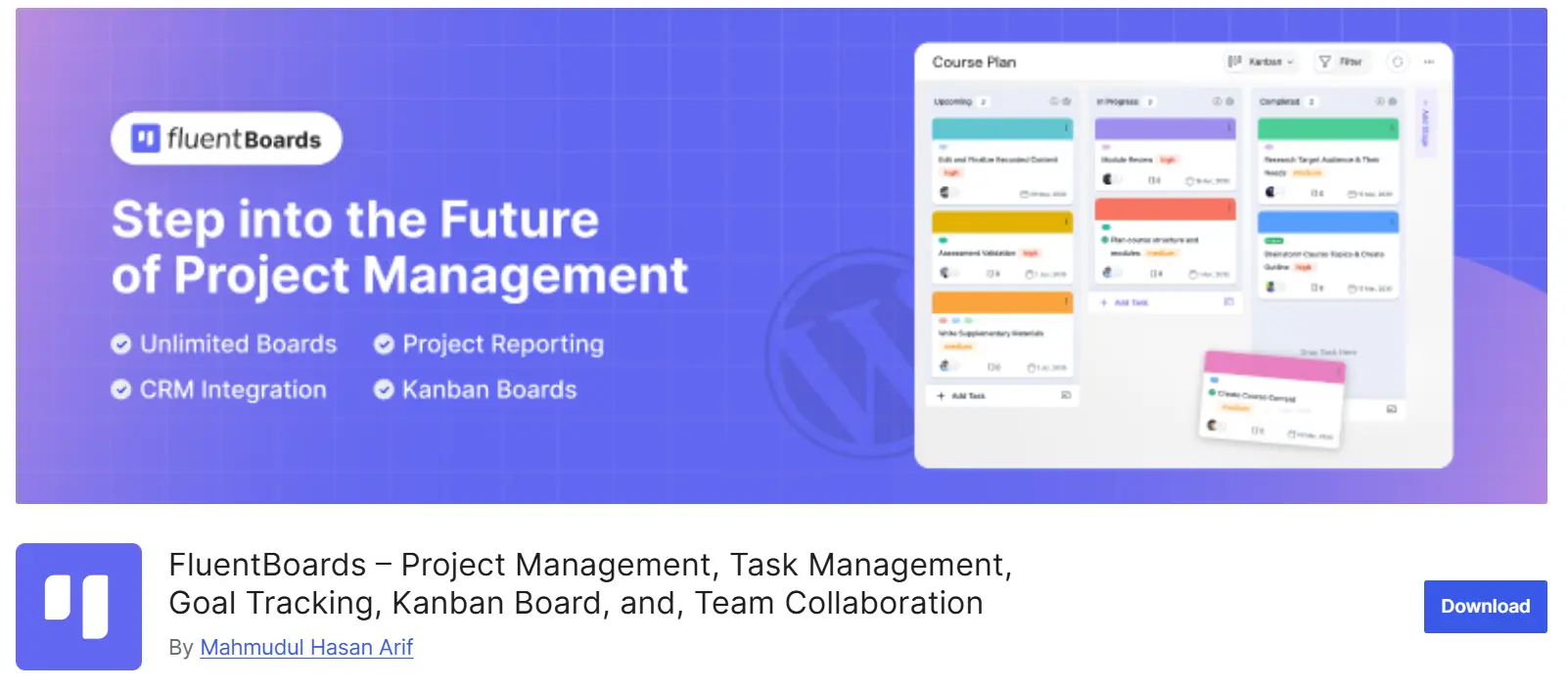
Active installs: 6,000 — Price: Free + Pro version — Status: Active and up-to-date — Developer: WPManageNinja
If you’re looking for a modern, fast, and user-friendly plugin that gives you the feel of Trello while keeping everything inside WordPress, FluentBoards is probably the best option on this list. It’s built by the WPManageNinja team—the same team behind well-known plugins like FluentCRM and Fluent Forms. That means you’re not dealing with an abandoned or half-finished project. Its latest update was in late January 2026, and it has around 6,000 active installs, which is solid growth for a relatively young plugin.
Its main strength is exactly that: it’s modern, actively maintained, and fully self-hosted. All your project data stays on your own server and doesn’t go anywhere else—giving you peace of mind in terms of both security and privacy.
Key Features of FluentBoards:
- Kanban board and table view: Move tasks between columns (e.g., “To Do,” “In Progress,” “Done”) using drag-and-drop, or switch between Kanban and table views.
- Unlimited projects and tasks: Create as many projects and tasks as you need and distribute work across them.
- Labels, priority, and deadlines: Assign color labels, priority levels (low/medium/high), and due dates to each task, then filter based on them.
- Activity history and comments: Discuss tasks, attach files and links, and view the full history of changes.
- CRM contact integration: If you use FluentCRM, you can connect contacts directly to tasks and keep customer information alongside your work.
- Email notifications and customization: Receive email notifications about task statuses and even personalize the board background.
Pros:
- Clean, modern user interface similar to SaaS tools
- Regular updates and a reputable, reliable developer
- Self-hosted and secure; your data stays in your control
- Excellent integration with the Fluent ecosystem (CRM, forms, etc.)
Cons:
- Since it’s newer than others, some advanced features (such as certain automations) are still being developed
- Some professional features (like extended automations and the roadmap add-on) are only available in the Pro version, which starts at around $99 per year for 5 sites
Who Is It Suitable For?
If you’re a small to medium-sized team (agency, content team, startup) looking for a modern user experience without handing your data over to external tools, FluentBoards is a top, hassle-free choice.
WP Project Manager Plugin — Professional, with Gantt Chart, Time Tracking, and Invoicing
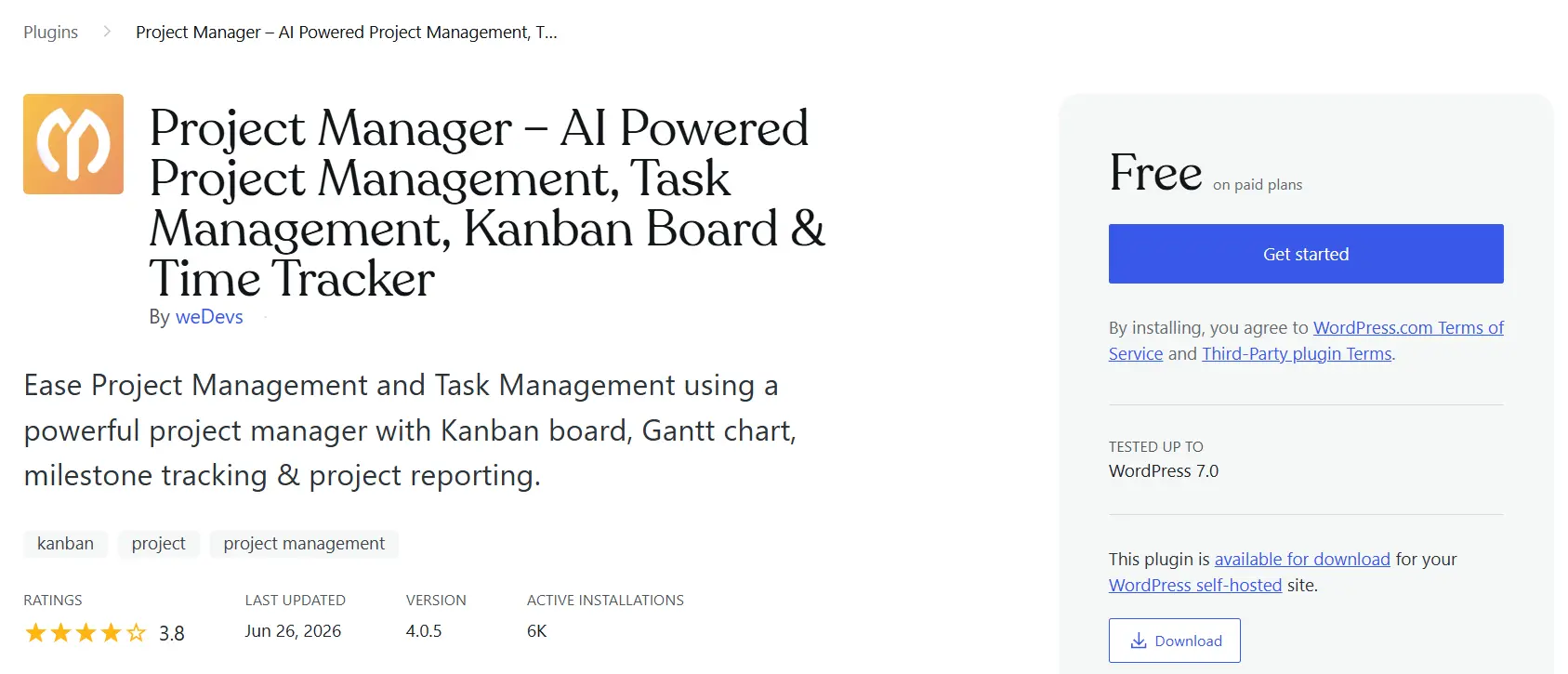
Active installs: 7,000 — Rating: 3.8 out of 5 — Price: Free + Pro version — Developer: weDevs
If you’re looking for a complete and professional tool that goes beyond a simple board and can truly manage contract-based and hourly projects from start to finish, WP Project Manager is one of the most mature options available. This plugin is built by the weDevs team (the creators of the well-known Dokan plugin) and has been present in the WordPress project management market for years. Its latest update was in March 2026, version 3.0.3, and it currently has around 7,000 active installs. A recent update worth noting is that its name has been changed to Wedevs Project Manager.
However, an important point to mention honestly: its current rating is 3.8 out of 5, not “excellent.” This means it’s a powerful plugin, but some users have been dissatisfied with support or occasional bugs. So if you plan to use it, it’s best to test the free version in a staging environment first.
On the other hand, its biggest strength is its extensive feature set. It now even includes AI capabilities that can automatically generate a complete task list based on your project description, saving you a great deal of time.
Key Features of WP Project Manager:
- Complete project and task management: Projects, task lists, subtasks, milestones, and work calendar—all in one place.
- Kanban board and Gantt chart: You get both a Kanban view and a Gantt chart for scheduling and managing task dependencies (Gantt is available in the paid version).
- Time tracking (Time Tracker): Add a timer to each task and accurately record billable hours.
- Invoicing: Generate professional invoices based on logged time and download them as PDFs—excellent for client work.
- Detailed reporting: Reports such as overdue tasks, completed tasks, user activities, and milestone-based task reports.
- Integrations with other tools: Integration with Trello, Asana, GitHub, Bitbucket, and Slack to align with developers’ workflows.
Pros:
- One of the most feature-rich plugins on this list
- Time tracking and invoicing, ideal for agencies and hourly work
- Experienced and active developer with regular updates
- AI-powered task generation to save time
Cons:
- 3.8 rating, which is lower compared to competitors; some users have complained about support
- Key features (Gantt chart, time tracking, invoicing) are only available in the Pro version
- The free version is mostly backend-focused, and you need to create a dedicated page for frontend display
Who Is It Suitable For?
If you’re a web design agency, software development company, or professional team handling hourly or contract-based projects and need precise time and cost tracking with client invoicing, WP Project Manager is an ideal choice. For simple personal use, it might be too heavy.
Zephyr Project Manager Plugin — Lightweight, Highly Rated, with Mobile App
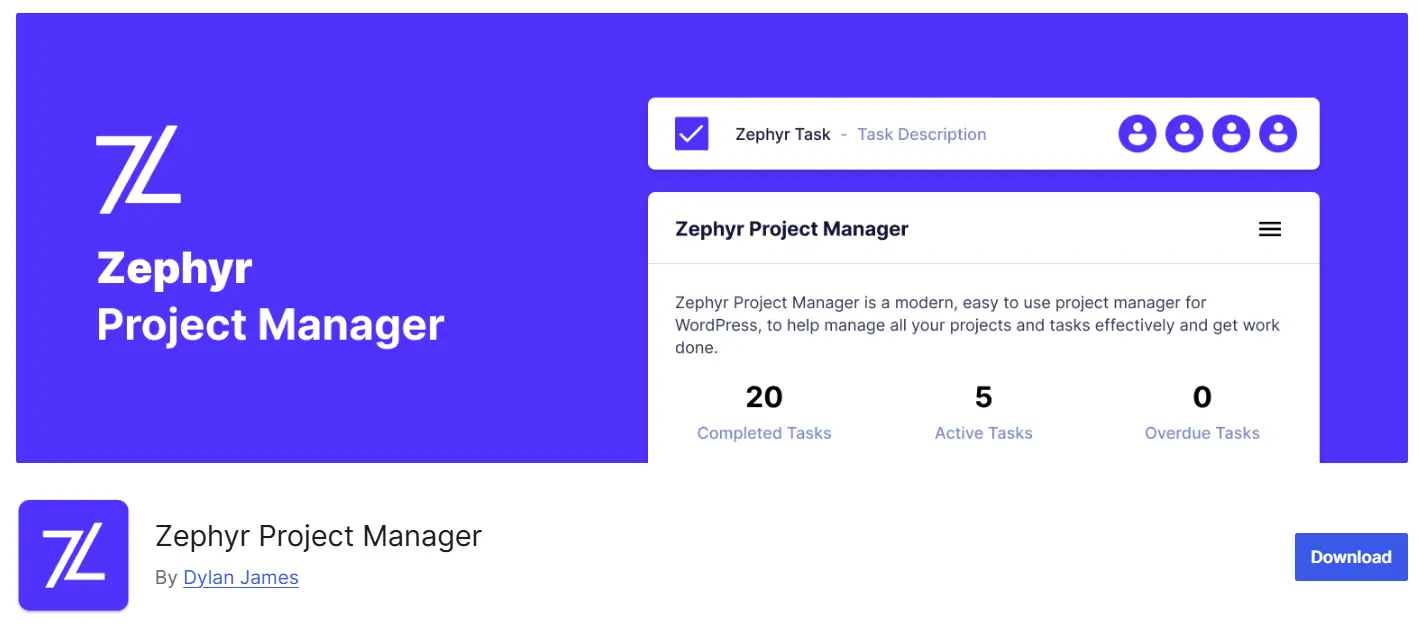
Active installs: 1,000 — Rating: 4.8 out of 5 — Price: Free + Pro version — Developer: Dylan James
If you’re looking for a lightweight, user-friendly, and highly rated plugin for a small team, Zephyr is a very solid choice. Compared to others on this list, it has fewer active installs, but don’t be misled by that number; it holds an impressive 4.8 out of 5 rating and was recently updated (about two months ago) and tested up to WordPress 6.9. That means users are satisfied and the plugin is actively maintained.
Its standout strength is the mobile app. However, we need to correct a common mistake found in many articles: the official Zephyr app is available only for Android, not for iPhone. So if you’re counting on iOS support, keep that in mind. With the Android app, you can manage projects and tasks on the go and receive real-time notifications, which is especially useful for remote teams.
Key Features of Zephyr
- Unlimited project and task management: Create projects and tasks, set start and end dates and priorities, and assign them to members or teams.
- Android mobile app: Manage tasks from your phone with full synchronization with your site and real-time notifications.
- Personal dashboard for each user: Every member can see their upcoming and completed tasks in one place.
- Built-in calendar and progress charts: View all tasks in a calendar and track project progress percentages on charts.
- Task discussions and attachments: Discuss each project or task, upload files, and coordinate among team members.
- Categorization and filtering: Organize projects with color-coded categories and filter by status, priority, or assignee.
Pros
- Very high rating (4.8) and strong user satisfaction
- Lightweight and fast, without unnecessary complexity; ideal for small teams
- Android mobile app for on-the-go management
Cons
- Mobile app is Android-only; no iOS version available
- Slow support (only 1 out of 5 tickets resolved in the past two months), and some users have reported bugs in the roles and permissions system
- Features like Kanban board and front-end view are available only in the Pro version
Who Is It Suitable For?
If you’re a small or medium-sized team looking for a simple, fast, and highly rated solution—and mobile access (Android) is important to you—Zephyr is a great choice. Just keep in mind that if immediate and fast support is critical for you, this may be a consideration.
Project Panorama Plugin — Focused on Visual Reporting and Client Interaction
Active Installation: Free Lite version on the repository — Price: Free + annual license — Status: Active — Focus: Visual reporting
Most of the other plugins on this list are text- and list-oriented; however, Project Panorama is different and graphics-driven. Its main focus is to allow you and your client to instantly understand exactly where the project stands through charts and visual dashboards. Instead of sending the client to a long list of tasks, you show them a clean progress bar and a few key milestones so they can quickly see what percentage of the work has been completed.
This emphasis on visual reporting has made Panorama a unique and practical tool for businesses that need to regularly report progress to clients. However, before anything else, an important correction to common outdated information: Panorama is not priced monthly. Its model is based on an annual license; the individual version starts at around $69 per year, and the Agency bundle is about $99 per year. So if you see anywhere that it says “$24 per month,” that’s incorrect. A free version (Project Panorama Lite) is also available for getting started and handling simple projects.
Key Features of Project Panorama:
- Dedicated Dashboard for Each User: Each client and team member has their own dashboard and sees only their relevant projects; the manager, however, can view all projects.
- Visual Progress Charts: The percentage of completion for each project is automatically calculated and displayed, and delayed projects are identified by comparing progress with elapsed time.
- Document Management and Approvals: Clients can approve or reject important documents and files directly within the system.
- Milestones, Phases, and Timeline: Divide the project into phases and milestones and display them on a timeline.
- Site Embedding: You can embed the project list within your own website theme so clients can access it anytime they want.
- White Labeling: Customize the plugin with your own brand logo and colors so clients feel like they are using a dedicated panel.
Advantages:
- The best option on this list for clear and visual client reporting
- Separate dashboard and access control for each user
- White-labeling and site embedding capabilities, excellent for agencies
- Free Lite version available for getting started
Disadvantages:
- More focused on displaying progress than managing detailed tasks; not sufficient on its own for heavy internal workflows
- The Lite version has limitations for complex projects
Who Is It Suitable For?
If your work requires regularly reporting progress to clients — such as design agencies, architecture and construction companies, or software startups — and you want clients to clearly understand the project status without confusion or constant email exchanges, Panorama is a top-tier choice. Just keep in mind the USD payment requirement for the paid version.
UpStream Plugin — Simple, Free, Suitable for Freelancers and Client Panels
Active installs: 700 — Rating: 4.2 out of 5 — Price: Free + Paid Extensions — Developer: UpStream (managed by Steve Burge)
If you’re a freelancer or run a small agency and are simply looking for a straightforward, free tool to manage projects and present a clean client panel, UpStream was built exactly for that. Its core is completely free and offers a simple, no-frills interface. The core version is free, and paid extensions expand its functionality.
Its main strength is its focus on client collaboration. UpStream provides a front-end view where clients can track their project progress without ever accessing the WordPress dashboard. With precise access controls, you decide exactly what the client can and cannot see.
However, to be transparent: it currently has around 700 active installs and a 4.2 rating, meaning it has become smaller compared to the past. More importantly, user reviews mention serious complaints about slowness and weak support. The plugin is still active and updated (last update was in late 2025), but you shouldn’t rely on fast support.
Key Features of UpStream:
- Simple and minimal user interface: No complexity—just the essential tools.
- Front-end client panel: Clients view project progress from the front end and never access the WordPress dashboard.
- Milestones and tasks: Create milestones and tasks with start and due dates, color-coded statuses, and progress tracking.
- Bug and issue tracking: Log and track bugs with severity levels, descriptions, deadlines, and file attachments.
- Discussion board: Project discussions are recorded in one place, replacing back-and-forth emails.
- Custom fields and customization: Create custom fields, rename sections, and personalize colors and logos.
- Paid extensions: Features like calendar view, Gantt chart, time and budget tracking, and reporting are added via separate premium extensions.
Pros:
- Free, lightweight, and simple to get started
- The best option on this list for a dedicated client panel and access control
- Self-hosted; your project data remains under your control
- Customizable with the ability to rename sections
Cons:
- Weak and slow support—the biggest user complaint
- Low active installs; smaller user community than before
- The front-end view does not integrate with your site theme and opens in full-screen mode, which may not appeal to some users
- Important features like Gantt charts and time tracking are only available through paid extensions
Who Is It Suitable For?
If you’re a freelancer or a small agency with a limited number of projects and just need a simple, free panel for clients to track progress, UpStream is a good option. However, if you require fast support or a larger user community, you may want to consider FluentBoards as well.
Is a WordPress Plugin Better or an External Tool Like Trello and Asana?
This is a question many people wrestle with before making a choice. The truth is, there’s no absolute answer; each option is best in its own place. Let’s compare them honestly and without bias so you can decide for yourself.
When Is a WordPress Plugin the Better Choice?
If your WordPress website is the heart of your business (a design agency, an online store, or a business that runs entirely on WordPress), keeping project management inside the same dashboard has some real advantages:
- You control your data. Projects, files, and client information stay on your own server, not on a third-party company’s servers. This matters for security and privacy, especially if you don’t want to depend on external services.
- No jumping between platforms. There’s no need to constantly switch between WordPress and another tool; everything is under one roof.
- An integrated client panel. You can provide clients with a panel under your own subdomain and brand, instead of inviting them to a third-party platform.
When Is an External Tool More Logical?
On the other hand, if your situation looks like this, Trello, Asana, or ClickUp might be a better fit:
- You have a large team and complex workflows. Specialized external tools usually offer more advanced automation, reporting, and features that are useful for bigger teams.
- WordPress is not central to your work. If WordPress is only a small part of what you do, managing projects inside it doesn’t make much sense.
- You need powerful mobile apps on both platforms. Most WordPress plugins either don’t have mobile apps or (like Zephyr) only support Android, while external tools offer full-featured Android and iOS apps.
- You don’t want to worry about servers, updates, and plugin security. A cloud-based external tool removes the technical maintenance burden from your shoulders—though your data remains in their hands.
If your business runs on WordPress and you’re looking for data independence and simplicity, a WordPress plugin is the smarter choice. But if you have a large team with heavy workflows and WordPress isn’t central to your operations, external tools still lead the way. Many teams even use a hybrid approach: internal management with a WordPress plugin, and client reporting panels hosted on the same site.
Which Plugin Should I Choose in the End?
If you’ve made it this far and are still undecided between the options, this section will make it easier for you. Instead of comparing everything all over again, just see which description matches your situation best:
If you’re a small to mid-sized team and want a modern user interface:
Go with FluentBoards. It’s smooth, fast, actively maintained, and your data stays in your control. For everyday team workflows, it’s the best all-around option.
If you’re an agency or professional team and need time tracking and invoicing:
WP Project Manager is your choice. When your projects are hourly or contract-based and you need accurate time and cost calculations to invoice clients, its features (Gantt charts, time tracker, invoicing) are unmatched. Just remember to test the free version first.
If you’re a small team and mobile management is important to you:
Try Zephyr. It’s lightweight, highly rated (4.8), and includes an Android app for managing work on the go. Just keep in mind that it doesn’t have an iOS app and its support can be slow.
If you regularly send progress reports to clients:
Project Panorama is excellent. Its visual dashboard and progress percentage charts let clients understand the project status at a glance. It’s ideal for agencies, architecture and construction firms, and startups. Just be aware that the paid version requires payment in USD.
If you’re a freelancer and just want a simple, free client panel:
UpStream is a good option. It’s free and lightweight, with a clean front-end client panel. However, if fast support or a large user community is important to you, you may also want to compare it with FluentBoards.
And one important recommendation that applies regardless of your choice: Never install the first plugin directly on your live site. First, set it up in a staging or local environment, create a test project, and work with it for a few days. That’s the only way to know which plugin truly fits your team’s workflow.
Frequently Asked Questions About WordPress Project Management Plugins
Do I have to pay to manage projects in WordPress?
No. All five plugins we introduced have free versions, and they are usually sufficient for getting started and for small teams. The paid version is only necessary if you need professional features such as Gantt charts, time tracking, or invoicing.
Do these plugins slow down my website?
Any plugin adds some load to a site, but project management panels are usually loaded only for logged-in users and do not significantly affect the speed of public pages. However, if you are on weak hosting, it is better to keep active only the plugin you actually use.
What is the difference between the project management plugin and Trello and Asana?
The biggest difference is that data from a WordPress plugin stays on your own server and everything runs inside WordPress, whereas Trello and Asana are external cloud-based tools and your data is stored with them.
What happens if a plugin is no longer updated?
This is the most important risk you should take seriously. An abandoned plugin will not have its security vulnerabilities patched and can put your site at risk. That’s why some older popular plugins are no longer recommended. Always check the plugin’s last update date on wordpress.org before installing it.
Can I migrate from one plugin to another in the middle of a project?
Yes, but it’s not always simple. You may need to transfer projects manually, since plugins do not necessarily provide automatic migration tools between each other. That’s why we recommend testing options in a staging environment from the beginning and choosing one with confidence.
Conclusion
In this article, we introduced and compared five of the best and most up-to-date project management plugins for WordPress. Rather than handing out empty praise, we were honest about the drawbacks of each one as well. Here’s the short version:
- If you want a modern, all-purpose option, go with FluentBoards.
- If you’re a professional agency that needs Gantt charts, time tracking, and invoicing, choose WP Project Manager.
- If you’re a small team and mobile access matters to you, Zephyr is a good fit.
- If your work revolves around reporting progress to clients, Project Panorama is the standout.
- If you’re a freelancer who just wants a simple, free client dashboard, UpStream does the job.
But more important than any single choice, keep one golden rule in mind: the best plugin is the one that fits your team’s workflow—not the one with the longest feature list on paper. Before you commit, install the free version of two or three of these options on a staging site, set up a real project, and work with them for a few days. Those few days of testing can save you weeks of confusion down the road.
Which plugin are you using, or which one are you planning to try? Share your experience with us and other readers in the comments. Wishing you success!

Ahura WordPress Theme
The Power to Change EverythingElementor Page Builder
The most powerful WordPress page builder with 100+ exclusive custom elements.
Incredible Performance
With Ahura’s smart modular loading technology, files load only when they are truly needed.
SEO Optimized for Google
Every line of code is carefully aligned with Google’s algorithms and best practices.

To post a comment, please register or log in first.