
 Tutorials


 Ahura
Ahura Plugins

 Blog
BlogWhat’s the Best WordPress Popup Plugin? Introducing the Top 5 Plugins

Popups are one of those tools a lot of people have a problem with; either they think they’re intrusive and drive users away, or the opposite — they use them so carelessly that in the end that’s exactly what happens. The truth is that a popup is neither good nor bad; it all depends on when, where, and with what message you show it. If you use it correctly, it can noticeably raise your site’s conversion rate and grow your email list and your sales. If you use it badly, it just increases the bounce rate and irritates the user.
The good news is that to build a professional popup in WordPress, you don’t need to know how to code or spend a lot of money at all. There are plenty of good, free plugins that get the job done. In this article, we’ll introduce you to 5 of the best WordPress popup plugins, tell you the strengths and weaknesses of each, and teach you how to use them in a way that not only doesn’t bother the user, but actually makes them welcome your offer.
Table of Contents
The Best WordPress Popup Plugin for Every Need (Quick Answer)
If you’re in a hurry and want to get to the answer fast, here’s the gist of it:
- If you’re after a free, lightweight, professional plugin: go for Popup Maker. More than 700,000 sites use it, and its free version is genuinely complete — not a crippled demo.
- If you want a powerful marketing tool with Exit-Intent and advanced targeting: OptinMonster is an unrivaled choice (though its free version is limited, and there are a few important points about it that we’ll cover in its own section).
- If you just want to display images and videos nicely in a lightbox: ARI Fancy Lightbox is built for exactly that.
- If you’re a beginner and want to start with ready-made templates and no hassle: Popup Builder by Supsystic is an easy option.
- If you want an all-in-one plugin with A/B testing and advanced features: try Popup Builder from the Sygnoos team.
In the rest of the article, we’ll review each of these plugins in full detail so you can more easily pick the best option for your own site.
What Is a WordPress Popup and Why Do We Need It?
A WordPress popup is a small window that appears on the site’s page without the user having requested it, drawing their attention to a specific message. Its main function is to put the content you want in front of the user — like a discount code, a newsletter signup form, a special-sale announcement, or a free e-book — in a separate window, with more focus.
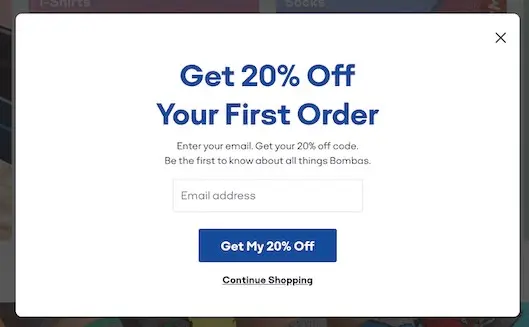
But there’s a very important point here: the content you put in the popup has to be genuinely valuable to the user. If you show them an irrelevant or intrusive ad every time, the user will not only close it but might never come back to your site at all. So always put something in the popup that the user feels a need for — say, an exclusive 20% discount, a free educational file in your site’s area of expertise, or early access to a new product.
The Benefits of Using Popups
If you use it correctly, a popup can do several important things for you: raise your site’s conversion rate, grow your email list and newsletter faster, bring your special sales and discounts to the user’s attention more effectively, and rescue abandoned shopping carts. In fact, the popup is considered one of the cheapest and fastest ways to capture leads.
The Downsides and Risks of Popups (If Used Wrong)
But this same tool, if used badly, does exactly the opposite. Showing a popup at the wrong moment or too often makes the user annoyed, raises your site’s bounce rate, and in some cases can even hurt your site’s SEO ranking on Google (which we’ll talk about in detail later). So the golden rule is this: there’s no such thing as a good or bad popup; what matters is when, where, and with what message you show it.
When Is the Best Time to Show a Popup?
One of the most important things is being able to show the popup to the user at the best possible moment. If you get its timing wrong (say, 1 second after the user arrives, when they haven’t seen anything of your site yet), you’ll get the opposite result. The best times to show a popup are these:
- When the user is leaving the site (Exit-Intent): right at the moment the user’s mouse moves toward the close-tab button or the address bar. This is the best opportunity for a final offer — for example, “Sure you want to leave? We’ve got a special 10% discount for you!”
- After scrolling 50 to 70 percent of the page: this means the user has shown interest in your content. Now is a good time to ask them to submit their email to receive similar material.
- After clicking a specific button (Click-Intent): for example, the user has clicked a “Get a Free Consultation” button; now open a popup with a short form for them.
- After adding a product to the cart (in WooCommerce stores): here you can suggest related products, or offer free shipping for purchases above a certain amount.
- After spending a certain amount of time on the site (say, 30 seconds): this shows the user is genuinely interested in your content and ready to see your offer.
The overall point is to tie the popup to an “action” or an “interest” of the user, not to their raw, abrupt arrival at the site. The smarter your timing, the warmer the user’s reception will be.
A Comparison Table of the 5 WordPress Popup Plugins (A Quick Look)
Before we get into a detailed review of each plugin, it’s worth having an overall look at all of them so you can quickly figure out which one suits your needs. In the table below, we’ve laid out the most important specs of all 5 plugins side by side. Keep in mind that all of these have a free version, but some advanced features (like Exit-Intent or A/B testing) are unlocked in the paid version:
| Plugin | Active Installs | Type | Paid Version Price | Exit-Intent | A/B Testing | Best For |
|---|---|---|---|---|---|---|
| OptinMonster | 1M+ | Freemium | From about $9/month (annual) | ✅ (paid) | ✅ | Professional marketing and stores |
| Popup Maker | 700K+ | Freemium | Add-ons from $99/year | ✅ (paid) | ✅ (Pro) | General sites, best free option |
| ARI Fancy Lightbox | 10K+ | Freemium | One-time purchase (Pro) | ❌ | ❌ | Displaying images and video (lightbox) |
| Popup by Supsystic | 10K+ | Freemium | Pro version | ✅ | ✅ | Beginners and ready-made templates |
| Popup Builder (Sygnoos) | 200K+ | Freemium | Pro version | ✅ (Pro) | ✅ | All-in-one, multipurpose use |
A small note about the table: “freemium” means the plugin’s base is free, but to unlock the professional features you have to buy the paid version. As you can see, if you’re only after a nice display of images and video, ARI Fancy Lightbox — even though it has fewer active installs — is built for exactly that and is the specialized option. But if you want a complete marketing tool, you’ll have to decide between OptinMonster, Popup Maker, and Sygnoos.
Reviewing the Top 5 WordPress Popup Plugins
Next, we’ll review each of these plugins in full detail so you can make your final choice with peace of mind.
OptinMonster: The Most Powerful Popup Marketing Tool
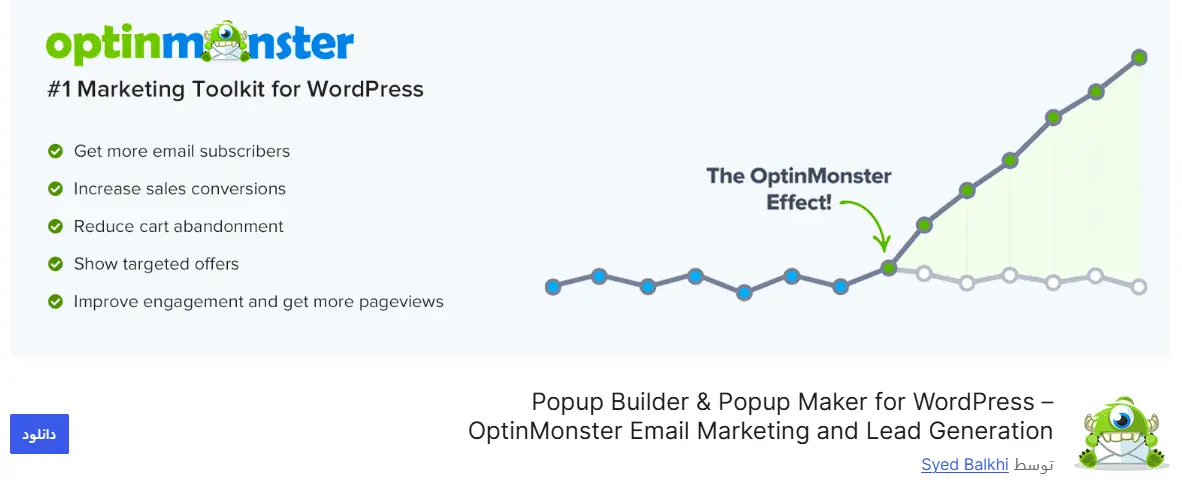
Without exaggeration, OptinMonster is one of the most popular and professional popup marketing tools in the world, and it has more than 1 million active installs in the official WordPress repository (on their own site they talk about 1.2 million users, which includes paid-version customers too). This plugin is so strong that even large sites use it. Its free version has a number of limitations, but for getting started and getting familiar with the work, it’s perfectly useful.
Key features of OptinMonster:
- Advanced Exit-Intent technology: it detects the mouse moving toward the exit and shows the popup at exactly the moment the user is about to leave the site. (This is one of the paid-version features.)
- Drag & drop building: without writing even a single line of code, your popup is ready in under 5 minutes.
- Various popup types: lightbox, slide-in, floating bar, and full-screen.
- Precise targeting: you can show the popup only to users on a specific page, only to those who’ve bought before, or only to mobile users.
- Connection to email marketing services: like Mailchimp and HubSpot, which automates email collection.
Who is it right for? If you have an online store or you’re a blogger who wants to seriously grow your email list and newsletter, OptinMonster is a top-notch choice.
Weak point: its best features (like that Exit-Intent and A/B testing) are only enabled in the paid version, and its free version is limited for professional work. The price of its paid plans usually starts at around $9 a month, billed annually.
⚠️ An important security note you should definitely know about: In June 2026, the security firm Sansec discovered a serious attack that had targeted the plugins of the company Awesome Motive (namely OptinMonster, TrustPulse, and PushEngage). The attackers had injected malicious code not into the plugin itself, but into the JavaScript files loaded onto sites via CDN, and this put more than 1 million sites at risk. This malicious code only activated when an admin was logged into the site, and it would install a hidden admin account and a backdoor plugin on the site. The good news is that OptinMonster’s infected files were cleaned up very quickly, but if you use this plugin, be sure to make sure you have the latest version and check your site for unknown admin accounts. This incident shows that even the most popular plugins should always be updated and monitored.
Popup Maker: Flexible, Lightweight, and the Best Free Option
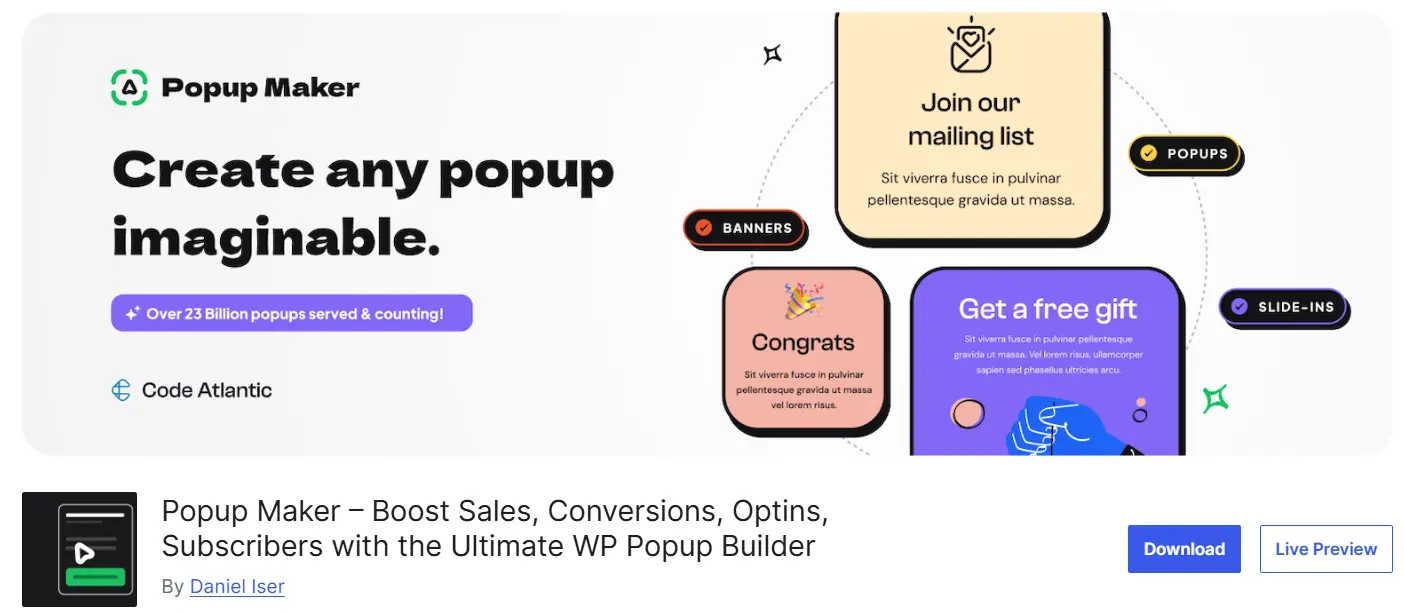
Popup Maker is an extremely lightweight, fast plugin that has more than 700,000 active installs in the WordPress repository and is the most popular free popup plugin in the official WordPress directory. If you’re after a free option with genuinely good features that also won’t weigh your site down, Popup Maker is the best choice. Unlike OptinMonster, which focuses more on marketing, this plugin is a general and very flexible tool. The nice thing about it is that its free version isn’t a crippled demo but a complete plugin; it gives you unlimited popups, conditional display rules, and click triggers for free.
Key features of Popup Maker:
- High flexibility: you can put any type of content (HTML, text, form, image, video) in the popup.
- Precise time and place settings: you specify exactly how many seconds until the popup opens, when it auto-closes, and which pages it’s shown on.
- Full control over animation: you can customize the popup’s entry and exit animation (fade, slide from top or bottom, etc.).
- Non-intrusive mode: the option to place a large, clear close button, close on clicking the background, or hit the Escape key.
- Ready-made themes: several pre-designed themes for a quick start.
Who is it right for? If you want 100% control over the popup’s look and behavior and have moderate technical knowledge, Popup Maker is great. It’s also the best choice for those on a limited budget who want a powerful free option.
Weak point: some advanced features like Exit-Intent and direct connection to CRM services aren’t in the free version, and you have to buy its paid add-ons, which start at $99 a year.
ARI Fancy Lightbox: The Best Option for Displaying Images and Video
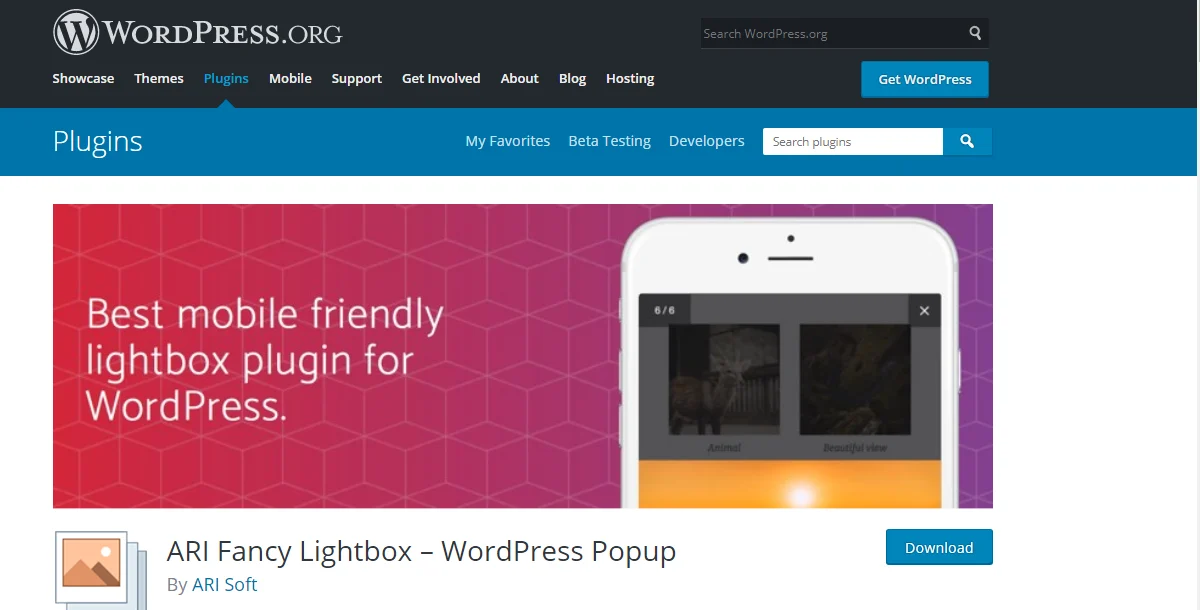
If you’re after a specialized plugin for displaying images and videos nicely (a so-called lightbox), ARI Fancy Lightbox is built for exactly that. With around 10,000 active installs, its numbers might not be as high as the others’, but for image galleries, store products, and landing pages that need image zoom, it’s a top-notch option. Note that this plugin is different from the rest of the list; it’s not a marketing popup for collecting emails, but a media-display tool.
Key features of ARI Fancy Lightbox:
- Full mobile compatibility: the popup displays correctly on all devices and screen sizes and supports touch gestures (swipe and pinch).
- Support for various galleries: the default WordPress gallery, NextGEN, FooGallery, Jetpack, and WooCommerce.
- Video playback from popular services: YouTube, Vimeo, Dailymotion, and several others.
- Image protection: you can disable right-click on displayed images so no one can easily copy your images’ URLs.
- Lightweight and fast: unlike many lightbox plugins, it has very little impact on page load speed.
Who is it right for? For art and photography sites, clothing stores, and any site with a large number of high-quality images, it’s a great choice.
Weak point: this plugin isn’t built for marketing and lead capture; so if your main goal is collecting emails or showing a sales offer, you should go for the other options on this list.
Smart Popup Builder by Supsystic: A Simple Interface and Free Templates
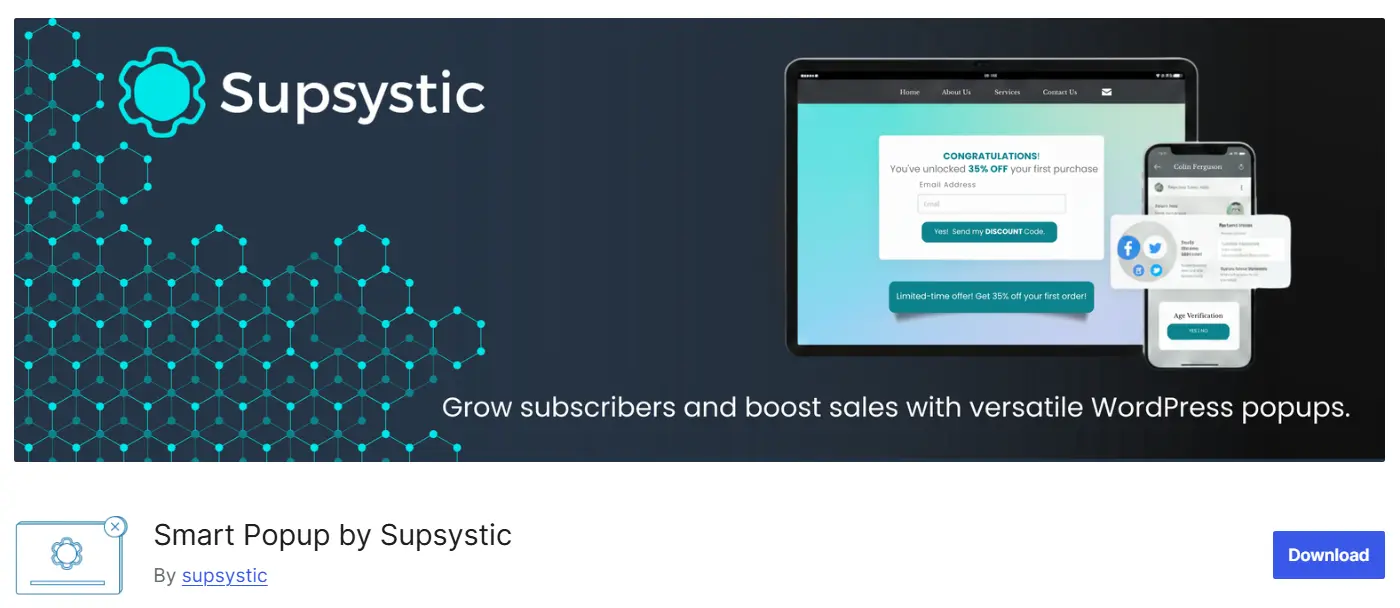
If you’re a beginner and want to build a professional popup with no hassle and minimal settings, Popup Builder by Supsystic is a suitable option. This plugin currently has around 10,000 active installs and, despite its free version, offers good features. Its main strength is how simple it is to work with.
Key features of Popup Builder by Supsystic:
- Ready-made, free templates: plenty of pre-designed templates for various popup types (newsletter signup, special sale, discount code, etc.).
- OnClick capability: you can specify that the popup opens when a particular button or link is clicked.
- Targeting by user category: displaying only to logged-in users, or only to users in a specific city (based on IP).
- Discount coupon popup: a dedicated template for displaying a discount code with auto-copy functionality.
- Google Analytics integration: tracking the number of views and clicks of the popup.
Who is it right for? For people who’ve just gotten familiar with popups and want to start with ready-made templates and a simple interface.
Weak point: its free version puts a small watermark (ad) in the popup, and to remove it you have to buy the paid version. Also, its active-install count has dropped compared to the past, so before using it, be sure to make sure the plugin is getting regular updates.
Popup Builder: All-in-One with Advanced Features
The last plugin we’ll introduce is Popup Builder from the Sygnoos team. With more than 200,000 active installs, this plugin is the second-largest free popup plugin in the WordPress repository and is considered an all-in-one, professional solution for building various types of popups (subscription, sale, announcement, video, map).
Key features of Popup Builder (Sygnoos):
- Various popup types: HTML, image, video (YouTube and Vimeo), subscription form (Mailchimp and GetResponse), Google Maps, and even custom JavaScript code.
- Conditional display settings: the popup is shown only to users who haven’t seen it before, or only to those who came from a specific ad.
- A/B testing capability: you test two different versions of a popup to see which has a higher conversion rate.
- Scheduler: the popup is active only within a specific time window (say, the final days of the year for holiday discounts).
- WooCommerce compatibility: displaying the popup for an abandoned cart or after adding a product to the cart.
Who is it right for? For those who want an all-in-one plugin with advanced features (like A/B testing and Google Maps). Its big strength, in our view, is that its settings panel is simple and easy to work with, which makes things very easy for users.
Weak point: some advanced features like the video popup and special display options are enabled in the paid version.
How Do We Choose the Best Popup Plugin for Our Site?
By now you’ve seen 5 plugins, and you might be a little confused about which one to finally pick. The truth is there’s no such thing as “the best plugin”; the best plugin is the one that fits your site’s specific need. That’s why, before making your final decision, it’s better to look at a few key criteria. If you ask yourself these few questions, you’ll reach an answer much more easily.
What’s your goal with the popup? This is the most important question. If your goal is collecting emails and serious marketing, go for OptinMonster or Sygnoos. If you just want to display images and video nicely, ARI Fancy Lightbox will do the job. And if you want a general, flexible tool, Popup Maker is a good choice.
How much budget do you have? If you’ve just started and don’t want to spend for now, Popup Maker and Sygnoos have a genuinely powerful free version that’s enough to get going. But if you have a high-traffic store and need professional features like Exit-Intent and advanced targeting, investing in the paid version of OptinMonster makes sense.
How much does it affect site speed? Site speed matters both for user experience and for SEO. Lightweight plugins like Popup Maker and ARI Fancy Lightbox have very little impact on speed. Always test your site’s speed once after installing any plugin, to make sure it hasn’t slowed down.
Does it have WooCommerce compatibility? If you have an online store, this is a vital criterion. You have to make sure the plugin can show a popup for abandoned carts or after a product is added to the cart. OptinMonster, Popup Maker, and Sygnoos all have this capability.
What about security and regular updates? This is a criterion many people overlook, but as we saw in the OptinMonster section, even a popular plugin can become a target of attack. Always go for plugins that get regular updates and whose latest update is from just the last few months — not plugins that haven’t been updated in a shriveled-up year.
Does it have a simple user interface? If your technical knowledge isn’t extensive, a plugin with a simple interface and ready-made templates (like Supsystic or the easy-to-use Sygnoos panel) makes your life much easier. There’s no need to get yourself tangled up in complex settings for a simple popup.
first define your goal, then weigh your budget and your level of technical knowledge, and finally, be sure to pay attention to the plugin’s speed and security. If you follow these few tips, it’s almost impossible to make a wrong choice.
A Guide to Installing and Building Your First Popup (Step by Step)
Now that you’re familiar with the plugins, let’s get practical. In this section, we’ll learn how to install and build your first popup with the Popup Maker plugin. We chose this plugin because it’s free, has more than 700,000 active installs, and is genuinely simple to work with. Don’t worry; you don’t need to write any code.
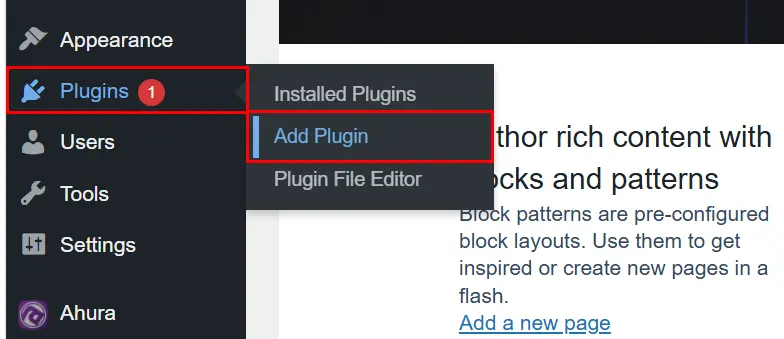
Step one — Installing the plugin: Go into your WordPress dashboard and, from the side menu, head to Plugins → Add New.
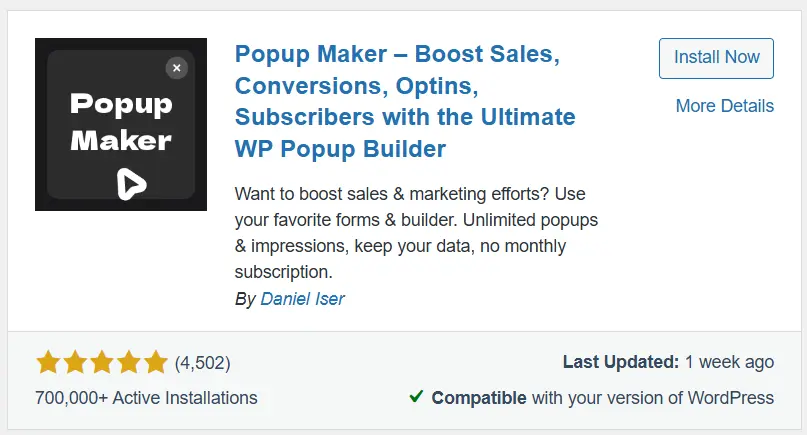
In the search box, type Popup Maker. Be sure to install the one whose developer is Code Atlantic and that has a rating of 4.9 and more than 700,000 installs (its icon is a blue speech bubble). Click “Install Now” and then “Activate.”
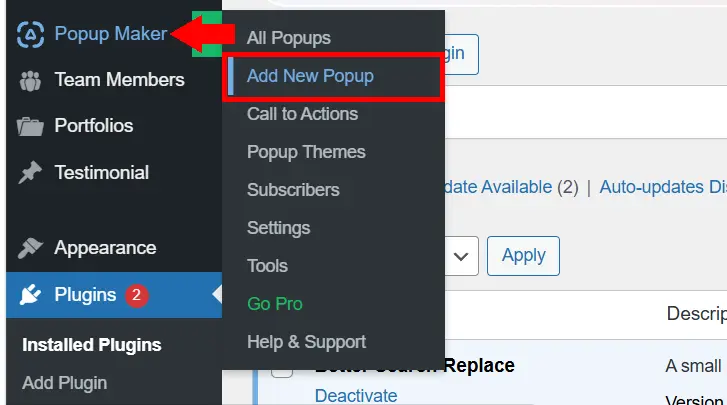
Step two: After activation, a new item called “Popup Maker” is added to the side menu of the dashboard. Go to it and click “Add Popup” to enter the building page.
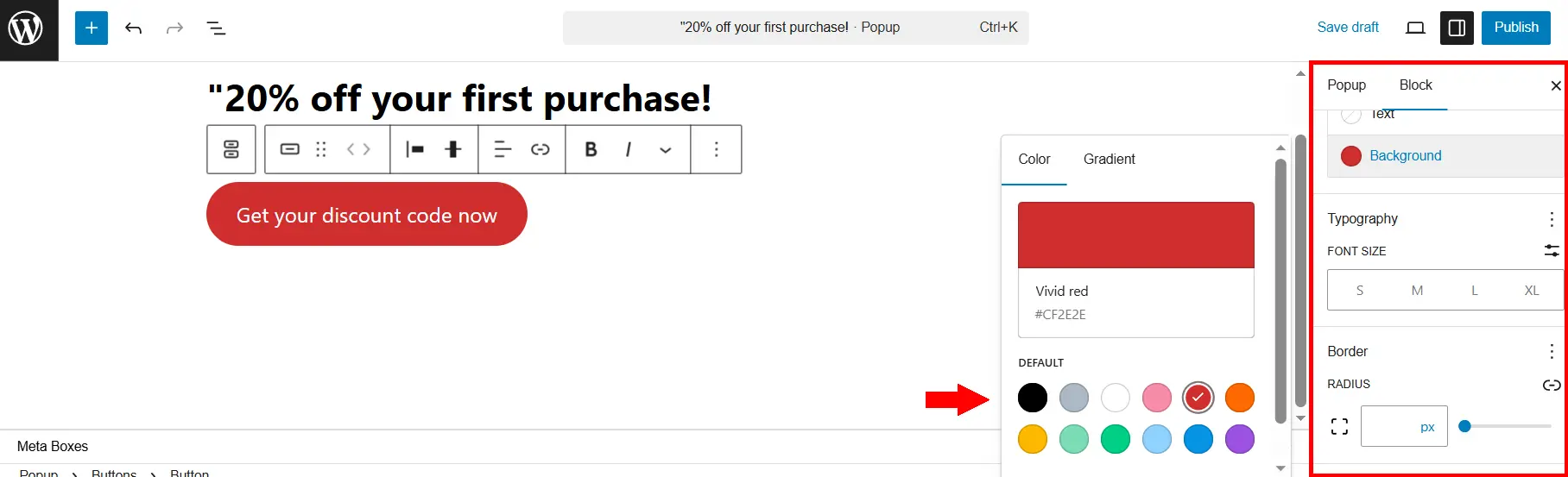
Step three: This plugin uses WordPress’s block editor (the familiar Gutenberg), so building a popup is exactly like writing an ordinary post. In the sidebar, fill in the “Popup Title” box; this is the title shown to the user inside the popup (for example, “20% off your first purchase!”). Then, in the main part of the page, write the popup’s content and, if needed, add a call-to-action button (like “Get your discount code now”).
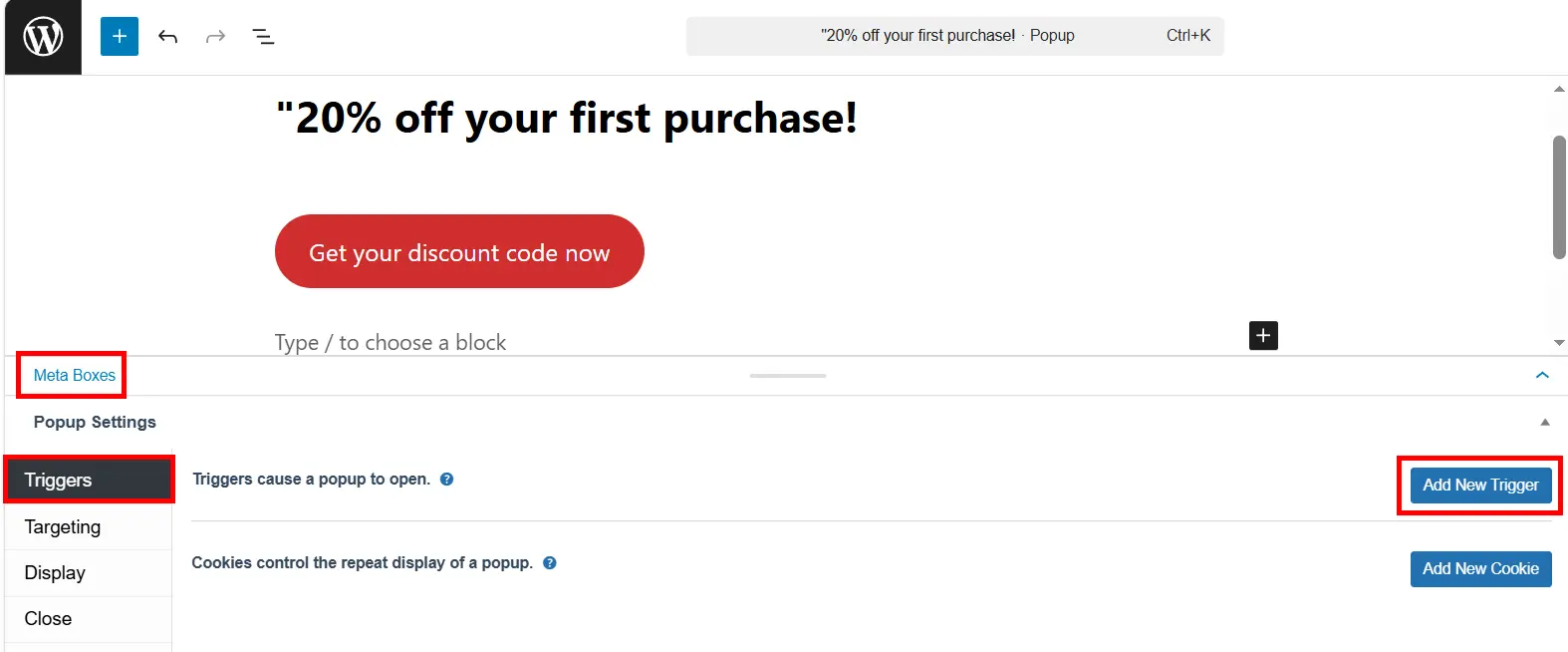
Step four: This part is the most important. Now you have to specify when the popup opens. These settings aren’t in the sidebar; you have to scroll to the bottom of the page, below the popup content, until you reach a box called “Popup” (in the “Metaboxes” section). Open this box; inside it you’ll see several tabs: Triggers, Targeting, Display, and Close. Go to the “Triggers” tab and click “Add New Trigger.”
From the list that opens, select the “Time Delay / Auto Open” option and click Add. Now a field called Delay appears, whose unit is milliseconds; to display it after 10 seconds, enter the number 10000. (As we said in the “best time to show” section, displaying with a delay is much better than displaying immediately after the user arrives.)
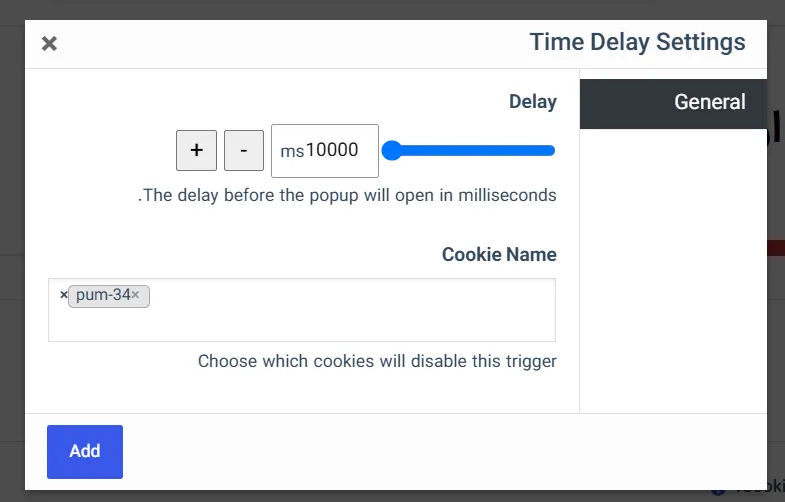
Step five: When you add the trigger, Popup Maker itself suggests you also create a Cookie; accept it. This means a user who’s seen or closed the popup once won’t be shown it again for a while — exactly the “no repeated display” point we mentioned in the common-mistakes section.
Step six: Now go to the “Targeting” tab. Here you specify where the popup is shown. If you want it to appear across the whole site, leave the “Entire Site” option enabled. If you only want a specific page, you can limit the display.
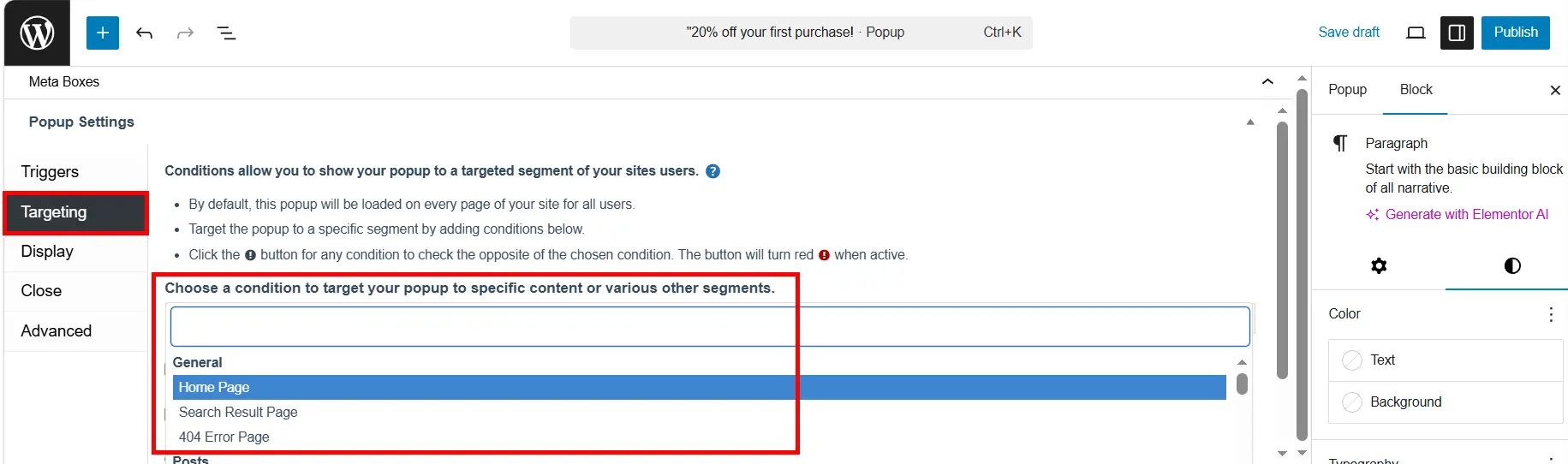
Step seven: When everything’s ready, click the “Publish” button at the top of the page. Done! Now open your site in an incognito window and wait 10 seconds for the popup to appear. If it displayed correctly, that means your first professional popup is ready.
💡 An important note: if you use a caching plugin (like WP Rocket or LiteSpeed), be sure to clear your site’s cache after publishing so the popup displays correctly.
Conclusion and Final Recommendation
In this article, we introduced the top 5 WordPress popup plugins and went over the key features of each together. As you saw, choosing “the best plugin” depends entirely on your goal:
If you’re after a powerful marketing tool with Exit-Intent and advanced targeting, OptinMonster is the best choice (just keep an eye on its updates and security, and note that its free version has limitations). If you want a free, lightweight, flexible plugin, we recommend Popup Maker. If you only need a beautiful display of images and video in a lightbox, ARI Fancy Lightbox is great. If you’re a beginner and want to work with ready-made templates, Popup Builder by Supsystic is a suitable option. And if you want an all-in-one plugin with A/B testing and a simple, easy-to-use panel, give Popup Builder (Sygnoos) a try.
But beyond choosing a plugin, we have a more important piece of advice: never abuse popups. One popup per user session is enough. Be sure to include a clear, large close button and let the user have full control over closing it. Choose your timing wisely and always put a genuinely valuable offer in the popup. If you follow these principles, popups won’t just avoid annoying users — they’ll turn into one of the most powerful tools for increasing your site’s sales and capturing leads.
We hope this guide has helped you pick the best popup plugin for your site with peace of mind. If you have any questions, we’d be happy to answer them in the comments section. Wishing you success! 🙂

Ahura WordPress Theme
The Power to Change EverythingElementor Page Builder
The most powerful WordPress page builder with 100+ exclusive custom elements.
Incredible Performance
With Ahura’s smart modular loading technology, files load only when they are truly needed.
SEO Optimized for Google
Every line of code is carefully aligned with Google’s algorithms and best practices.

To post a comment, please register or log in first.