
 Tutorials


 Ahura
Ahura Plugins

 Blog
BlogOrdering a Website Build or Building It Yourself with WordPress?
- Tutorials
- Updated on
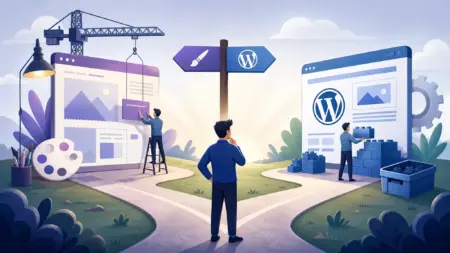
Whenever we decide to set up a website, the first question that usually occupies our minds is this: do we hand the job over to a web design company, or do we roll up our sleeves and build the site ourselves with WordPress (or another content management system)?
Honestly, both routes have their fans and neither one is wrong. But before you spend your money and time, it’s not a bad idea to know a few things so you can decide with your eyes open. So if you’ve been looking into ordering a website build these days, take two minutes and stick with me to the end of this article.
Table of Contents
What Do Web Design Companies Actually Do?
A lot of people think that when they hand their site over to a design company, those folks sit down and code it for them from scratch using programming languages like PHP or ASP.NET. But the truth of the matter is a little different.
The reality is that a large portion of these very companies turn to content management systems like WordPress or Joomla themselves. They either use ready-made templates and make changes to them, or, if the project is special, they design a custom theme. In other words, a lot of the time the foundation of the work is WordPress itself, just with a different appearance.
Why Do Web Designers Use Content Management Systems?
The answer is simple: because it makes their job easier. Content management systems come with tons of ready-made features: pre-built templates, handy plugins for anything you can think of, and a tidy dashboard that makes managing the site easy.
With these features available, the programmer no longer needs to build everything from scratch. The result is that the work moves faster, there’s less hassle, and the project gets delivered sooner. Well, it’s only natural that when a tool gives you all of this in one place, people go for it.
What Method Was Your Site Built With?
Suppose you see a site and you’d like to know what it was built with. There are a few simple ways, and we’ll give you two of the best. Just keep in mind that the best thing to do is to ask the designer right at the start what method they use to build the site, and if you have a particular preference, tell them before the work begins.
Method One: Checking the Site’s Code
First, open the site you have in mind. Then right-click on the page and, from the menu that opens, select “View Page Source.” If you’re not in the mood for that, just hit the Ctrl + U key combination — it makes no difference.
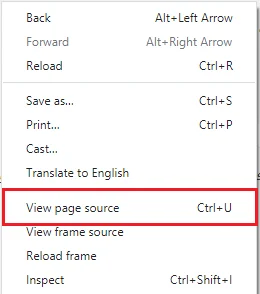
Now you’ve entered a page full of code that might look a bit scary, but don’t worry. Press Ctrl + F to make a search box appear at the top of the page. Search for the phrase “wp-content” in it. If this phrase is found, know that the site was built with WordPress. (Just be aware that this trick is specific to WordPress and won’t work for other systems.)

Method Two: Online Services
If you’re not into code and all that, there’s an easier way too. There are plenty of online sites where all you have to do is give them the site’s address and they’ll tell you what system it was built with. Two of the best are these:
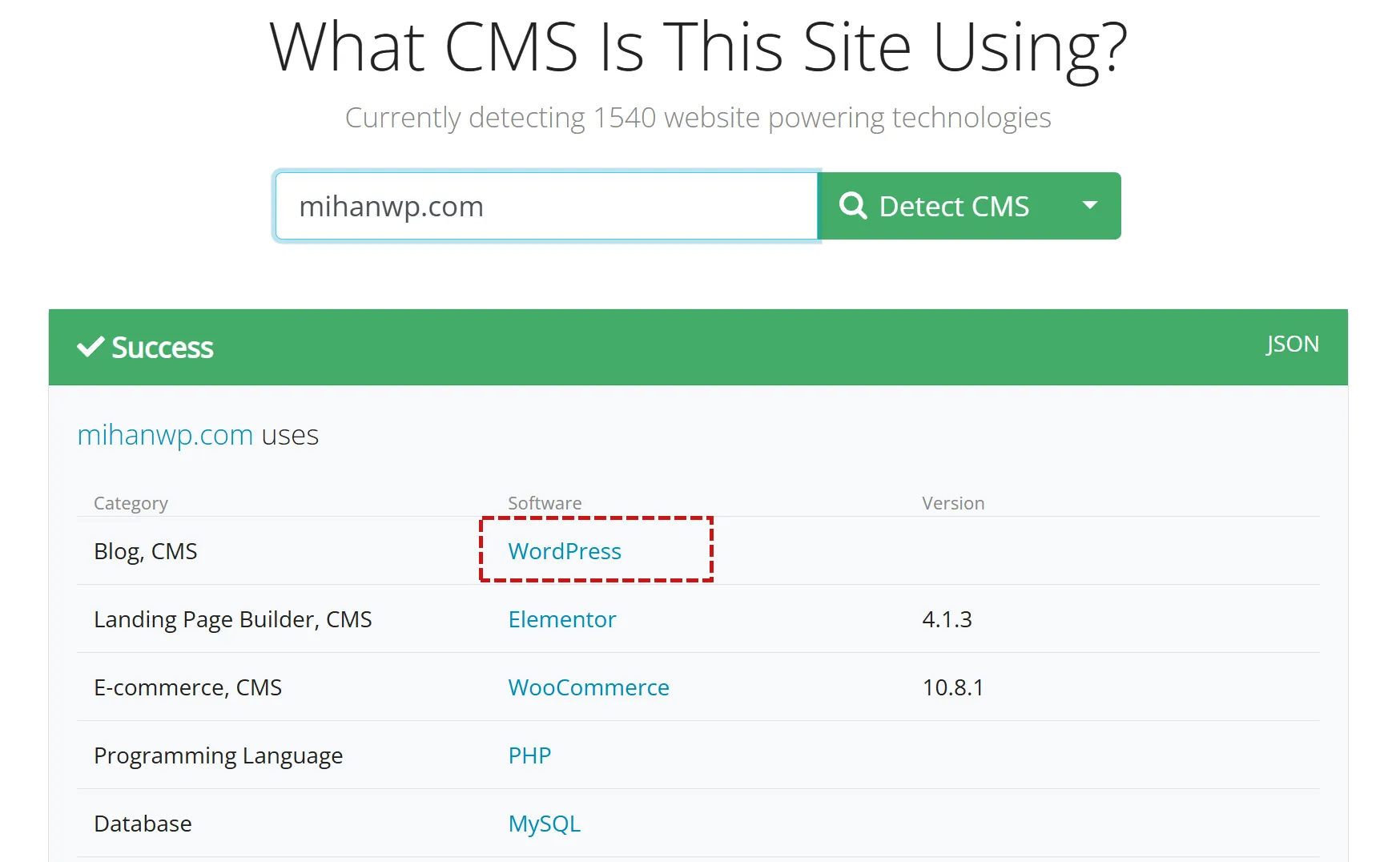
- cmsdetect.com is a completely free service that recognizes hundreds of types of CMS. All you have to do is enter your site’s domain in the search box and leave the rest to it.
- whatcms.org works exactly like the previous one and does a good job of detecting popular systems.
With this method, you can easily identify sites whose foundation rests on a content management system.
Can We Build a Site Ourselves Too?
Now that we’ve figured out that most designers are using a CMS too, the question comes up: why don’t we get to work ourselves? Honestly, there’s no obstacle at all. With WordPress and similar systems, you can build a good, functional site — and at a cost that’s not even comparable to commissioning a design.
Think about it; instead of paying a hefty sum for a website build, you can, with some tutorials and a bit of time invested, build that same site yourself and save a whole lot on costs. If you learn how it works, you won’t have to go to someone else for every little change anymore.
Wrapping Up
Look, at the end of the day there’s no absolute right or wrong answer. If you have the time and patience for it and you want to keep your costs down, building a site with WordPress is a really good option, and it’s not hard to learn either. But if your project is complex, you’re in a hurry, or you just don’t have the appetite for technical fuss, handing the job over to a professional design company is completely reasonable too.
What matters is that you decide with awareness, not simply because everyone is doing a particular thing. Now that you’re familiar with both routes, the choice is yours.
If you’d like to start learning how to build a site yourself today, take a look at some free tutorials and take that first step. 🙂

Ahura WordPress Theme
The Power to Change EverythingElementor Page Builder
The most powerful WordPress page builder with 100+ exclusive custom elements.
Incredible Performance
With Ahura’s smart modular loading technology, files load only when they are truly needed.
SEO Optimized for Google
Every line of code is carefully aligned with Google’s algorithms and best practices.

To post a comment, please register or log in first.