
 Tutorials


 Ahura
Ahura Plugins
 Blog
BlogRank Math Plugin Tutorial & Website SEO Analysis
- SEO
- Updated on

If you’re into content creation or managing a WordPress website, you’ve definitely heard of Rank Math. It’s one of the most popular SEO plugins today, widely used by SEO specialists, webmasters, and even beginners.
There was a time when Yoast SEO dominated most websites, but things have changed. Rank Math entered the market with powerful features and a clean, user-friendly interface—and quickly won users over.
Rank Math won’t magically push your site to Google’s first page overnight. However, it helps you clearly identify your SEO weaknesses, improve your content structure, and apply changes that make it easier for search engines to understand your website. In other words, it acts as a smart assistant that prevents common mistakes and guides you through the SEO optimization process.
One of Rank Math’s biggest advantages is that it’s not just built for professionals. Anyone, regardless of their SEO knowledge level, can use it comfortably. From basic configuration to advanced content analysis, everything is presented step by step. Even if you’ve never heard of terms like meta description or internal linking, don’t worry—after working with Rank Math a few times, you’ll gradually learn how to turn an ordinary post into a fully optimized SEO article.
In this guide, we’ll learn how to install Rank Math, configure it properly, and use it to analyze your website’s SEO. We’ll cover everything from installation steps and keyword selection to readability analysis, basic SEO settings, internal linking, and even the plugin’s AI features.
Our goal is simple: understand what Rank Math actually does, how to use it correctly, and which practical tips can improve your SEO score—without obsessing over getting a “green light.” Because the real objective isn’t just increasing a plugin score; it’s creating content that both Google and your audience genuinely appreciate.
So if you’re ready to learn Rank Math like a professional SEO—step by step—let’s get started.
Table of Contents
What Is Rank Math Plugin?
When you want to optimize a WordPress website for Google, the first thing you usually look for is an SEO plugin. Rank Math is exactly that—a powerful, all-in-one SEO tool that helps you align your website content with modern SEO standards.
Think of it as a built-in SEO consultant that stays beside you while writing articles. It identifies errors, highlights missing optimization elements, and gradually teaches you how to structure content that is both search-engine-friendly and engaging for users.
Rank Math was developed by the team behind MyThemeShop with a clear mission: make SEO easier, smarter, and more accessible. Over the past few years, it has gained popularity rapidly. Many SEO professionals who previously used Yoast SEO now prefer Rank Math—and the reason is simple. It offers more built-in features, a cleaner interface, and fewer limitations in the free version.
One of the standout features of Rank Math is its organized, modular dashboard. Everything is accessible from one central panel. Even if you’ve never worked on SEO before, you can easily understand what each option does. From managing your XML Sitemap and 404 errors to configuring internal links, image SEO, schema markup, and other modules—you can enable or disable features based on your needs. The plugin adapts to your website, not the other way around.
Another major advantage is performance. Unlike some plugins that slow down websites, Rank Math is lightweight and optimized for speed. It’s also highly compatible with most WordPress themes and popular plugins. Whether you run a personal blog, an eCommerce store, or a corporate website, Rank Math works smoothly in nearly all environments.
Rank Math comes in two versions: Free and Pro. The free version alone is powerful enough for most websites. It includes on-page SEO optimization, schema markup setup, XML sitemap generation, internal linking suggestions, 404 monitoring, and redirects. The Pro version is more suitable for larger or specialized websites—especially WooCommerce stores or sites requiring advanced analytics and keyword tracking.
What truly sets Rank Math apart is the balance between power and simplicity. You don’t need to be an SEO expert to understand what to do. The plugin provides an intelligent scoring system that shows how optimized your content is, where improvements are needed, and how to increase your score. It works like a visual SEO checklist that guides you step by step.
Installing and Setting Up Rank Math
The first step to using Rank Math is installing and configuring it on your WordPress website. Fortunately, the process is straightforward and similar to installing any other plugin—just follow the steps carefully to avoid conflicts or misconfigurations.
Installing the Plugin
Log in to your WordPress dashboard.
Go to Plugins > Add New.
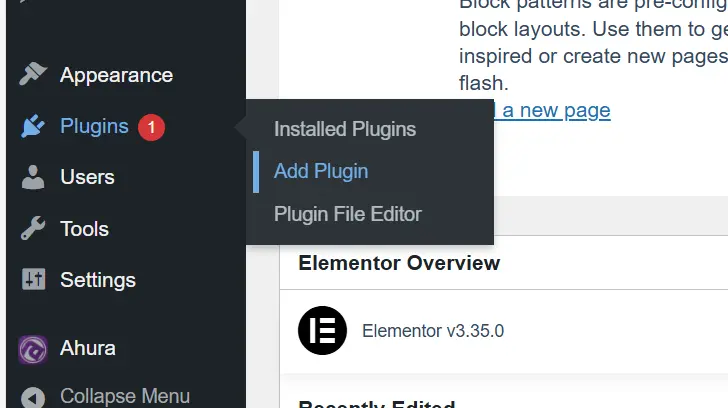
In the search bar, type Rank Math SEO.
Click Install Now, then click Activate.
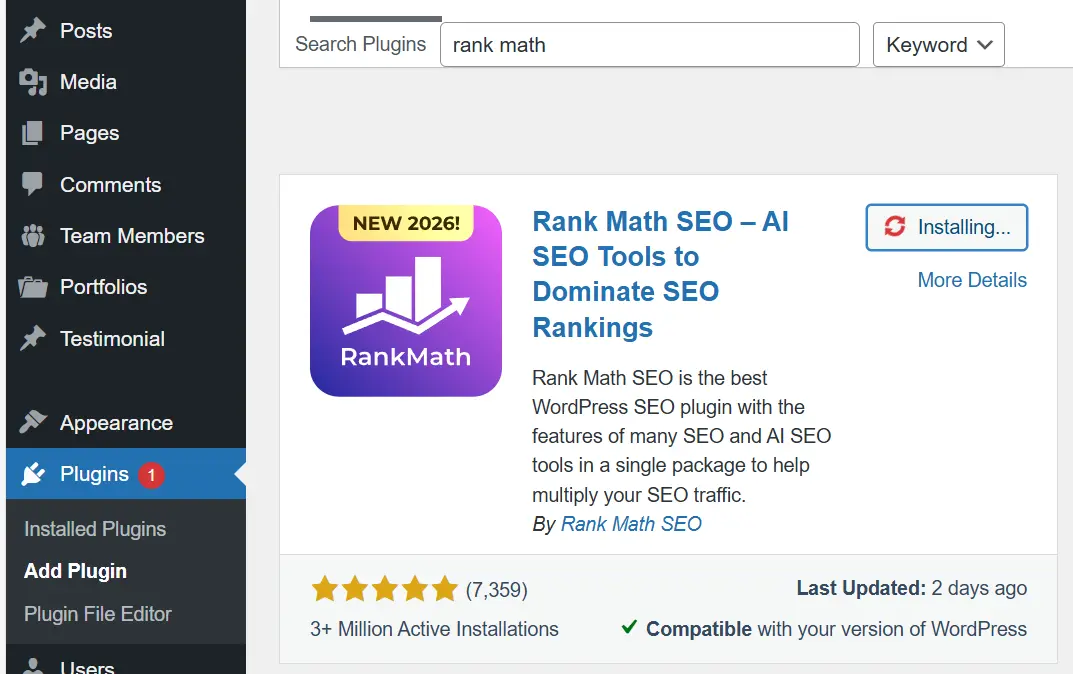
That’s it—the plugin is now active on your site.
Running the Setup Wizard
When Rank Math is activated for the first time, it launches a Setup Wizard. This feature is incredibly helpful because it walks you through essential configurations step by step—no manual digging through settings required.
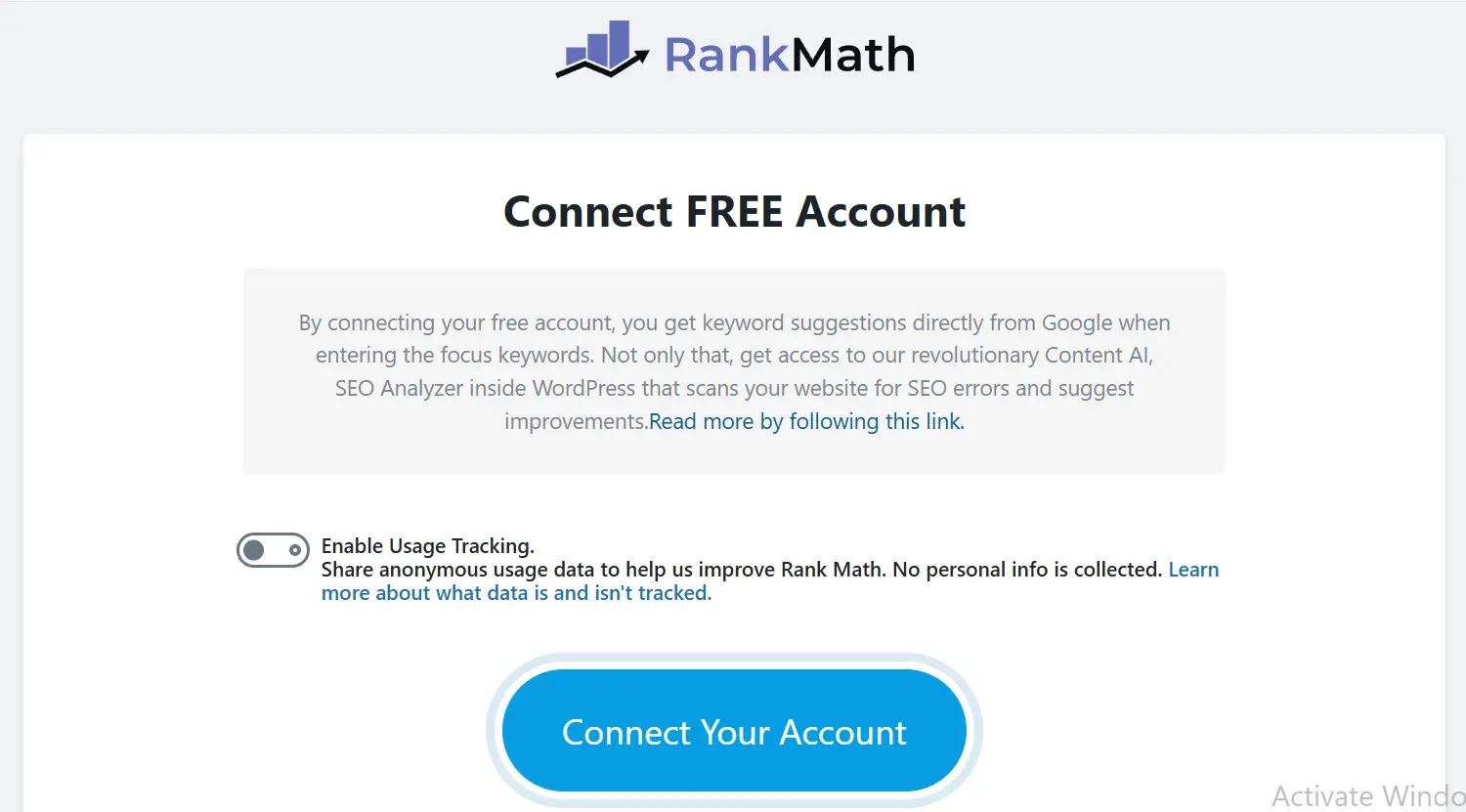
Connecting Your Account
You’ll be prompted to connect your Rank Math account. While optional, connecting enables advanced features like detailed SEO analysis and Content AI.
Selecting Your Website Type
Rank Math will ask whether your website is a blog, business site, personal site, or online store. This is important because the plugin adjusts default SEO settings based on your selection. For example, if you choose an eCommerce store, product-related schema features will be activated.
Basic Website Information
You’ll need to provide your website name, logo, and a default social sharing image. Many users skip this step, but it’s essential because it affects how your website appears in search results and on social media platforms.
Creating an XML Sitemap
Rank Math allows you to automatically generate an XML sitemap. This file tells search engines which pages should be crawled and indexed. Simply select which content types (posts, pages, products, etc.) to include, and the plugin will generate the sitemap.xml file automatically.
General SEO Settings
Next, you can configure basic indexing preferences—such as allowing search engines to index your site. For new websites, it’s important to enable indexing so Google can discover your pages.
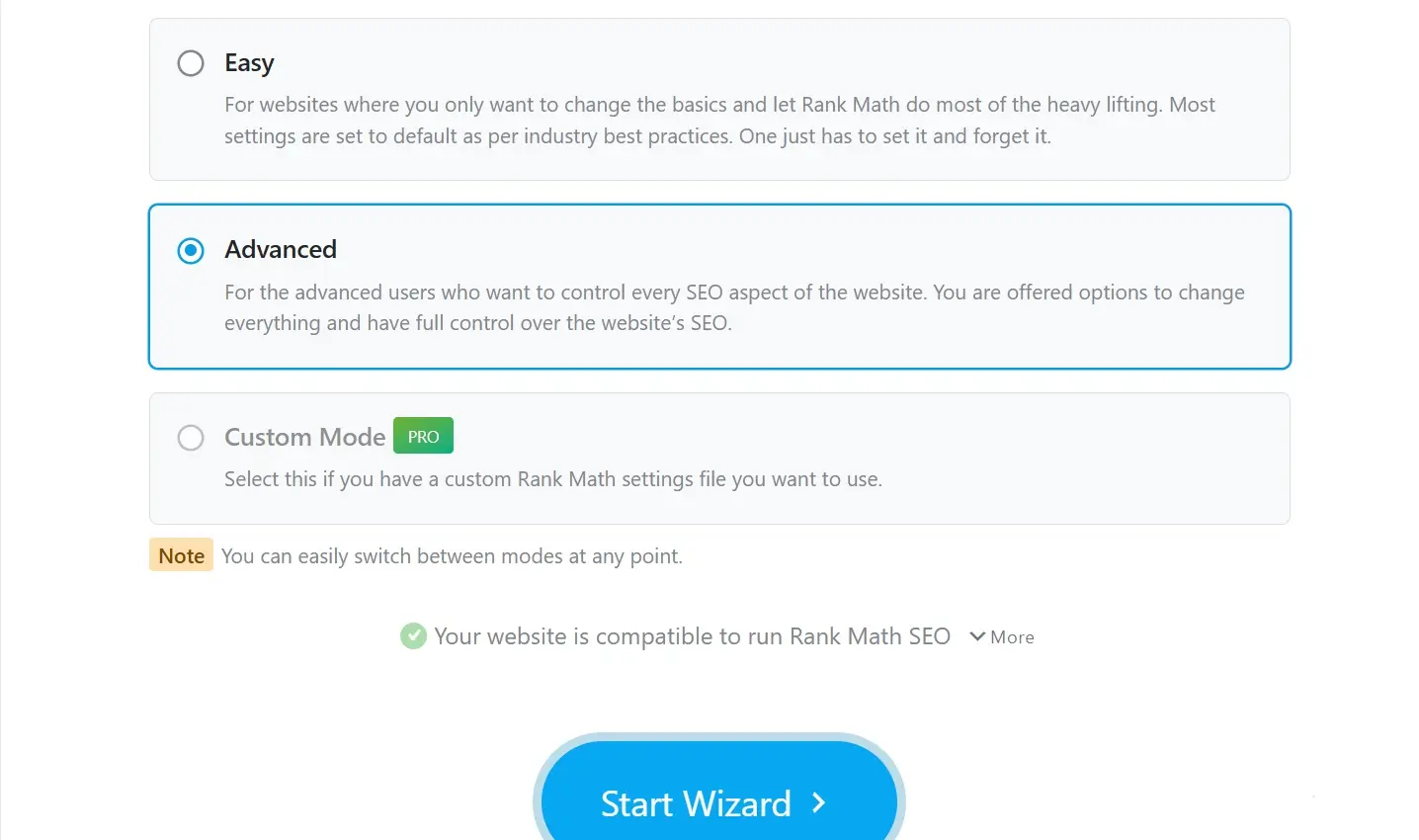
Choosing Easy or Advanced Mode
Near the end of the setup process, Rank Math asks whether you prefer Easy or Advanced mode.
- If you’re a beginner, Easy mode is sufficient.
- If you have some SEO knowledge, choose Advanced mode for full control over detailed settings.
After completing these steps, click Finish Setup, and you’ll be redirected to the Rank Math dashboard, where you can manage all modules and features.
Important Tip After Installation
After installing any plugin—including Rank Math—it’s a good idea to check your website’s homepage and a few internal pages to ensure everything loads properly and there are no visual or speed-related issues. While Rank Math is highly compatible with most themes and plugins like Elementor and WooCommerce, verifying your site’s performance is always a smart move.
Now that Rank Math is successfully installed and configured, you’re ready to explore its dashboard and SEO analysis features in the next section.
Introduction to the Rank Math Dashboard & Its Main Sections
After completing the initial installation of Rank Math and entering the plugin environment, the first thing you’ll see is the main dashboard. This is essentially the control center of the plugin—everything can be managed from here.
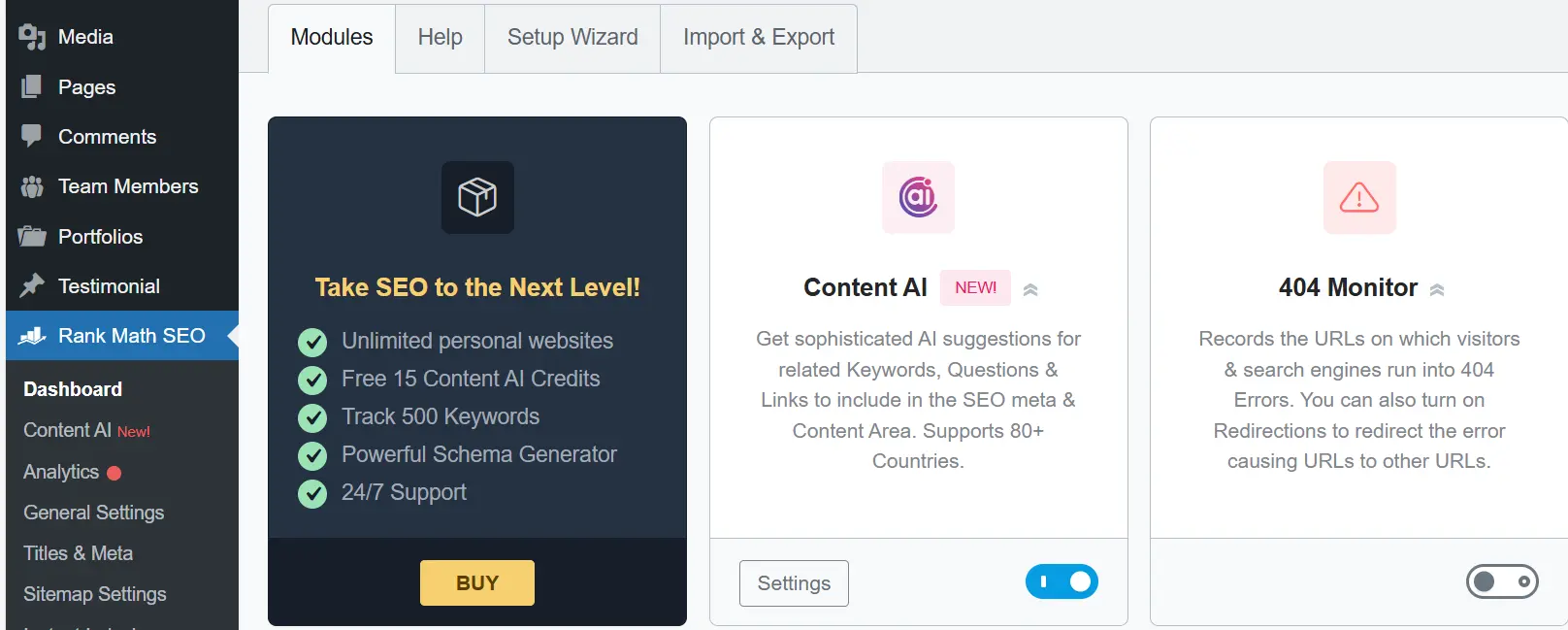
The dashboard design is clean and organized to prevent confusion. Each section has its own icon and a short description explaining what it does. Even if you’re new to SEO, the layout makes it easy to understand where everything is located.
Inside the dashboard, you’ll find multiple modules. Each module represents a specific SEO feature. The modular structure is one of Rank Math’s strongest advantages—you can activate only the features you need and disable the rest to keep your website lightweight and fast. For example, if you don’t currently need Schema markup or 404 monitoring, you can simply switch those modules off. This improves both performance and usability.
Site Analytics
One of the most valuable sections is Site Analytics. If you connect your website to Google Search Console, this section pulls real data directly from Google. You’ll see metrics such as:
- Total clicks
- Impressions
- Average keyword rankings
- Click-through rate (CTR)
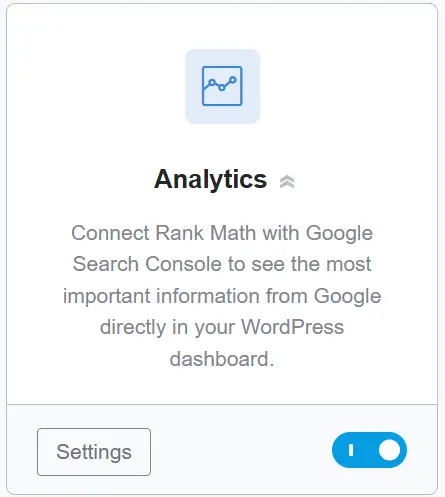
This data is extremely useful because it shows how your content performs in search results. You can identify which articles receive the most traffic and which keywords need further optimization.
Sitemap Settings
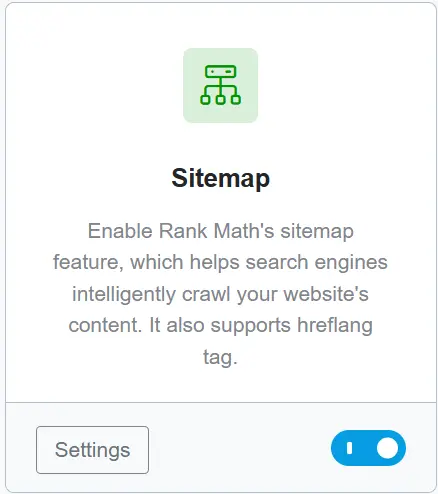
The Sitemap Settings section gives you full control over your XML sitemap. As mentioned during setup, Rank Math automatically generates a sitemap file. However, here you can fine-tune it.
You can choose which content types—posts, pages, categories, products, and more—should be included. You can even customize the sitemap URL or create separate sitemaps for different sections of your site.
404 Monitor
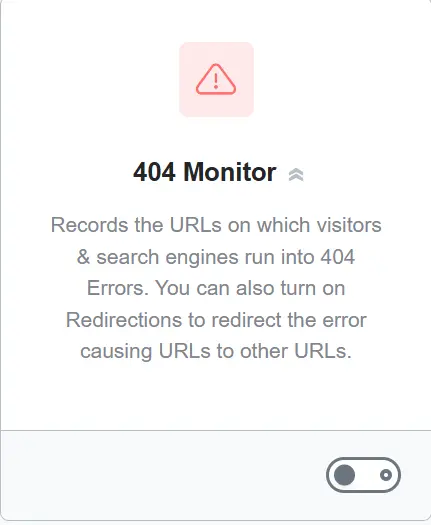
The 404 Monitor module tracks broken links on your website. Whenever a visitor lands on a non-existent URL and encounters a 404 error, Rank Math logs it.
Broken links negatively impact SEO and user experience. With this feature enabled, you can identify problematic URLs and either fix them or redirect them properly.
Redirections
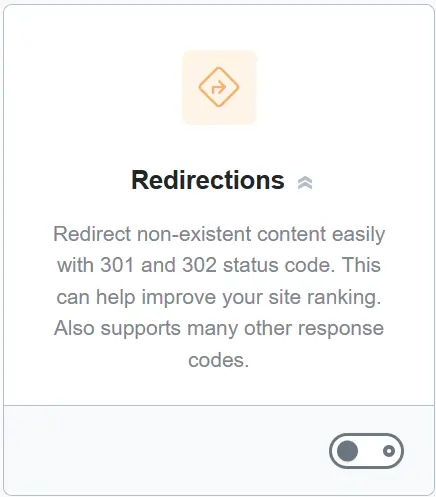
Closely connected to the 404 Monitor is the Redirections module. If a page is deleted or its URL changes, you should redirect visitors to the updated page. This preserves both SEO value and user experience. Inside this section, you simply enter the old URL and the new destination, and Rank Math handles the redirect automatically.
Schema Markup
The Schema Markup module helps search engines better understand the type of content on your page. For example, if you publish a recipe and apply the “Recipe” schema, Google can display it with enhanced search result features. Rank Math offers ready-to-use schema types for articles, products, videos, FAQs, and more—all activated with just a few clicks.
Image SEO
The Image SEO module optimizes your images automatically. Many users upload images without proper alt text or titles. Rank Math can automatically generate alt and title attributes based on your post title, helping images contribute to your SEO performance.

Local SEO
The Local SEO module is ideal for local businesses—such as stores or service providers. By activating it, you can add your business address, phone number, working hours, and location data in a structured format. This improves your visibility in local search results.

Content AI
One of Rank Math’s most exciting features is Content AI. This tool assists you while writing content by providing suggestions to make it more SEO-friendly and engaging. For example, it may suggest:
- How many times to use your focus keyword
- How many subheadings to include
- Recommended content length
- Paragraph optimization tips

In short, the Rank Math dashboard acts as a complete SEO toolkit. From one central panel, you can monitor, configure, and optimize every aspect of your website’s SEO—without needing separate plugins for each task.
Content SEO with Rank Math
Now that Rank Math is installed and configured, it’s time to move to the most important part: content SEO.
Rank Math isn’t just a plugin—it’s like an SEO coach sitting beside you while you write. It tells you what’s correct, what needs improvement, and how to structure your article properly for both users and search engines. When you open the WordPress editor (whether you’re using Gutenberg or Elementor), you’ll see the Rank Math SEO box below or beside your content. This is where the SEO “magic” happens.
Focus Keyword
Inside the Rank Math panel, you can enter your Focus Keyword.
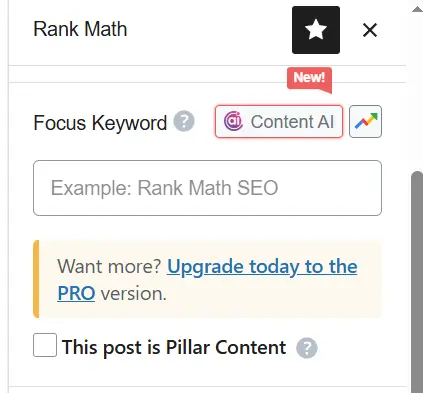
This is the main phrase you want your article to rank for in Google. For example, if your article is about “buying men’s sports shoes,” that phrase could be your primary keyword. As soon as you enter the keyword, Rank Math analyzes your entire content and assigns an SEO score between 0 and 100:
- Red = Poor
- Orange = Average
- Green = Good
However, remember: your goal isn’t to score 100—it’s to create genuinely useful content that is easy for both users and search engines to understand.
Editing the Snippet (SEO Title & Meta Description)
Rank Math evaluates:
- SEO title length
- Meta description length
- Whether your focus keyword appears in both
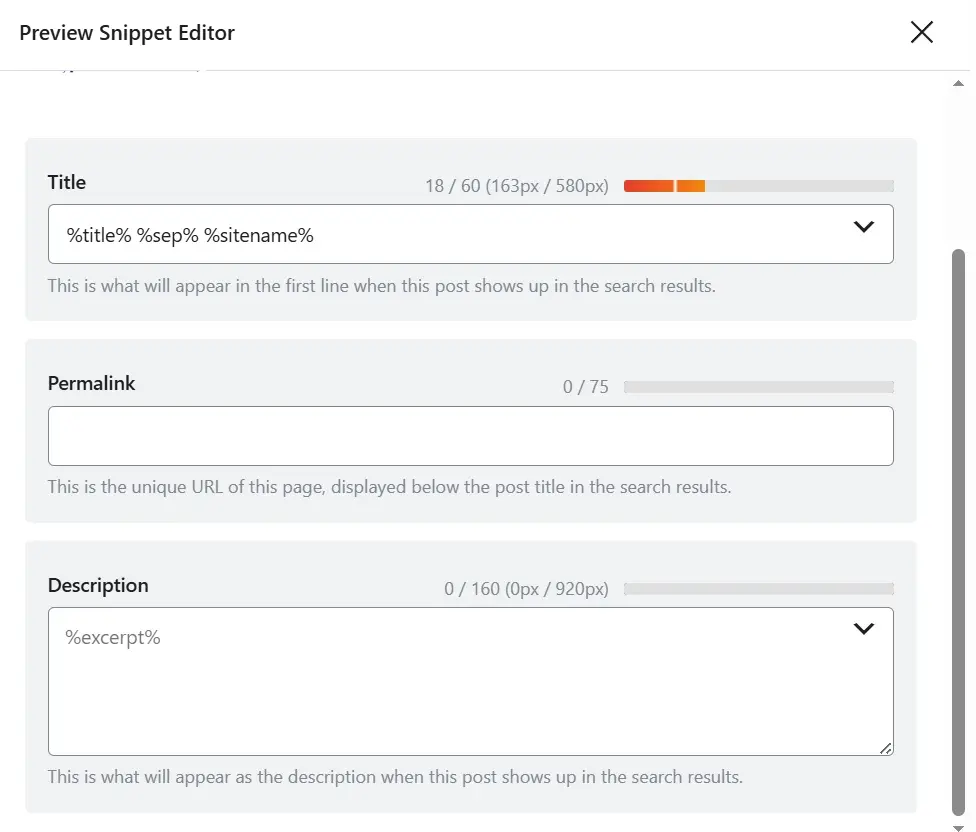
If your title is too long, Google may truncate it with ellipses. Rank Math shows a color bar indicating whether your title and meta description lengths are optimal.
URL Optimization
The plugin also checks your permalink structure. Short, clear URLs that include your focus keyword generally perform better.
For example:/rank-math-tutorial
is better than/everything-you-need-to-know-about-rank-math-plugin
Keyword Usage
Rank Math analyzes how often your keyword appears in:
- The main content
- Headings (H2, H3)
- Meta description
- First paragraph
If the keyword is underused, it suggests adding it naturally. If overused, it warns you about potential keyword stuffing. It also checks whether your focus keyword appears in the first paragraph—since search engines often consider it highly important.
Headings Structure
The plugin evaluates whether you’ve used your focus keyword in subheadings (H2, H3). However, avoid forcing it unnaturally. SEO should always feel organic.
Readability Analysis
Rank Math also analyzes content readability:
- Sentence length
- Paragraph size
- Use of transition words
This ensures your content is easy to read and engaging for users.
Image Optimization
Rank Math checks whether your article includes images and whether those images contain proper alt attributes. Since Google cannot “see” images, it relies on alt text to understand them. Always include at least one relevant image with descriptive alt text containing your keyword (naturally).
Internal & External Links
The plugin also verifies whether you’ve included:
- Internal links (to other pages on your website)
- External links (to authoritative websites)
Internal links improve user engagement and session time, while external links signal credibility to search engines. Both are essential for strong SEO.
The Green Light Isn’t Everything
When you follow these recommendations, your SEO score increases and the indicators turn green. But remember—the goal isn’t just getting green lights.

Your priority should be writing valuable, well-structured, informative content with clear headings and simple language. Rank Math ensures you haven’t missed any technical SEO elements—but content quality always comes first.
Before publishing, use the preview feature to see how your article will appear in Google search results. Adjust your SEO title and meta description if needed to make them more compelling and clickable. Small improvements in presentation can significantly increase your click-through rate and accelerate your content’s growth.
Basic SEO in Rank Math
When you start writing an article in Rank Math, the first section you encounter is Basic SEO. Think of it as a foundational checklist that ensures your article follows essential on-page SEO principles. Many people assume SEO is all about complex technical tasks, but in reality, the fundamentals are simple—and Rank Math checks them one by one.
SEO Title
The first element evaluated is the SEO Title. Rank Math checks whether your focus keyword appears in the title. Since search engines give significant weight to the title tag, omitting your main keyword can confuse Google about your content’s topic.
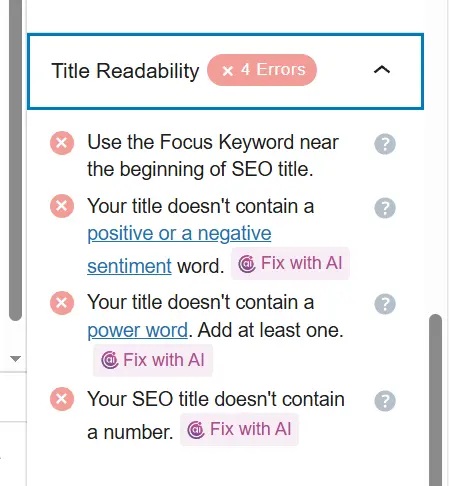
For example, if your article is about “Rank Math plugin tutorial,” that exact phrase (or a close variation) should appear naturally in your title.
Meta Description
Next comes the Meta Description—the snippet displayed below your title in search results. Rank Math verifies:
- Whether your focus keyword appears
- Whether the length is optimal
If you leave it empty, Google may automatically pull the first lines of your content, which usually isn’t compelling. Writing a concise and persuasive meta description improves click-through rate and clarifies your topic for search engines.
URL (Permalink) Optimization
Rank Math also analyzes your URL structure.
Short, readable URLs containing your focus keyword tend to perform better.
Example of a good URL:/rank-math-seo-guide
Overly long URLs like:/how-to-do-seo-with-rank-math-and-wordpress-plugin-2025
are cluttered and less effective.
Keyword Placement in the Introduction
Your focus keyword should appear within the first 10% of your content—ideally in the opening paragraph. This helps search engines quickly understand your topic. Long introductions without mentioning the main keyword may weaken topical clarity.
Content Length
Rank Math checks your word count. If your content is under 300 words, you’ll likely receive a warning. For stronger SEO performance, articles typically perform better at 1,000–1,500 words or more—provided the content remains valuable and not artificially extended. Quality always matters more than word count.
Keyword in Subheadings
Using your keyword (or a variation) in at least one H2 or H3 heading strengthens topical relevance and improves structure. However, avoid forcing it unnaturally.
Keyword Density
Rank Math warns you if your keyword is overused. Excessive repetition may look like keyword stuffing. A healthy keyword density is usually around 1–2% of the total word count. In a 1,000-word article, repeating your focus keyword 10–20 times (naturally) is typically sufficient.
Overall Basic SEO Score
After analyzing these elements, Rank Math provides a Basic SEO score. More green indicators mean stronger on-page optimization. However, don’t chase green lights blindly. The goal is understanding why each factor matters and how it influences rankings.
Content Readability
SEO isn’t just about keywords and technical settings. One of the most overlooked elements is content readability—how smooth, clear, and structured your text feels to readers.
When visitors think, “This is easy to read—I’ll finish it,” they stay longer. Increased dwell time and reduced bounce rate send positive signals to search engines. Rank Math ensures your content is written for humans—not just algorithms.
Paragraph Length
Long paragraphs can overwhelm readers. Rank Math alerts you if a paragraph is too lengthy. Breaking text into smaller chunks improves visual comfort and readability.
Sentence Length
The plugin checks whether too many sentences exceed a recommended length (for example, over 20 words). Shorter, clearer sentences improve flow. The goal isn’t childish writing—but natural, conversational clarity.
Heading Structure
Using proper H2 and H3 headings helps organize your content.
If you publish a 1,500-word article with only one heading, Rank Math will flag structural weakness. Adding subheadings every few paragraphs improves both readability and SEO.
Transition Words
Transition words such as “therefore,” “however,” “in addition,” and “overall” create logical flow. Rank Math evaluates whether your sentences connect smoothly. A lack of transition words may reduce readability score.
Simple Language
Clear, straightforward language improves engagement. Overly technical phrases can make your content harder to digest. Modern search engines prioritize human-friendly writing over keyword-stuffed text.
Lists and Bullet Points
Using bullet points or numbered lists improves scannability. Instead of cramming multiple ideas into one long paragraph, structured lists highlight key information visually—and Rank Math rewards proper formatting.
Formatting (Bold & Links)
Using bold text for key points and linking to relevant internal or external resources improves both readability and user experience. Small formatting improvements can significantly enhance content engagement.
Ultimately, the Content Readability section acts as a final refinement stage before publishing. Even perfectly optimized SEO settings won’t help if your content feels dry or difficult to read.
Integrating Rank Math with Google Search Console
One of Rank Math’s strongest features is direct integration with Google Search Console. This allows you to monitor important performance data directly inside your WordPress dashboard—without switching tools.
How to Connect
Go to:
Rank Math → General Settings → Search Console
Click “Get Authorization Code”, sign in with your Google account, grant access, copy the generated code, and paste it into Rank Math.
Once connected, Rank Math automatically fetches data every few hours. If you manage multiple websites, you can choose which Search Console property to display.
Viewing Click & Impression Data
After connection, a Search Console dashboard appears inside WordPress.
You’ll see:
- Clicks
- Impressions
- CTR
- Average ranking position
It also displays top-performing pages and keywords. Visual graphs make data easier to analyze without opening Search Console separately.
Fixing Crawl & Index Errors
Rank Math also imports crawl and index errors. If Google fails to index a page—due to noindex tags, broken links, or structural issues—you’ll see it directly in your dashboard. You can then fix issues using Rank Math’s redirect tool or meta settings.
This integration centralizes both analytics and technical SEO management into one streamlined control panel.
WooCommerce SEO with Rank Math
If you run an online store using WooCommerce, product page SEO becomes crucial. Each product page is a potential entry point from search engines. Every product should have:
- A unique, descriptive title
- Custom meta description
- Optimized images
- Targeted keywords
For example, instead of “Nike Shoes,” use:
“Men’s Nike Air Zoom Running Shoes”
Small improvements like this significantly increase visibility.
WooCommerce-Specific Settings
Inside Rank Math → Titles & Meta → WooCommerce, you can configure:
- Default product meta titles
- Category descriptions
- Product tag settings
You can automatically include brand names or categories in product titles. There’s also an option to control structured data for price and stock availability.
Product Schema (Structured Data)
Adding Product Schema helps search engines understand that a page represents a real product. With proper schema enabled, your products may appear as rich snippets—displaying:
- Price
- Availability
- Ratings
Rank Math usually activates this automatically for WooCommerce products, but it’s wise to verify. You can also add brand, SKU, or GTIN information for enhanced optimization.
Reviewing Product SEO
Regularly review your product SEO:
- Ensure schema data is active
- Confirm meta descriptions aren’t empty
- Check that images include alt text
If products have user ratings, ensure they’re included in schema markup—because star ratings improve CTR dramatically.
Tips to Increase Your Rank Math SEO Score
A high SEO score isn’t about mechanically ticking boxes—it’s about improving user experience. Professional tips include:
- Use your focus keyword in the title, meta description, first paragraph, and at least one subheading.
- Add at least one internal link and one authoritative external link.
- Include an image with keyword-related alt text.
- Keep content length above 600 words (preferably much longer for competitive topics).
Most importantly, review your content from the reader’s perspective before publishing. Modern Google algorithms prioritize helpful, user-focused content. If your article genuinely solves problems and reads naturally, your SEO score—and real rankings—will improve organically.
Overusing Your Focus Keyword
One of the most common mistakes users make when working with Rank Math is repeating the focus keyword too many times throughout the content. Some people assume that the more they mention their keyword, the better their SEO will be. In reality, it works the opposite way.
Google can easily detect when content feels forced or written purely to manipulate rankings. When that happens, your page might not only fail to rank — it could actually drop in position.
Instead, aim for natural writing. For example, instead of repeating “SEO tutorial with Rank Math” over and over, you could alternate with phrases like “learning SEO with this plugin” or “a WordPress SEO plugin.” This variation keeps your content sounding human and prevents readers from getting bored by repetition.
Obsessing Over the Plugin Score
Another common mistake is focusing too much on getting a green score inside Rank Math. Some users become fixated on seeing 90 or 100. But that number is only a guideline — not the ultimate goal. You might publish a piece with a score of 75 that performs far better in terms of traffic and engagement.
Your real objective should be delivering value to the reader. The plugin score simply helps you improve technical structure. Content should always be written for humans, not robots. If your score feels lower than expected, first ask yourself whether your content is genuinely helpful.
The Importance of Strategic Internal Linking
Internal linking isn’t just about improving your SEO score — it’s a smart way to keep users on your site longer. When you link from one page to a related page, users can follow a logical learning path. At the same time, Google better understands your site structure and topical relationships.
Make your links feel natural instead of stuffing them with keywords. For example, instead of writing “Click here to read about SEO,” you could say, “In our content SEO guide, we explained how to write compelling titles.”
Strategic internal linking distributes authority across your pages and helps your entire website grow stronger over time.
Key Tips for Local SEO
If your business is location-based — such as a store or service center — Local SEO becomes critical. First, make sure your Name, Address, and Phone number (NAP) are consistent across your website and social media platforms. This consistency helps Google accurately identify your business location.
Second, create and optimize your profile on Google Business Profile. Add real photos, working hours, and clear directions.
Also, include your city or region naturally within product or service descriptions. For example, instead of writing “Mobile repair services,” write “Mobile repair services in Shiraz.” This helps Google target nearby users more precisely and increases your chances of appearing in local map results.
Using Structured Data to Improve Click-Through Rate
Structured data (Schema Markup) makes your pages more visually appealing in search results. For example, if your article displays star ratings, product prices, or a featured image, users are far more likely to click.
Rank Math automatically generates schema for different content types like articles, products, and events. However, for best results, it’s wise to manually choose the appropriate schema type.
For tutorials, use HowTo schema.
For analytical posts, use Article schema.
This helps Google clearly understand your content type, which can improve how prominently your page appears in search results.
Site Speed and Its Impact on SEO
One factor many people overlook is website speed. Even if your content is excellent, a slow-loading website frustrates both users and search engines.
To improve speed, you can use caching plugins like WP Rocket or LiteSpeed Cache. Also, compress images before uploading them.
Choose a lightweight theme and reliable hosting. If your site loads within a few seconds, your Core Web Vitals score improves — and so does your overall SEO performance.
Remember, speed isn’t just about numbers. Every second of delay increases the risk of losing a potential customer.
Ignoring UX (User Experience)
Some writers focus only on keywords and SEO tags while ignoring user experience (UX).
Long paragraphs, tiny fonts, or heavy images that take forever to load can push users away quickly. When visitors leave your page too fast, your bounce rate increases — which negatively impacts rankings.
To avoid this, view your content from the reader’s perspective.
- Your text should be easy to scan.
- Images should be clear.
- The page structure should feel organized.
Even simple things like engaging subheadings and proper spacing can encourage readers to stay until the end. Google closely monitors user behavior when evaluating content quality.
Ignoring Google Algorithm Updates
Perhaps one of the most dangerous mistakes is ignoring changes to Google’s algorithm. SEO is never static. Google constantly updates its systems, and if you don’t adapt, your rankings may drop — even if you follow every Rank Math recommendation.
Updates like the Helpful Content update and the increased emphasis on EEAT (Experience, Expertise, Authoritativeness, Trustworthiness) show that Google now prioritizes real content quality over keyword repetition. Rank Math generally adapts to these changes, but you also need to stay informed and adjust your strategy accordingly.
Frequently Asked Questions About Rank Math
What exactly is Rank Math and what does it do?
Rank Math is a WordPress SEO plugin designed to help optimize your content both technically and strategically. From writing meta titles and descriptions to configuring schema markup, generating sitemaps, and connecting to Google Search Console, it acts like a smart assistant that guides you step by step.
Do I need a score of 100 in Rank Math to rank well?
Not at all. The score is just an indicator. A page with a score of 75 can rank extremely well if the content quality and user engagement are strong. Google cares more about value and user behavior than plugin scores.
What’s the difference between Rank Math and Yoast SEO?
Both are WordPress SEO plugins. However, Rank Math offers advanced features such as built-in structured data support and direct integration with Google Search Console. It’s also lightweight and provides more features in its free version.Ultimately, the right choice depends on your workflow and preferences.
How can I improve my product SEO with Rank Math?
If you’re using WooCommerce, Rank Math includes dedicated product SEO tools. You can configure Product Schema so your listings appear in Google with price and star ratings.Make sure your product titles, descriptions, and images are unique and well-optimized to avoid duplicate content issues.
Do I need to reconfigure Rank Math after every change?
Not necessarily. However, it’s smart to review your settings periodically — for example, every couple of months — especially after major Google or plugin updates.
This ensures your website stays aligned with the latest SEO standards.This ensures your website stays aligned with the latest SEO standards.
Where should I start learning Rank Math?
The best place to start is the official Rank Math website, which offers detailed tutorials and documentation. You can also find helpful video tutorials on YouTube and educational websites.Even better, create a small test website and experiment with the plugin settings. Practical experience will help you understand how each feature works much faster.
Final Thoughts
The most important thing to understand is that Rank Math is a guide, not a magic solution that automatically improves your rankings. Many people think that simply installing the plugin and turning all the indicators green is enough to succeed in SEO. In reality, it doesn’t work that way. Rank Math functions more like a roadmap — it shows you the right direction and highlights potential improvements, but you’re the one who has to put in the real effort.
Successful SEO is built on a combination of high-quality content, solid technical foundations, and a deep understanding of user behavior. Rank Math simplifies part of that journey, but it cannot replace strategy, creativity, or consistency. You still need a clear content plan, a website that offers a strong user experience, and the ability to analyze performance data to make informed decisions.
That’s where tools like Google Search Console and Google Analytics become essential. They help you see which pages are performing well, which keywords are driving traffic, and where your website needs improvement. Without analyzing real data, even the best optimization efforts can miss the mark.
If you’re new to SEO or still feel uncertain about some Rank Math features, that’s completely normal. SEO is not something you master overnight. There are many reliable resources available, including official documentation and step-by-step video tutorials, that can help you gain confidence. You can even create a small test website to experiment with different settings and strategies. Over time, as you continue learning and optimizing, you’ll develop a much clearer understanding of both how Google works and what your audience truly needs.
Stay consistent, keep learning, and most importantly, keep improving.
Ahura WordPress Theme
The Power to Change EverythingElementor Page Builder
The most powerful WordPress page builder with 100+ exclusive custom elements.
Incredible Performance
With Ahura’s smart modular loading technology, files load only when they are truly needed.
SEO Optimized for Google
Every line of code is carefully aligned with Google’s algorithms and best practices.

To post a comment, please register or log in first.