
 Tutorials


 Ahura
Ahura Plugins
 Blog
BlogSpeeding Up WordPress with the Performant Translations Plugin

Let’s start by understanding what this plugin actually does. Performant Translations is a relatively new WordPress plugin, created by one of the core WordPress developers. And that alone says a lot. When people from the WordPress core team step in, it usually means there’s a real, long-standing problem that needs fixing. So what was the problem?
Non-English websites — like Persian, Arabic, French, or basically any language other than English — tend to load slower than English websites. The reason goes back to how WordPress handles translations.
WordPress relies on translation files called PO and MO. You can think of these files as dictionaries. Every time a user sees a piece of text, WordPress looks it up in these files and displays the translated version.
The issue is that this process isn’t very fast. When WordPress has to repeatedly read these files, it adds noticeable overhead. And the heavier or more multilingual the site is, the worse this delay becomes.
That’s exactly where Performant Translations comes in. Instead of relying on MO files, this plugin converts them into PHP files. Why PHP? Because PHP files are faster to read and can be cached more efficiently. That means the server can process translations much faster — and your site loads quicker as a result.
Table of Contents
What Is the Performant Translations Plugin?
In simple terms, Performant Translations solves one of WordPress’s oldest performance issues: slow translations on non-English websites.
The plugin converts WordPress translation files (MO files) into PHP files, making them much easier for the server to process. Even better, these PHP files can be cached in memory, which significantly improves performance.
The result? Persian, Arabic, and other non-English websites — which have always lagged behind English sites in terms of speed — can finally catch up.
What makes this plugin even more interesting is the fact that it was introduced by a core WordPress developer. This isn’t just a side project; it’s very likely part of WordPress’s future roadmap.
A Brief History of the Plugin
The story started when developers noticed that non-English WordPress websites were, on average, about 50% slower than English ones. The root cause was WordPress’s reliance on PO and MO translation files, which have an outdated structure and require heavy processing.
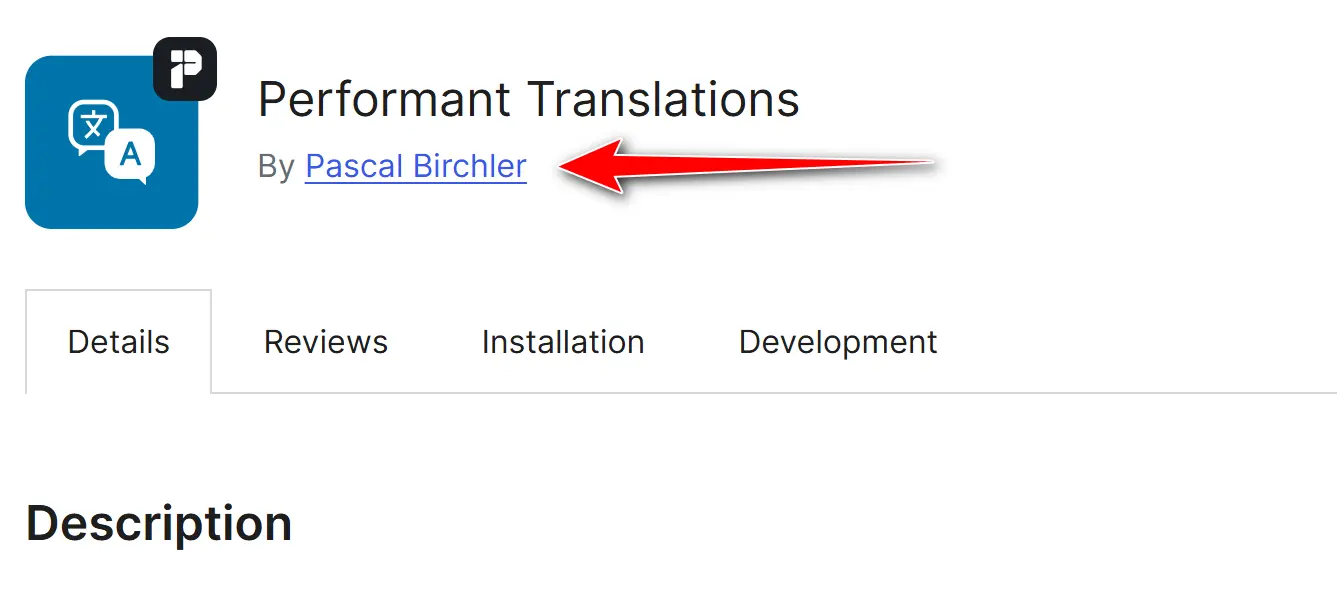
That’s when Pascal Birchler, a member of the WordPress core team, stepped in. He published an official article and shared performance test results. After extensive testing, the conclusion was clear: converting MO files into PHP could dramatically improve performance.
That idea eventually became the Performant Translations plugin.
What’s even more important is that starting with WordPress 6.5, parts of this functionality were added directly into the WordPress core. This shows how seriously the WordPress team is taking this issue — and it also suggests that, in the future, this plugin may no longer even be necessary as a separate install.
Why Was the WordPress Core Team Involved?
Because the problem was huge. More than half of WordPress users worldwide use languages other than English. If translations slow down WordPress, that means the experience of millions of users is affected.
The core team didn’t want this to be just another third-party plugin with a few thousand installs. They wanted a real, long-term solution that could eventually become part of WordPress itself.
So Performant Translations acted as a kind of testing ground. First, it was released as a plugin so users could install it, test it, and provide feedback. Once the results proved successful, parts of it were merged into the WordPress core.
That’s why this plugin matters. It’s not just another optimization tool — it’s part of WordPress’s evolution toward faster, fairer performance for non-English websites.
What Is the Main Translation Problem in WordPress?
To support multiple languages, WordPress uses a system called gettext. It’s been around since the early days of WordPress, and while it works reliably, it has one major downside: performance.
If your site is in Persian, Arabic, or any other non-English language, you’ve probably noticed that pages load slightly slower compared to English sites.
That’s because for every single piece of text, WordPress has to read translation files (PO and MO), process them, and then output the translated string. On small sites, this might not be a big deal. But on large or multilingual websites with thousands of strings, it can seriously slow things down.
This is why non-English WordPress sites have always been one step behind in terms of speed.
Understanding i18n and l10n in WordPress
There are two important concepts here: i18n and l10n.
- i18n (Internationalization) means preparing WordPress, themes, and plugins so they can be translated. This is mainly the developer’s responsibility — writing code in a way that supports translations.
- l10n (Localization) is the actual translation process. This is where text gets translated into Persian, Arabic, or any other language.
These two concepts are the foundation of translations in WordPress. The problem isn’t the idea itself — i18n and l10n are well-designed. The issue lies in how they’re implemented using PO and MO files, which aren’t very efficient performance-wise.
That’s where Performant Translations steps in and essentially says:
“Let’s make this faster.”
What Are PO and MO Files, and Why Do They Matter?
You can think of a PO file as a translation notebook. It contains the original text and its translation side by side. For example:
PO files are meant for translators.Once the translation is finished, the PO file is compiled into an MO file. This file isn’t meant for humans — it’s optimized for machines. When WordPress loads a page, it reads translations directly from these MO files.
The problem is that MO files need to be read and processed repeatedly. On small websites, this might be manageable. But on large or multilingual sites, it can cause a serious performance hit. And this exact bottleneck is what Performant Translations is designed to eliminate.
Why Are Non-English Websites Slower?
The main reason is that WordPress constantly has to read MO files. On an English website, texts are written directly in the code, so no translation is needed. But when a site is in Persian, French, Russian, or is fully multilingual, every single page load can mean hundreds or even thousands of calls to MO files.
Research conducted by the WordPress team showed that non-English websites are, on average, about 50% slower than English ones. In other words, half of that performance loss comes purely from translations.
On top of that, MO files cannot be cached by tools like OPcache. This means they have to be processed again and again on every request. And that’s exactly why many site owners feel that their English version is noticeably faster than the translated one.
How Does the Performant Translations Plugin Work?
By now, the core issue is clear: WordPress uses MO files for translations, and processing them is expensive — especially for non-English websites.
Performant Translations tackles this problem head-on.
Once installed, the plugin works behind the scenes and converts all MO files into PHP files. Instead of dealing with binary MO files on every request, the server now works directly with PHP files. And as you already know, PHP files are much faster and easier for the server to handle.
Let’s break down what this actually means and why it matters.
Converting MO Files to PHP and Its Benefits
This is the heart of the whole idea.
MO files are designed for machines, but they’re not optimized for fast processing inside WordPress. Performant Translations reads these files and stores their translations as PHP arrays.
What are the benefits?
First, access speed improves significantly. WordPress no longer needs to repeatedly open and parse binary files — everything is ready in a PHP file.
Second, PHP files can be cached, unlike MO files.
Third, whenever a language pack is updated, the plugin automatically regenerates the PHP files, so no manual work is needed.
The Role of OPcache in Performance Gains
This is where things get even more interesting.
OPcache is a well-known PHP feature that stores compiled PHP code in memory after the first execution. The next time that file is requested, PHP doesn’t need to reprocess it — it simply runs it from memory.
MO files don’t work with OPcache at all. They must be reprocessed on every request. But once translations are converted into PHP files, OPcache can step in and cache them.
In simple terms, Performant Translations and OPcache work like a team:
- Performant Translations converts translation files into PHP
- OPcache keeps them in memory so they don’t need to be reprocessed
The result is a noticeable speed boost.
Benchmark Results and Real-World Tests
All of this sounds great in theory — but what about real-world results?
According to benchmarks published by the WordPress team:
- On an English website, translation processing takes about 150 ms
- On a translated site (Persian, German, etc.), this increases to around 200 ms
- After installing Performant Translations, processing time drops back to 150 ms or even less
This means non-English websites — which have always been one step behind — can finally reach performance levels close to English sites.
That said, let’s be realistic. This plugin won’t magically make your website 10 times faster. What it does is remove the extra delay caused specifically by translations. And that’s a crucial piece of the overall performance puzzle.
Does This Plugin Really Make Your Site 10× Faster?
You may have heard claims that Performant Translations can make a website ten times faster. It’s an attractive idea — but it’s also misleading.
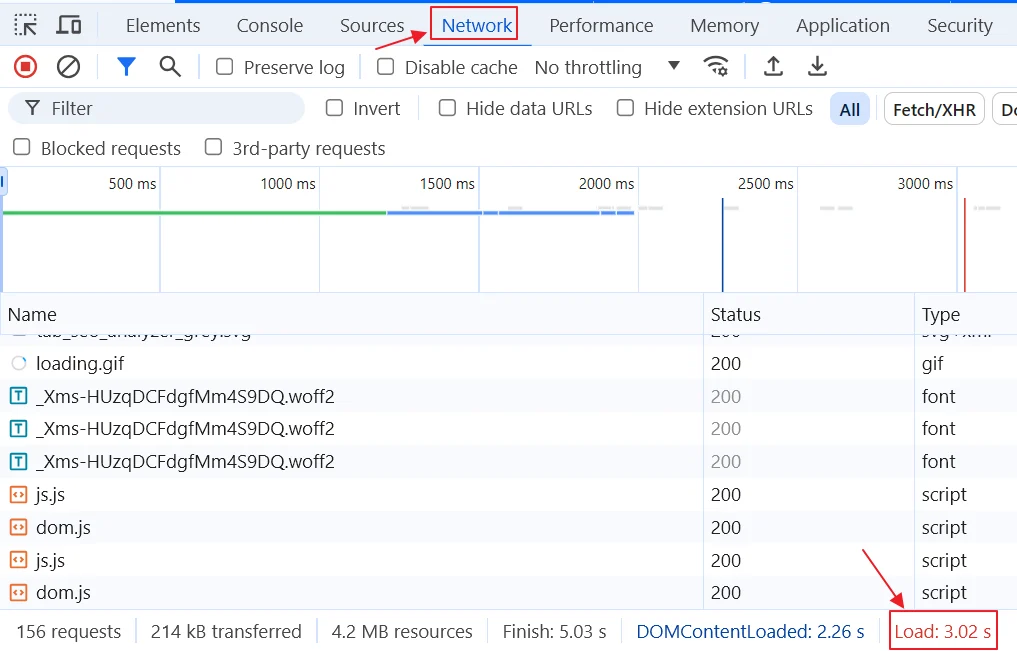
No single plugin can create that kind of performance jump on its own. Performant Translations solves one very specific and important problem: translation-related slowness on non-English websites.
If your site used to load in 2 seconds, this plugin might reduce it to 1.5 seconds. That’s a big improvement and makes a real difference for user experience — but it’s nowhere near “10× faster.”
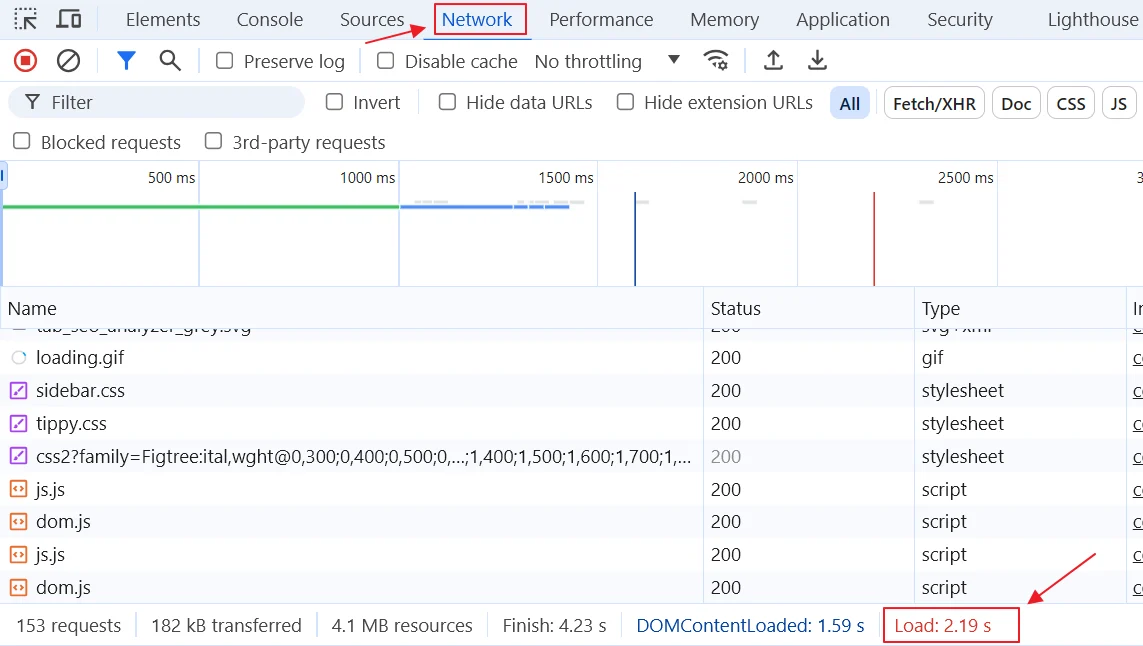
The confusion started when some people misunderstood benchmark results and exaggerated the numbers, making it sound like the plugin performs miracles.
The Role of Other Factors in Website Speed
Here’s an important thing to keep in mind: website speed is multi-dimensional.
Hosting quality, server resources, theme optimization, the number and type of plugins, server-side caching, CDN usage, image optimization, and even database performance all play a role.
For example, if your site runs on weak hosting with limited resources, even the best optimization plugins won’t work miracles. Or if your theme is bloated and poorly optimized, performance will suffer no matter what.
In these cases, Performant Translations only optimizes the translation layer — not the entire website. That’s why realistic expectations matter.
Comparing Performant Translations with Other Translation Optimization Methods
Performant Translations isn’t the only option when it comes to optimizing translations in WordPress. There are other methods that have been used for years. Let’s compare them.
Using Caching (Redis, Memcached, APCu)
One common approach is caching translations in memory instead of reading MO files repeatedly. Tools like Redis, Memcached, and APCu are often used for this purpose.
Redis and Memcached store data in RAM, making access extremely fast. APCu works directly inside PHP and keeps data in memory as well.
These methods can be very effective, but they come with a downside: setup complexity. Incorrect configuration can cause serious issues, and not all hosting providers allow Redis or Memcached. This approach is best suited for users with managed or dedicated servers.
Using Native Gettext in PHP
Another approach is relying on PHP’s native gettext support instead of WordPress’s implementation.
In theory, this can be faster. But in practice, it depends heavily on server configuration. Not all servers fully support native gettext, and in many real-world cases, the expected performance gains don’t actually materialize.
Pros and Cons of Each Method
Each approach has trade-offs.
- Redis/Memcached: excellent performance, but complex setup
- Native Gettext: simpler concept, but server-dependent
- Performant Translations: a balanced, low-risk solution
With Performant Translations, you simply install the plugin. It converts MO files into PHP automatically, and those files can be cached via OPcache. No complex configuration, no server-level changes.
That’s why it’s often the most practical choice for everyday WordPress users.
Key Benefits and Features of Performant Translations
Now that we understand how it works, let’s look at what makes this plugin stand out.
Compatibility with Multilingual Plugins (WPML, Polylang, TranslatePress)
One of the most important questions is compatibility.
Performant Translations has been tested with popular multilingual plugins like WPML, Polylang, and TranslatePress, and it works without issues.
So whether your site is bilingual or supports multiple languages, you can use this plugin with confidence.
Simple Installation with No Extra Configuration
Unlike many translation optimization methods, this plugin is incredibly simple to use.
Just install it from the WordPress repository and activate it. That’s it. No settings pages, no manual configuration, no technical headaches.
For regular WordPress users, this simplicity is a huge advantage.
Impact on Server Resource Usage
Does this plugin increase server load?
Actually, it does the opposite. While there is a one-time cost when MO files are converted to PHP, after that the site uses lightweight, cacheable PHP files. Combined with OPcache, this reduces CPU and disk usage over time.
That’s why Performant Translations can be useful even on shared hosting, where server resources are limited.
When Is Installing Performant Translations Necessary?
Not every website needs this plugin. Let’s break it down.
Non-English Websites
If your site is in Persian, Arabic, Turkish, or any other non-English language, this plugin can make a real difference. WordPress is slower by default on non-English sites, and this plugin directly targets that issue.
High-Traffic Multilingual Websites
If your site is multilingual and gets a lot of traffic, the benefits multiply. Switching between languages increases translation usage, and faster translations mean a smoother user experience.
Small or English-Only Websites
If your site is small or English-only, you probably won’t see much benefit. The translation bottleneck simply doesn’t exist in these cases, so installing the plugin is optional rather than necessary.
Installation and Testing Steps
If you’ve decided to try Performant Translations on your website, the good news is that installing and testing it is very straightforward. Just like any other WordPress plugin, you can activate it in a few minutes and then check its impact on your site’s performance.
Downloading and Installing from the WordPress Repository
The first step is the familiar one: go to the Plugins section in your WordPress dashboard. Click on Add New and search for Performant Translations. After a few seconds, the plugin will appear. Click Install, then Activate.
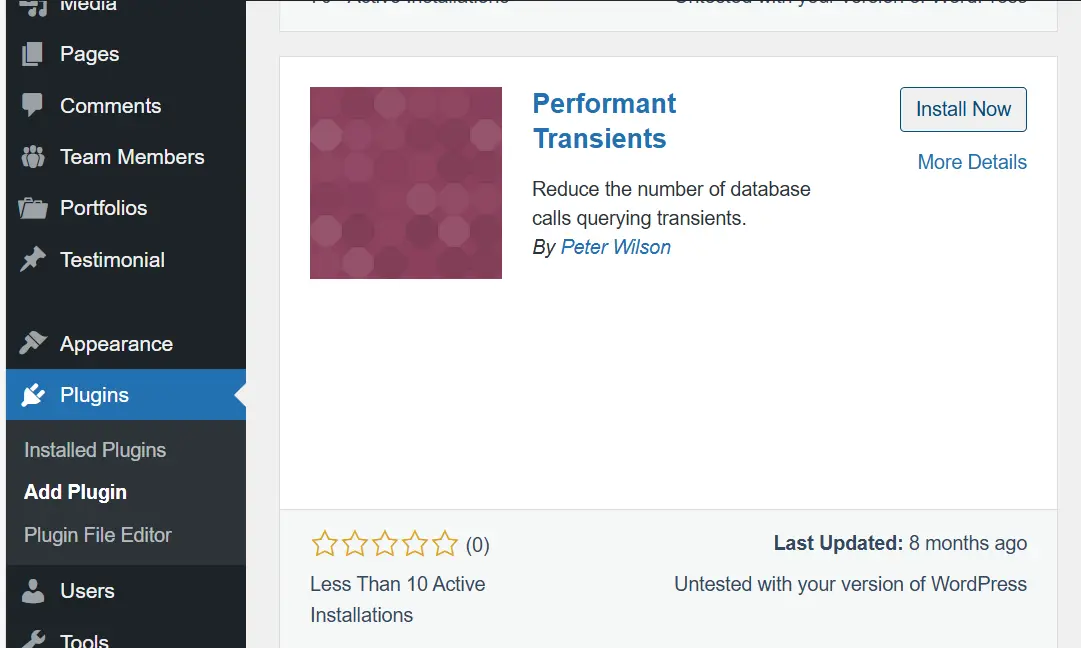
Unlike many performance optimization plugins, Performant Translations doesn’t come with complicated settings. There’s no configuration panel and no list of options you need to tweak. As soon as the plugin is activated, it starts working automatically by converting existing MO files into PHP files.
The initial process may take a little time because all translation files need to be converted. But this only happens once. After that, everything runs much faster.
Checking Site Speed Before and After Installation
One of the best ways to confirm that the plugin is actually working is to test your site speed before and after installation. You can use tools like GTmetrix, Pingdom, or even Chrome’s built-in Lighthouse for this.
Before installing the plugin, measure the load time of your homepage or a few important pages. Then activate Performant Translations and run the same tests again. At first, the difference may not be dramatic, since the plugin is still processing files. But after a few page refreshes and repeated tests, performance improvements usually become noticeable.
In many published reports, translation processing time dropped by 20–30%. For example, if translation loading previously took around 200 milliseconds, it often drops to 150 milliseconds or even less.
This might not look huge on paper, but when you consider the entire site, these small improvements add up to smoother user experience and can even contribute to better rankings in Google.
Risks and Important Considerations Before Use
Like any plugin, Performant Translations comes with both benefits and potential risks. While its concept and execution are smart, it’s still important to install it thoughtfully and keep a few things in mind.
Possible Compatibility Issues with Some Themes and Plugins
WordPress has a massive ecosystem. Thousands of themes and plugins exist, and some of them manage translations in their own unique way. In most cases, Performant Translations works perfectly alongside them, but there is always a small chance of incompatibility.
For example, some multilingual plugins or custom-built themes may rely directly on MO files. In such cases, when the plugin converts those files into PHP, certain translations might not load correctly. This scenario is rare, but not impossible.
The Importance of Taking a Backup Before Installation
Because of these potential risks, it’s highly recommended to take a full backup of your website before installing the plugin. Whether your hosting provider offers automatic backups or you use plugins like UpdraftPlus or Duplicator, the key is having a reliable restore point.
This step may take a few extra minutes, but it gives you peace of mind. Especially for large websites or online stores, backing up before making any major change is essential.
The Future of the Performant Translations Plugin
Performant Translations is more than just a simple plugin — it’s essentially an experimental project for WordPress itself. The core team released it to test the idea on real-world websites before merging its functionality into WordPress core. In fact, parts of this plugin have already been integrated into recent WordPress versions, which clearly shows its long-term potential.
Integration into WordPress Core in Future Versions
One major milestone was the inclusion of parts of Performant Translations into WordPress 6.5. This confirms that the WordPress team officially recognizes converting MO files to PHP as a valid and effective solution.
If this process continues, future versions of WordPress may fully integrate this functionality, eliminating the need for a separate plugin altogether. In that case, non-English websites would become faster by default.
Long-Term Development and Support Outlook
Since the WordPress core team is directly involved, long-term development and support are very likely. Unlike many plugins that eventually get abandoned, this one is expected to evolve alongside WordPress itself.
As more users adopt the plugin and share feedback, bugs and edge cases can be addressed faster. That means future releases will be more stable and the risks of using it will continue to decrease.
Final Thoughts
After looking at all aspects, it’s time to answer the main question: Is Performant Translations worth installing?
The short answer is yes — but it depends on your website. If your site is in any other non-English language, this plugin can make a noticeable difference in performance. The improvement is even more obvious for large or multilingual websites, because it directly targets the core reason non-English sites tend to be slower.
On the other hand, if your site is English-only or receives very little traffic, the impact may be minimal. In that case, installing the plugin is optional rather than necessary.
One final reminder: every plugin should be installed with intention. Performant Translations is lightweight and efficient, but it’s still best practice to take a backup first and test the results. If you see a speed improvement, keep it. If any issues arise, you can easily deactivate it.
Overall, Performant Translations is a valuable and future-proof plugin. In fact, it’s more than just a plugin — it’s a step toward making WordPress faster for non-English users worldwide. If your site is multilingual or non-English, the answer is very likely yes: it’s worth installing.
Ahura WordPress Theme
The Power to Change EverythingElementor Page Builder
The most powerful WordPress page builder with 100+ exclusive custom elements.
Incredible Performance
With Ahura’s smart modular loading technology, files load only when they are truly needed.
SEO Optimized for Google
Every line of code is carefully aligned with Google’s algorithms and best practices.

To post a comment, please register or log in first.