
 Tutorials


 Ahura
Ahura Plugins
 Blog
BlogIngredients for Web Design with Elementor
- Elementor Course Tutorials
- Updated on

In the first session of our free Elementor training course, we’re going to gather the essential “ingredients” needed to build a professional landing page and design a website with Elementor. We’ll be looking at your theme, WordPress setup, and Elementor itself. Of course, there are a few other plugins we’ll install as we move forward in the course, but let’s start with the basics.
Table of Contents
What You Need to Design a Website with Elementor
To get started, we need a few key tools to ensure your design process is as smooth as possible.
A WordPress Theme
First, you’ll need a local host or live server environment and a solid WordPress theme. While you aren’t strictly required to use the Ahura theme, we highly recommend it. Why? Because Ahura comes packed with over 150 different elements that make your design workflow significantly easier. Plus, during this tutorial, we might use specific elements that your current theme might not support. To follow along perfectly and get the best results, we suggest using Ahura.
Elementor
The next tool on our list is Elementor. Elementor is the world’s most popular visual page builder for WordPress. It allows users to design and edit web pages live and visually without needing any coding knowledge. It is a powerful tool for building and customizing WordPress pages, giving you the ability to create complex layouts simply by using its intuitive drag and drop interface.
Getting the Free Version of Elementor
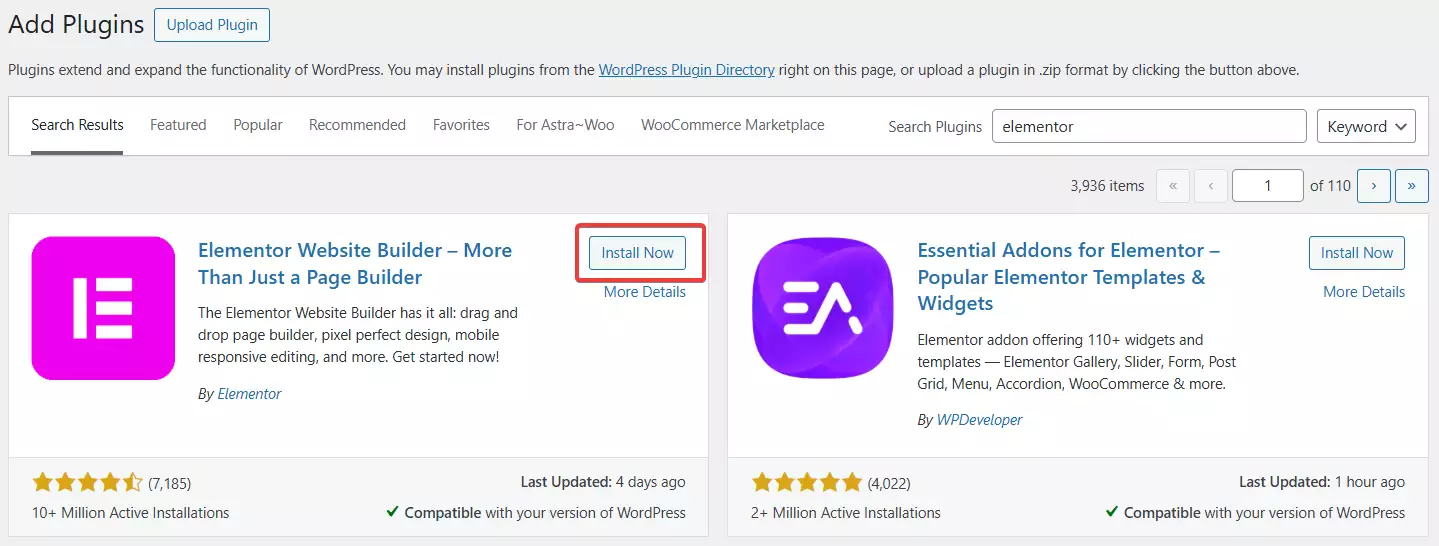
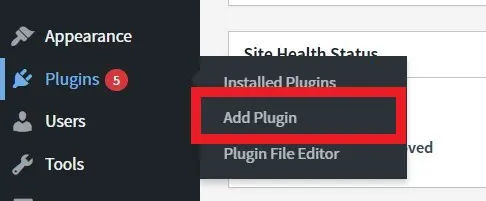
The free version of Elementor is easily accessible directly from your WordPress dashboard. Simply go to Plugins > Add New, search for “Elementor,” and click install. If you’re new to this and having trouble, we’ve prepared a comprehensive guide on “How to Install a WordPress Plugin” that you can refer to for step-by-step help.
Once installed, you’ll notice a new menu item labeled “Elementor” has been added to your WordPress sidebar.
Getting Elementor Pro
After setting up the free version, you’ll need to install Elementor Pro to unlock the full potential of the builder. We strongly recommend that you download and purchase Elementor Pro only from the official Elementor website. While there are many third-party sites offering “GPL” or “nulled” versions, these can compromise your site’s security and future performance.
By purchasing the official version, you ensure your site stays secure, receives regular updates, and you get access to premium support.
Elementor Pro Pricing
The Pro version offers several pricing plans based on how many websites you plan to build:
- Essential: Perfect for 1 website.
- Advanced: Ideal for up to 3 websites.
- Expert: Great for up to 25 websites.
- Agency: The best choice for professionals managing up to 1000 websites.

At Ertano, we believe in supporting the original creators. Buying the official version is not just about features; it’s about respecting the hard work of developers and ensuring the sustainability of the tools we rely on.
How to Install Elementor Pro
Once you have purchased and downloaded the plugin from the official source, go back to your WordPress dashboard. Navigate to Plugins > Add New, but this time, click on the “Upload Plugin” button at the top of the page.
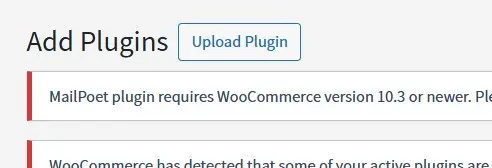
Select the .zip file you downloaded, upload it, and click Activate. That’s it! Elementor Pro is now active on your site, and you’re ready to start building.
Conclusion
To start building beautiful pages with Elementor, you need your hosting environment, a reliable WordPress theme (our top pick is Ahura), and both the free and Pro versions of Elementor. With these tools in hand, you’re ready to create something amazing.
Ahura WordPress Theme
The Power to Change EverythingElementor Page Builder
The most powerful WordPress page builder with 100+ exclusive custom elements.
Incredible Performance
With Ahura’s smart modular loading technology, files load only when they are truly needed.
SEO Optimized for Google
Every line of code is carefully aligned with Google’s algorithms and best practices.
To post a comment, please register or log in first.