
 Tutorials


 Ahura
Ahura Plugins

 Blog
BlogThings to Keep in Mind in Email Marketing
- Tutorials
- Updated on
You’ve probably heard that email marketing delivers some of the best returns in marketing. The stat that always gets thrown around is roughly $36 back for every $1 you spend. It’s a great headline, but it’s worth keeping in perspective: that’s an industry average in a best‑case scenario, not a promise.
Your own numbers will come down to how good your list is, who’s actually on it, and how well you run your campaigns. So why bother with email at all when everyone’s attention is on social media, messaging apps, and now AI? Because it still works, and it works differently depending on who you’re talking to.
A B2B list behaves nothing like a B2C one, and the benchmarks people quote for one industry often mean very little for another. Before you copy anyone else’s playbook, get to know your own audience. And here’s the part most people overlook. Social platforms can change their algorithm overnight, quietly cut your reach, or suspend your account for reasons you’ll never fully understand.
Plenty of businesses built their entire presence on Instagram or TikTok and then watched their audience disappear in a day. Your email list is different. You own it. No algorithm sits between you and the people on it, and you can reach them whenever you want. In a world where you control almost nothing, that alone is reason enough to take email seriously.
That said, none of this matters until you know who you’re actually writing to. What do they care about? Where are they? What do they expect from you? Those answers shape everything else: which tool you pick, how often you hit send, and what kind of content actually lands.
They also mean choosing a provider that fits the way you work, and staying on the right side of rules like GDPR and CAN‑SPAM, which are there to protect you just as much as your subscribers. In this guide I’ll keep things practical.
We’ll go through how to write an email people actually read, how to build a list the right way, the technical side that decides whether you even reach the inbox, how to pick the right tools, and a quick checklist to run before you hit send. By the end, you should be able to launch your first real campaign without second‑guessing yourself.
Table of Contents
Building an Email List; The Real Heart of the Matter
Before you even write a single word of an email, you need to solve one important issue: who are you going to send these emails to? This is where we arrive at the true heart of email marketing—the email list. The same valuable asset we talked about in the previous section.
Let’s establish one key point right from the start: in list building, quality always matters more than quantity. A small list of 500 people who are genuinely interested in you is hundreds of times more valuable than a list of 50,000 people who don’t even know who you are. So our goal is to build a list of subscribers who have chosen to hear from you.
Permission-Based Collection Methods
“Permission-based” means the user has willingly and knowingly given you their email address. The most important and proper methods for doing this are:
- Signup form on your website. The simplest method: place a newsletter form in the footer, sidebar, or at the end of articles so that people who enjoy your content can subscribe. Just be transparent about what they’re going to receive.
- Lead Magnet. This is the most effective method. You offer something valuable for free in exchange for the user’s email. Good examples include: an educational PDF file, a first-purchase discount code, a practical checklist, access to a free webinar, or a free sample of a product. The user feels they’ve gained something, and you’ve attracted an interested subscriber—a win-win deal.
- Pop-up. Windows that appear when a user enters the site or shows exit intent. They really work—but only if used smartly and without being annoying. A pop-up that appears every 5 seconds will only drive users away. For learning how to create a pop-up in WordPress, we recommend reading the article “Layered Popups Plugin Tutorial” on Mihan WordPress.
- During purchase or registration. If you have an online store, you can collect the user’s email for your newsletter during checkout (with their permission).
And remember, social media is also an excellent tool for directing people to your email list—the same strategy of “turn rented audiences into owned audiences.”
What Is Double Opt-in and Why Is It Important?
Now let’s take a more professional step. When a user enters their email into a form, there are two possibilities. In the simple mode (Single Opt-in), they are added to the list immediately. But in Double Opt-in, a confirmation email is sent to them, and they won’t be subscribed until they click the confirmation link. In other words, there’s an extra verification step.
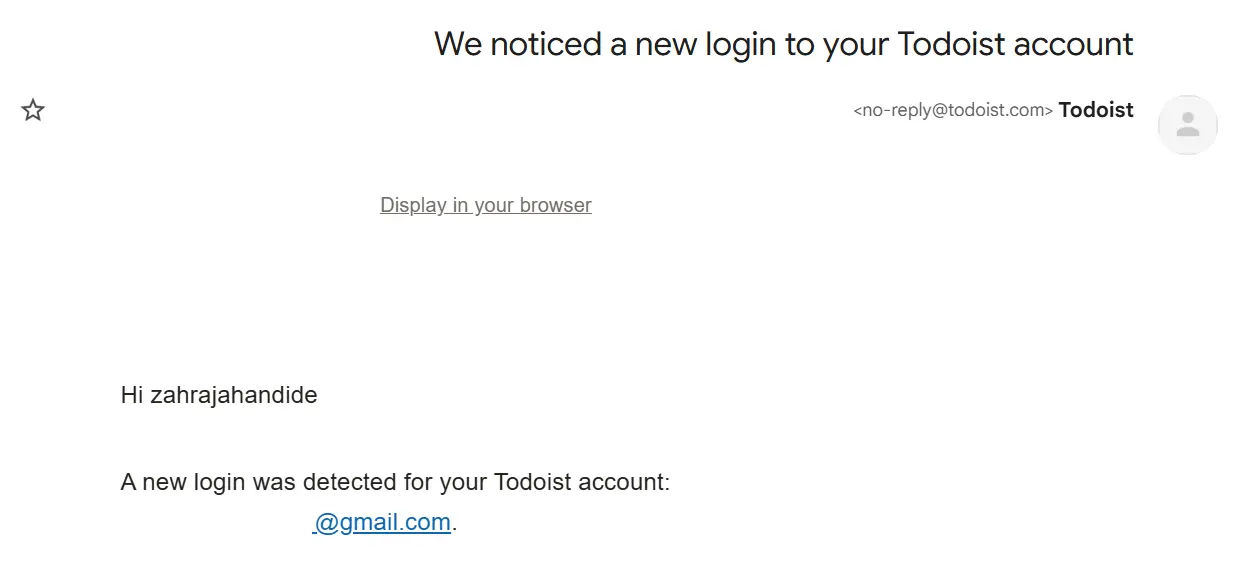
You might think this extra step will prevent some people from signing up, and that’s partly true. But its benefits far outweigh the downsides: it prevents fake, mistyped, and bot-generated emails, improves the quality of your list, and most importantly, enhances your deliverability (which you’ll see in later sections just how critical it is). Plus, you’ll have clear documentation of the user’s consent. So my recommendation is to definitely enable double opt-in; have a smaller list, but one that’s healthier and more genuine.
Why a Purchased Email List Is Poison for Your Business
You’ve probably seen websites selling ready-made lists of thousands of email addresses, and it might be tempting to take a shortcut. But let me be clear: a purchased list is poison for your business. Here’s why:
First, the legal and ethical issue. These people never gave you permission. Emailing them is spam, and not only does it violate regulations like GDPR, it also damages your brand’s reputation and creates negative publicity.
Second, the destruction of deliverability. These lists are full of invalid emails and “spam traps.” High bounce rates and spam complaints quickly damage your sender reputation, to the point where even your legitimate emails end up in the spam folder—or you get blocked entirely.
Third, account suspension. Reputable services like MailerLite and Mailchimp explicitly prohibit sending to purchased lists, and if detected, they will shut down your account. That means you lose both the money you paid for the list and your email account.
In short, building a permission-based list is slower, but it’s the only sustainable and secure approach. Be patient and do it the right way.
Principles of Writing a Professional Email
Now that you have a clean list, it’s time to start writing. And here’s an important truth: no matter how good your product is, if your email is poorly written, it won’t be read. So let’s go over a few key principles together.
Write in a Friendly and Human Tone, Not Dry and Formal
Your audience didn’t buy a textbook or an official article that forces them to tolerate stiff language. Write as if you’re talking to a good friend—warm, simple, and honest. This human tone builds trust and reduces the distance between you and your audience.
Be Concise and Clear
Let me give you a simple example: when you want to tell your closest friend about an interesting book, you don’t start by reading the book’s introduction! You briefly and engagingly explain the main idea and share a few intriguing points. Email is exactly the same; no one has the patience for long, drawn-out text. Get straight to the point.
Have One Clear Goal for Each Email
Don’t try to cram everything into one email. Each email should have one main message and one clear next step. An email that tries to introduce a product, offer a discount, conduct a survey, and share news all at once ultimately won’t do any of them well.
Focus on the Audience’s Benefit, Not Yourself
People think, “What’s in it for me?” So instead of just talking about yourself and your product, explain what problem this product or news solves for them.
Take Proper Writing Seriously
An email full of spelling and grammar mistakes undermines your credibility. Be sure to follow proper writing and punctuation rules (, ; ? ! …).
Be Honest and Avoid Exaggeration
Honesty is your most valuable asset. Exaggerated promises and misleading headlines may work once or twice, but they quickly destroy trust and push people to hit the unsubscribe button. One genuine promise that you keep is worth more than ten empty ones.
Write Scannable Text
Most people don’t read emails word by word; their eyes scan the text. So keep paragraphs short, use white space, and arrange key points so they can be seen at a glance. A long wall of text will drive readers away.
If you follow these simple principles, your email will not only be read but will also leave a positive impression on your audience. In the next section, we’ll move on to the most important part of any email: the subject line.
Writing the Subject Line (Subject Line)
If you remember only one thing from this article, let it be this: the subject line of an email is more important than the email’s body. Why? Because the recipient sees the subject line first and decides in a fraction of a second whether to open it or not. If the subject line isn’t compelling, even the best email in the world is useless—because it won’t be seen at all. So let’s see how to write a subject line that gets opened.
Power Words, Numbers, and Emotional Appeal
A good subject line usually has these characteristics:
- It’s short. Since most emails are opened on mobile devices and long subject lines get cut off, try to keep yours concise and catchy (ideally under 9 words). Put the main message at the beginning of the subject line.
- It evokes emotion. Effective subject lines trigger a feeling in the reader—such as curiosity, urgency and fear of missing out (FOMO), or the sense of gaining something special. People click based on their emotions.
- It uses numbers and power words. Numbers (like “5 Golden Tips”) make the content feel specific and practical, and words like “Free,” “Special Discount,” “Last Chance,” or “Secret” can increase open rates.
But here’s an important warning: don’t overuse these words. Repeating “FREE!!!” or writing in all caps with too many exclamation marks can send your email straight to the spam folder. Keep a balance.
And one more golden tip: don’t forget the preview text—the short line that appears in the inbox after the subject line. Don’t waste this space; use it as a complement to your subject line to fully spark the reader’s curiosity.
Emoji: When It Helps and When It Hurts
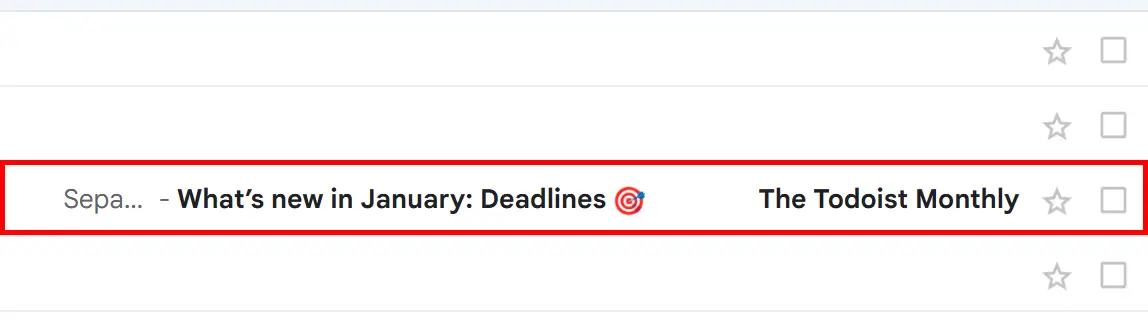
You may have heard that using an emoji in the subject line “miraculously” boosts open rates. Let’s be honest and precise here: reality is more complicated than that. Study results on this topic vary; in some cases, emojis help, and in others, they have a neutral or even negative effect. So instead of looking for a magic number, let’s take a logical approach.
An emoji can help your email stand out more quickly among a flood of other emails and add a bit of personality and emotion. But there are also some risks: in formal and business (B2B) emails, it may seem unprofessional; overusing it can trigger spam filters; and most importantly, it may not display properly on some clients or devices, showing instead as an empty square (□), which creates a negative impression.
So the right rule is this: if you decide to use an emoji, use it sparingly (one is enough), make sure it’s relevant to the email content, and always test how it appears on mobile and across different clients before sending. An emoji is a tool for testing—not a guaranteed success button.
A/B Testing Your Subject Line
Now, the most professional way to write a subject line: don’t guess—test. A/B testing means sending two different versions of your subject line to two small segments of your list, seeing which one achieves a better open rate, and then sending the winning version to the rest of your list. The good news is that most reputable services (such as MailerLite) offer this feature built in.
One important point: test only one variable at a time (for example, just the subject line) so you can clearly understand what caused the difference. Over time, and after several tests, you’ll learn what type of subject line works best for your specific audience—and this local insight is far more valuable than any broad external statistic.
Design, Images, and Graphic Elements
A tall wall of plain text is exhausting. Just as a book without images or color quickly becomes dull, a lifeless email can drive readers away. Images and graphic elements bring your email to life and communicate your message more quickly. But the key is to do this intelligently—otherwise, it can backfire.
Keep Images Light and Optimized
Heavy images not only slow down email loading but also increase the chances of ending up in the spam folder. Try to use optimized, lightweight images (preferably under 100 KB). The same image optimization principles you apply to your website are useful here as well.
Always Include Alt Text
This one is very important. Many email clients (like Gmail) display images as disabled by default. If you don’t include alternative text for your images, recipients will see an empty box instead of the image. But with proper Alt text, they can at least understand what the image was about.
Never Send an Email as One Large Image
This is one of the most fatal mistakes. Some people design their entire email as one large image and send it. Now imagine the user’s email client has images disabled—your audience will see a completely blank page! Always maintain a good balance between text and images (with text being the main component) so your message gets across and you can pass spam filters.
Mobile Is a Priority
More than 60% of emails are opened on mobile devices, so responsive design is no longer optional—it’s essential. Use a single-column layout, make sure the font size is large enough to read without zooming, and design buttons big enough to be easily tapped with a finger.
Pay Attention to Dark Mode (An Important Tip in 2026)
Today, many users have their phones set to dark mode. Always check your email in dark mode before sending it. Sometimes logos or images without transparent backgrounds can look broken or unattractive in dark mode.
Make Your Call-to-Action (CTA) Button Clear and Prominent
Every email should have a clear next step. Design this button with a color that contrasts with the background so it immediately stands out, and use actionable text. For example, instead of writing “Click here,” write “Shop Now” or “Activate My Discount.” Preferably, have only one main button to avoid confusing your audience.
How to Get Your Email into the Recipient’s Inbox? Deliverability
Imagine you’ve written the best email in the world; the subject line is amazing, the design is flawless, and the offer is irresistible. But the email goes straight to the recipient’s spam folder and is never seen. This is where we reach the most important—and at the same time most overlooked—part of email marketing: deliverability, the art and science of getting your email into the inbox. Most Persian articles completely skip this part, yet this is exactly what separates professionals from amateurs.
Here’s some good news: if you use a reputable service, a large part of this process is managed for you. But there are a few things you need to understand and set up yourself—especially domain authentication. Let’s get into it.
Domain Authentication: SPF, DKIM, and DMARC in Simple Terms
These three technical names might sound intimidating, but their concept is simple. They are records that prove to receiving mail servers that your email is genuinely from you—not a scammer pretending to be you. They act like an ID card for your domain.
Let me clarify with an analogy:
- SPF is like a “guest list”; it specifies which servers are allowed to send emails on behalf of your domain. If an email comes from a server not on the list, it’s considered suspicious.
- DKIM is like an “official seal and signature”; it adds an encrypted signature to the email that proves the message hasn’t been tampered with and truly comes from your domain.
- DMARC is like an “instruction manual”; it tells the receiving server what to do if SPF or DKIM fails (ignore it, send it to spam, or reject it) and also sends you a report.
The good news is that setting these up is usually a one-time task. Your email marketing service provides these records, and you simply need to add them to your domain’s DNS settings (in your hosting or domain control panel). If you’re sending emails from a dedicated domain, this is absolutely essential.
New Google and Yahoo Requirements from 2024
You should take this section seriously because the rules of the game have changed. Since February 2024, Google and Yahoo have made requirements mandatory for “bulk senders” (those who send more than 5,000 emails per day to Gmail accounts). These requirements have three main parts:
- Full authentication: Bulk senders must have SPF, DKIM, and DMARC properly configured.
- One-click unsubscribe: Promotional emails must include a one-click unsubscribe option, and unsubscribe requests must be processed within two days.
- Spam rate control: You must keep your spam complaint rate below 0.3% (and ideally below 0.1%).
You might say, “I don’t send 5,000 emails per day.” It doesn’t matter; following these principles is best practice for everyone and ensures your future growth. An important note: transactional emails such as password resets and order confirmations are exempt from the one-click unsubscribe requirement. The good news is that reputable services automatically add the one-click unsubscribe header for you.
Domain Warm-Up and Avoiding Spam Triggers
Two final points that shape your sending reputation:
Warm Up Your Domain
If you have a new domain or sending address, don’t send thousands of emails on day one! Servers become suspicious of sudden volume spikes and may treat you as a spammer. Instead, start with low volume and gradually increase it over days and weeks to build a good reputation.
Avoid Spam Triggers
Common factors that send emails to spam include spammy words and symbols (like “FREE!!!” or ALL CAPS), image-only emails, misleading subject lines, lack of an unsubscribe link, and purchased lists with high bounce rates. Also, audience engagement is very important; servers monitor open and click rates. Only send to people who genuinely want your emails, and periodically remove completely inactive subscribers from your list. If you implement this section correctly, you’ll be far ahead of your competitors—because many don’t even know why their emails aren’t being seen.
Automation and Key Metrics and Performance Measurement
Professional email marketing means not guessing and making decisions based on data. But you need to know which numbers to look at and what each one tells you:
Open Rate
The percentage of people who opened your email. An important 2026 warning: after Apple’s privacy feature (Apple Mail Privacy), this number is no longer completely accurate and usually appears higher than it actually is. So don’t rely on it too heavily.
Click-Through Rate (CTR)
The percentage of people who clicked on a link inside your email. This metric is much more realistic and reliable than the open rate because it shows that the audience was genuinely engaged.
Conversion Rate
The percentage of people who completed the desired action (such as making a purchase or signing up). Ultimately, this is the number directly tied to your revenue and the most important metric.
Bounce Rate
The percentage of emails that were not delivered at all. A high bounce rate damages your sending reputation, so keep your list clean.
Unsubscribe and Spam Complaint Rate
If these two suddenly increase, it means something is wrong (for example, sending too frequently or providing irrelevant content). Remember, your spam complaint rate should always remain below 0.3%.
The key point is not just to collect these numbers, but to learn from them. See which type of email achieved a better click-through rate, repeat that pattern, and gradually remove completely inactive subscribers from your list so you can maintain list quality and keep your costs under control.Automated Sequences
So far, we’ve talked about emails you manually write and send. But the real magic of email marketing lies in automation—emails that are sent automatically based on behavior or timing, without you doing anything. This means a system that works for you 24/7, even while you’re asleep.
The most important automations you should know are:
- Welcome Email: As soon as someone joins your list, they receive a warm welcome email. This email usually has the highest open rate because the subscriber has just shown interest in you—making it a golden opportunity to build a strong relationship from the start. To learn how to activate welcome emails, read the article “Sending Email After Website Registration” on Mihan WordPress.
- Nurture/Drip Sequence: A series of scheduled emails that, over several days, introduces new subscribers to you and your product, gradually building trust and preparing them to buy.
- Abandoned Cart: If you have an online store, this one is gold. When a user adds a product to their cart but doesn’t complete the purchase, an automatic email reminds them. This simple automation alone can recover a significant portion of lost sales.
- Occasional and Re-engagement Emails: Such as birthday greetings, post-purchase follow-ups, or “We miss you” emails for subscribers who have been inactive for a while.
The good news is that most reputable services offer a simple visual automation builder that lets you create these sequences with drag and drop. You don’t even need to start with all of them; just set up a welcome email and you’ll see the impact.
Key Metrics and Performance Measurement
Professional email marketing means not guessing and making decisions based on data. But you need to know which numbers to look at and what each one tells you:
Open Rate
The percentage of people who opened your email. An important 2026 warning: after Apple’s privacy feature (Apple Mail Privacy), this number is no longer completely accurate and usually appears higher than it actually is. So don’t rely on it too heavily.
Click-Through Rate (CTR)
The percentage of people who clicked on a link inside your email. This metric is much more realistic and reliable than the open rate because it shows that the audience was genuinely engaged.
Conversion Rate
The percentage of people who completed the desired action (such as making a purchase or signing up). Ultimately, this is the number directly tied to your revenue and the most important metric.
Bounce Rate
The percentage of emails that were not delivered at all. A high bounce rate damages your sending reputation, so keep your list clean.
Unsubscribe and Spam Complaint Rate
If these two suddenly increase, it means something is wrong (for example, sending too frequently or providing irrelevant content). Remember, your spam complaint rate should always remain below 0.3%.
The key point is not just to collect these numbers, but to learn from them. See which type of email achieved a better click-through rate, repeat that pattern, and gradually remove completely inactive subscribers from your list so you can maintain list quality and keep your costs under control.
Best Email Marketing Services in 2026
Now that you know the basics, you need to choose a suitable tool. Let’s compare a few of the main options with up-to-date numbers:
| Service | Free Plan | Key Note |
|---|---|---|
| MailerLite | Until July 2026: 500 subscribers & 12,000 emails | Free plan drops to 250 subscribers & 2,500 emails on July 1, 2026 |
| Mailchimp | 250 contacts & 500 emails/month | Feature-rich, but paid plans get pricey as your list grows |
| Brevo | ~300 emails/day with unlimited contacts | Day-based limit; ideal for large lists with low send volume |
| EmailOctopus | Generous free plan (~2,500 subscribers) | Budget-friendly; a good fit for larger lists |
One very important point you definitely need to know: starting July 1, 2026, MailerLite’s free plan will be reduced to 250 subscribers and 2,500 emails per month. This means the “500 free subscribers” advantage that many people relied on will become almost the same as Mailchimp, and it will only remain ahead in terms of the monthly sending limit. So when making your choice, be sure to take this change into account.
Frequently Asked Questions
Is buying an email list a good idea?
No, absolutely not. A purchased list will destroy your sending reputation and push your emails into spam folders. It also violates regulations and may lead to your account being suspended by reputable services. Always build your own permission-based list.
Why do my emails go to the spam folder?
The most common reasons are: lack of domain authentication (SPF, DKIM, and DMARC), using spam-trigger words in the subject line, sending image-only emails, not including an unsubscribe link, and sending to a low-quality list with a high bounce rate. Properly setting up authentication is the first and most important step.
What is a good open rate?
This number varies depending on the industry and the quality of your list, so there is no fixed benchmark. An important 2026 consideration is that after Apple Mail Privacy features, open rates are no longer completely accurate. It’s better to focus more on click-through rates and conversion rates, which are more reliable metrics.
How often should I send emails?
There is no fixed rule, and it depends on your type of business, but consistency matters more than frequency. Choose a regular schedule (for example, weekly or biweekly) so your audience doesn’t forget you but also doesn’t feel overwhelmed. Instead of guessing, test with your own audience.
Conclusion
We’ve reached the end of this journey. If I were to summarize the entire article in one sentence, it would be this: Email marketing means building an asset that truly belongs to you. In the volatile landscape of Iran’s internet, where access to a platform can be cut off at any moment, having an email list that no algorithm or filter can place between you and your audience is a real competitive advantage.
But this asset doesn’t build itself. It has a few main pillars that we explored together in this article:
- Build a high-quality, permission-based list and never use purchased lists.
- Write in a human and concise way, and talk to your audience like a friend.
- Spend time on your subject line, because it’s the gateway to your email.
- Keep your design light, responsive, and right-to-left friendly.
- And perhaps most importantly, take deliverability seriously so your well-crafted email actually reaches the inbox.
Throughout this whole process, one golden rule always applies: quality matters more than quantity. A small, engaged list is more valuable than a large, indifferent one; and one honest email is worth more than ten empty promises.
Now it’s your turn. You don’t need to start perfectly from day one; just take the first step: create a sign-up form, define a simple lead magnet, and send your first email. Over time, by testing and experimenting, you’ll learn what works best for your audience. If you have any questions or experiences with email marketing, we’d be happy to hear from you in the comments section. Wishing you success and victory! 🙂

Ahura WordPress Theme
The Power to Change EverythingElementor Page Builder
The most powerful WordPress page builder with 100+ exclusive custom elements.
Incredible Performance
With Ahura’s smart modular loading technology, files load only when they are truly needed.
SEO Optimized for Google
Every line of code is carefully aligned with Google’s algorithms and best practices.
To post a comment, please register or log in first.