
 Tutorials


 Ahura
Ahura Plugins

 Blog
BlogThe Best Mobile Phone for Content Creation: Your Complete 2026 Guide
- Tutorials
- Updated on

A lot of the videos you see on Instagram and YouTube — the ones you assume were shot on some camera worth thousands — were actually filmed on a phone. The very kind of phone that’s probably in your pocket right now. The era of “first I have to buy a camera, then I’ll start” is over. Today’s phones shoot 4K video with professional stabilization, edit it right there, and publish it directly — something that a decade ago took a camera, a laptop, and a pile of software. That’s exactly why mobile content creation has become one of the core tools of content marketing.
But one question still stands: out of all these phones, which one is actually built for content creation? What separates an ordinary phone from one that’s a creator’s genuine tool of the trade? And more importantly, at different budgets, which one is the best pick?
In this guide, I’ll first tell you exactly what to look for when buying (spoiler: megapixels aren’t what you think they are!), then walk through the best phones of 2026 across three price tiers, and finally show you a few cheap accessories that lift your quality more than swapping phones ever could.
Table of Contents
Is a Phone Really Enough for Professional Content?
Short answer: yes. Longer answer: yes — as long as you choose the right one and use it the right way.
The truth is, the line between “phone footage” and “camera footage” gets blurrier every year. Today’s phones shoot 4K and even 8K video, their stabilization beats a lot of older cameras, and their software processing pulls off things that used to be possible only in an editing suite. Add to that one big advantage: your phone is always with you. The best camera in the world is useless if it’s sitting at home.
To be fair, though, for very specific work — cinematic filmmaking or industrial photography — a professional camera still has the last word. But for what 90% of us actually need — Instagram Reels, YouTube videos, vlogs, product and educational content — a good phone isn’t just enough; thanks to its speed and simplicity, it’s often the better choice. So the right question isn’t “phone or camera?” The right question is: “which phone?” And to answer that, you first need to know what to look for.
Before You Buy: The 7 Criteria That Actually Matter
Before we get to the models themselves, let me let you in on a secret: the number salespeople love to throw in your face the most — megapixels — is the least important number on this list! A 12-megapixel camera with a large sensor and good processing produces better output than a cheap 108-megapixel one. So let’s look at what actually matters:
The Main Camera — But Not Just Its Megapixels
Instead of megapixels, check these three things:
Video quality and frame rate: Today’s minimum standard is 4K at 30 frames per second. If it can do 4K at 60 frames, even better — it’s smoother, and it leaves you room for slow-motion in editing.
Low-light performance: A lot of content gets shot indoors under ordinary household lighting, not in a studio. Watch each phone’s night and indoor sample videos before you buy.
Sensor size and aperture: The bigger the sensor and the smaller the aperture number (say, f/1.6), the more light comes in and the cleaner the image.
Optical Stabilization (OIS) — The Unsung Hero
If you remember only one thing from this section, make it this. What separates “amateur phone” video from “professional” video is, more than anything else, stabilization. Optical image stabilization, or OIS, keeps your footage from shaking while you walk and move, and it improves low-light quality too. A phone without OIS is effectively a poor choice for vlogging and moving video, no matter how high its megapixel count.
The Selfie Camera — The One Everyone Forgets
If you make vlogs, talk to the camera, or go live, you’ll spend half of your phone’s useful life on the front camera! And here’s a big trap: plenty of phones have a fantastic main camera but a weak selfie camera. Make sure the front camera shoots at least 4K at 30 frames and has autofocus.
Audio — Half of Your Video’s Quality
There’s an unwritten rule in the content world: an audience will tolerate low-quality video, but not bad audio. Check two things: the quality of the phone’s built-in microphones (and how many it has), and — more importantly — whether you can connect an external mic. Sooner or later you’ll buy a lavalier mic, and your phone needs to get along with it.
The Chip — The Engine Behind the Scenes
The chip (chipset) isn’t just for gaming. Recording 4K, applying software stabilization, editing video, and exporting all lean on it. A weak chip means the phone overheats during long recordings, automatically lowers quality, or freezes mid-edit. You don’t necessarily need the most powerful chip on the market, but for serious work go for a flagship-tier or a strong upper-mid-range chip.
Battery and Heat Management
Recording video is one of the most power-hungry things you can do with a phone. In 2026, don’t go below a 4,500–5,000 mAh battery (any time you see that old “3,000 mAh” advice, you’ll know the article is from the stone age!). Fast charging is also a blessing on packed shooting days.
Storage — Video Needs Room
Every minute of 4K video eats up several hundred megabytes; a typical day of shooting can swallow tens of gigabytes. Get at least 256 GB of internal storage, and if the phone supports a memory card, count that as a plus. Storage speed matters too; slow storage drops frames while recording 4K.
There’s a loose eighth criterion: the display. An accurate, bright display means you can tell right there at the moment of recording whether the light and color are right, and you can see your frame even under sunlight. It’s not a make-or-break criterion, but when you’re comparing two close options, it can be the deciding factor.
Look for a phone that shoots 4K/60 with OIS, has a good selfie camera and good audio, and whose battery survives half a day of recording.
With this checklist in hand, let’s get to the phones.
The Best Flagship Phones for Content Creation in 2026
Now we get to the main event. If your budget has room and content creation is serious work for you — not just a hobby — these four options are currently sitting at the top of the market. For each one I’ll tell you why it’s on the list and, more importantly, who it’s for.
iPhone 17 Pro Max — The Gold Standard for Video
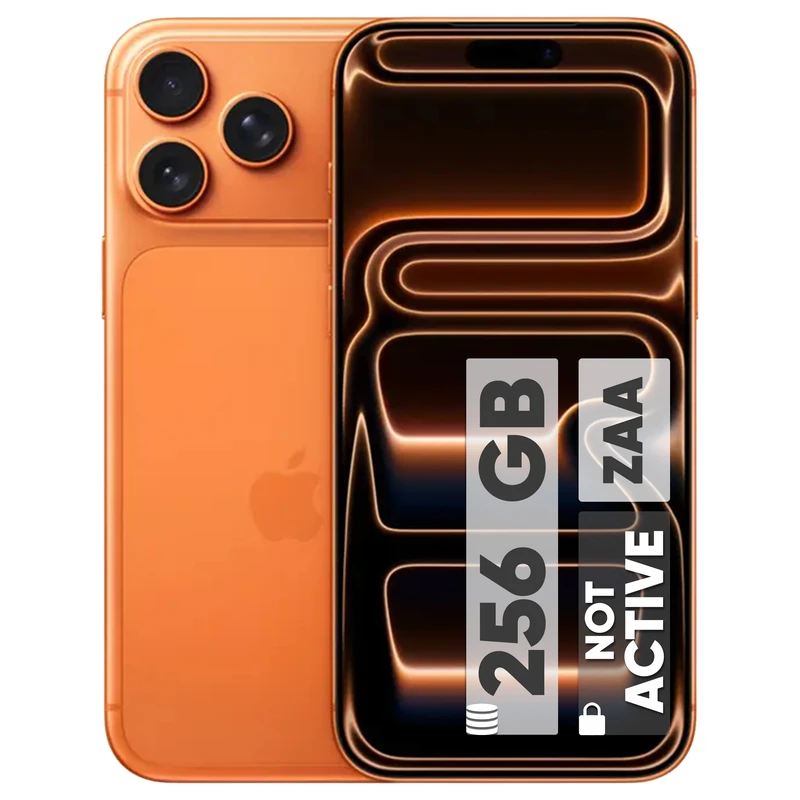
If shooting video is your job and budget isn’t the issue, the conversation pretty much ends here. The iPhone 17 Pro Max remains one of the most complete options on the market for recording video, and it’s no accident that most of the world’s professional vloggers work with one.
What does it have that others don’t?
A triple-camera system where all three sensors are 48 megapixels — wide, ultra-wide, and a telephoto with up to 8× optical-quality zoom. So unlike a lot of rivals, you don’t feel a quality drop when you switch lenses. On the video side, it now records in ProRes RAW and a new Log 2 mode that gives you maximum dynamic range, so you can color-grade the footage yourself afterward and apply your own LUTs for a cinema-camera look — output that’s essentially publish-ready with minimal correction. Under the hood, the A19 Pro chip pairs with a new vapor chamber cooling system that makes long 4K recordings possible without overheating and throttling — exactly the wall so many phones hit. Battery is a genuine strength too: Apple says it’s the best-ever iPhone battery life, up to 4 more hours per charge than the iPhone 15 Pro Max, which in real use means a full day of shooting without babysitting a power bank. And there’s a hidden advantage: the editing ecosystem. Professional mobile editing apps usually run best on iOS first.
Who’s it for? Vloggers, professional Reels and YouTube creators, and anyone who wants to run the whole cycle from recording to publishing on a single device.
Who’s it not for? Anyone price-sensitive; it’s the most expensive option on this list.
Galaxy S26 Ultra — The Android All-Rounder
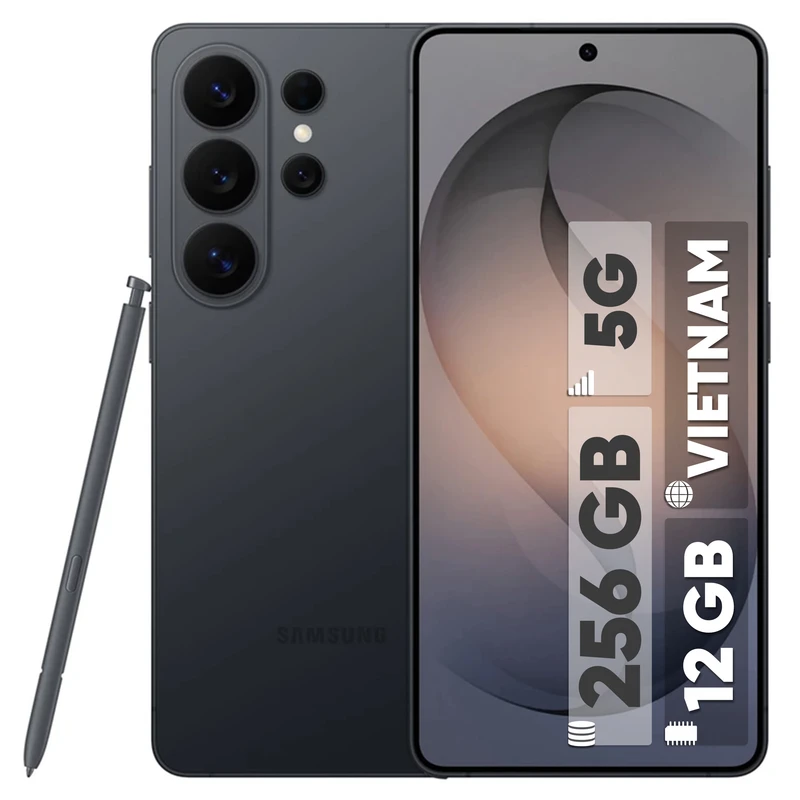
For its latest flagship, Samsung focused more than anything on the camera, and the result is a complete toolbox for a content creator:
Four rear cameras: a 200MP main sensor with an f/1.4 aperture for strong low-light performance, a 50MP ultra-wide, a 50MP 5× optical zoom, and a 10MP 3× telephoto. That 200MP sensor has a practical benefit for content creation: you can crop the image in editing without the quality falling apart. The wider f/1.4 aperture lets in about 47% more light than the previous generation — a real advantage for travel, nature, and event creators who shoot in mixed light. It runs on a custom Snapdragon 8 Elite Gen 5 for Galaxy, with Galaxy AI tools for smart photo and video editing — from removing distracting objects in the frame to cleaning up unwanted noise. The 6.9-inch display and 5,000 mAh battery effectively give you a pocket editing monitor, and a redesigned, larger vapor chamber keeps the device cool during sustained 8K video. The S Pen is a bonus for anyone who marks up video or sketches out content ideas.
Who’s it for? Anyone who wants lens variety and strong zoom, Android fans, and creators who lean on AI tools in their workflow.
Who’s it not for? If you want the simplest “point and shoot” experience, Samsung’s sheer volume of settings and features can feel overwhelming at first.
Google Pixel 10 Pro XL — The Computational Photography King

If your work leans more toward photography and you value getting a great shot with zero fuss, the Pixel 10 Pro XL is hard to beat. Google’s whole philosophy is to let the software do the heavy lifting, and it shows.
Running the latest Tensor G5 chip, the Pixel’s signature strength is reliable, consistent camera performance shot after shot, now paired with a genuinely useful suite of AI editing tools — Magic Eraser, upgraded 100× super-res zoom, and a Camera Coach that helps you frame better shots. The front camera shoots 4K at 30/60fps, and the 5,200 mAh battery is the biggest ever in a Pixel, comfortably lasting a full day.
A fair warning, though: video is still the Pixel’s relative weak spot. The fastest you can shoot on-device is 4K at 60fps, and colors, sharpness, and contrast can come across a touch behind rivals; there’s an 8K option, but it relies on uploading to Google Photos and using AI Video Boost. So if you’re primarily a photographer or a stills-heavy creator, the Pixel is a superb pick; if you’re a hardcore videographer, the iPhone still pulls ahead.
Who’s it for? Photographers, Instagram creators who prioritize stills, and anyone who wants the best point-and-shoot results without fiddling with settings.
Who’s it not for? Video-first creators who need the cleanest possible on-device footage.
Xiaomi 17 Ultra — The Most Camera-Focused Choice
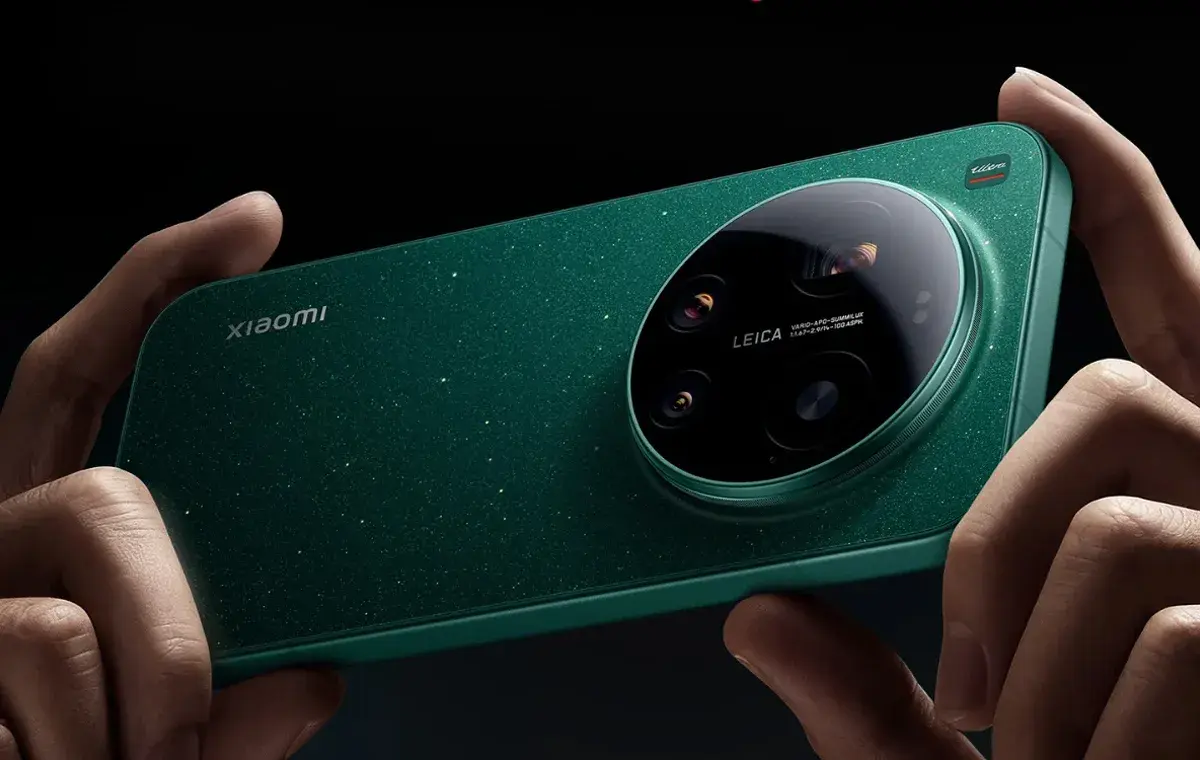
For a few years now, Xiaomi has partnered with Leica — the legendary name in the camera world — to turn its “Ultra” flagships into the closest thing to a real camera in a phone’s body. The Xiaomi 17 Ultra continues down that path:
A large 1-inch main sensor (50MP, f/1.65) with Leica optics that produces low-light and depth-of-field output that’s genuinely hard to distinguish from a dedicated camera. It’s paired with a 200MP telephoto offering continuous optical zoom between 75mm and 100mm and a 14mm Leica ultra-wide. On the video side, it shoots 4K at 120fps in Log and supports Dolby Vision, giving you professional-level control — for people who want to go beyond auto mode. And it earned a class-leading DxOMark camera score, placing it among the very top camera phones of 2026.
One fair caveat: Xiaomi’s interface isn’t quite as smooth and consistent as the iPhone’s, and its long-term software support doesn’t match Apple or Samsung. What you’re buying here is “more hardware per dollar,” and in exchange you give up a little software polish.
Who’s it for? Photographers and videographers for whom raw camera quality is priority number one, and who want the best quality-to-price ratio in the flagship tier.
Flagship Comparison Table
| Phone | Main strength | Best for |
|---|---|---|
| iPhone 17 Pro Max | The most complete video package + editing ecosystem | Professional vlogs and video |
| Galaxy S26 Ultra | Lens variety, zoom, AI tools | Travel content and all-rounders |
| Pixel 10 Pro XL | Best-in-class computational photography | Photographers and stills-first creators |
| Xiaomi 17 Ultra | Camera quality relative to price | Camera buffs on a measured budget |
The Best Mid-Range Phones for Content Creation in 2026
Alright, now we get to the section most of you were probably waiting for. The reality is that flagship prices have climbed to numbers that don’t make sense for a lot of people — and the good news is they don’t have to. In the mid-range tier there are phones that deliver 80% of flagship quality at a fraction of the price. You just need to know where that missing 20% is, and whether it actually hurts your work.
Before we get to the picks, a golden rule for buying mid-range: in this tier, our checklist matters more than the brand. To keep prices down, manufacturers cut corners somewhere — your job is to make sure they didn’t cut from the wrong place. Specifically: it needs OIS, it needs to shoot 4K, and its selfie camera can’t be a disaster.
Galaxy S25 FE — The Closest Thing to a Flagship Experience
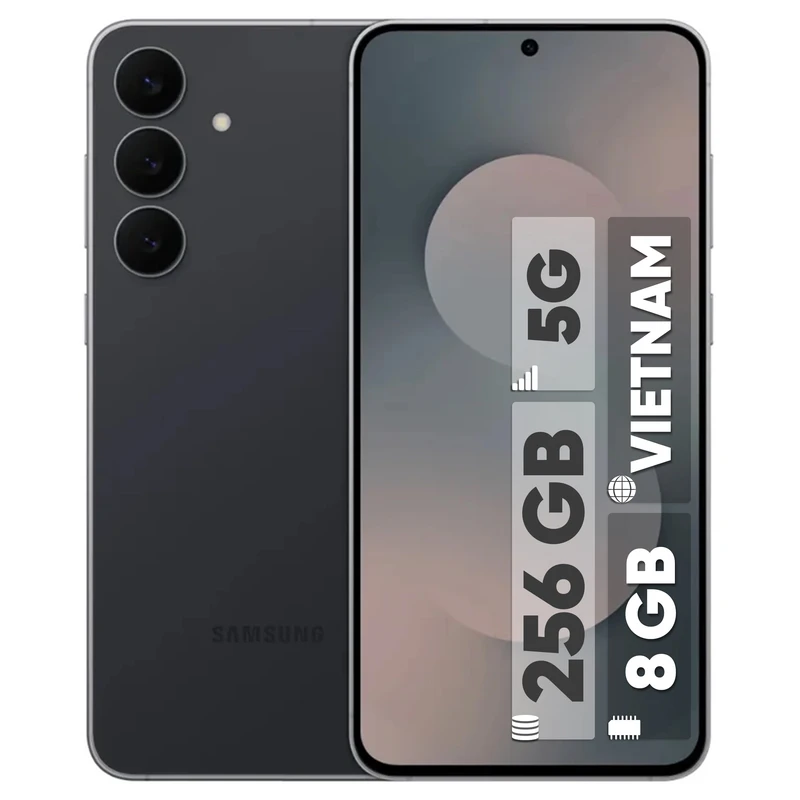
Samsung’s FE (“Fan Edition”) line is built for exactly this: a flagship experience at a more reasonable price. A main camera with optical stabilization, smooth 4K video, a quality AMOLED display, and — most importantly — the same color processing and camera software as the S series. It records 4K and even 8K video, and a 12MP front camera handles selfies well. It’s backed by up to 7 generations of OS upgrades and 7 years of security updates, so it stays a working tool for years. If your budget is a step below flagship and you don’t want to compromise on video quality, this is the most sensible balance point.
Who’s it for? Someone whose content work is serious but who doesn’t want to pay S26 Ultra money; the “smart choice” of this list.
Redmi Note 14 Pro+ — The Value-for-Money King
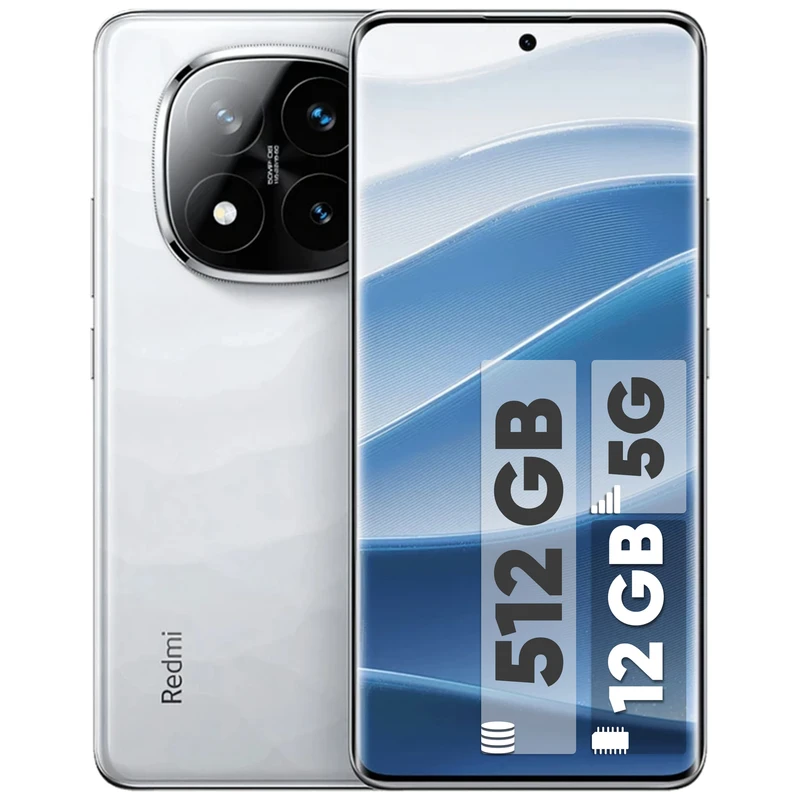
The Redmi Note series has been one of the most popular mid-rangers on the market for years, and this generation has real content-creation chops: a 200MP main camera with optical stabilization and a 1/1.4-inch sensor — which at this price is gold — plus 4K video. That high-megapixel sensor gives you the same advantage we mentioned with the S26 Ultra: room to crop in editing without a noticeable quality drop. Its large-capacity battery and very fast charging are also appealing for packed shooting days.
Its weak spot? The secondary cameras (ultra-wide and macro) are there more “to fill out the spec sheet” than for serious use. You’re effectively paying for one good main camera — which, as it happens, isn’t a bad deal at all.
One useful, up-to-date note: Xiaomi’s newer Redmi Note 15 Pro actually dropped the main camera to 50MP to make room for a bigger battery, so if the camera is your priority, the Note 14 Pro+ with its 200MP sensor genuinely gives you more for less. Newer isn’t always better for creators.
Who’s it for? Page admins, product and store content creators, and anyone who wants respectable output on a moderate budget.
Galaxy A57 — The Safe, Hassle-Free Choice
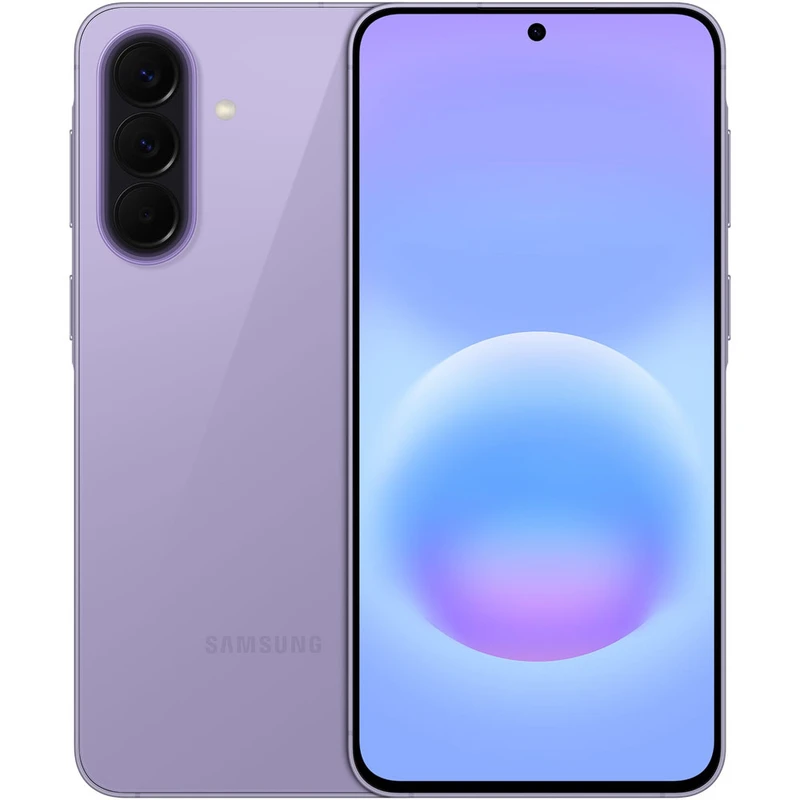
Samsung’s A series may not be the most exciting phones in the world, but they’re good at one thing: working without drama. A 50MP main camera with OIS and 4K video recording, a bright, quality AMOLED display, and — something people overlook — Samsung’s long-term software support, with six years of security updates. That means the phone you buy this year will still be getting updates and doing its job several years from now. Just note its video tops out at 4K/30 rather than 4K/60, though its stabilization is excellent.
Who’s it for? Someone who wants a reliable phone for several years of work and has no patience for risk and trial-and-error.
A Smart Alternative Path: Last Generation’s Flagship
Here’s a trick worth keeping in your back pocket: instead of this year’s mid-ranger, look at a flagship from a year or two ago. A Galaxy S24 or an iPhone 15/16 (new or in good used condition) can often be found at a price close to today’s mid-rangers, but its camera, chip, and build quality still outclass any current mid-ranger. Last year’s flagship camera still beats this year’s mid-range camera — that rule holds up almost every time. You can find these used phones on sites like Swappa, Back Market, or eBay, or locally through something like Facebook Marketplace.
Just two precautions: if you buy used, always check the battery health (it’s critical for video recording), and verify the phone’s IMEI is clean — not blacklisted or carrier-locked.
Quick Mid-Range Summary
| Phone | Main strength | Keep in mind |
|---|---|---|
| Galaxy S25 FE | Closest quality to a flagship | Priciest option in this tier |
| Redmi Note 14 Pro+ | Strong main camera + fast charging | Weak secondary cameras |
| Galaxy A57 | Hassle-free + long updates | Nothing especially exciting |
| Last-gen flagship | Best quality for the money | Check battery health and IMEI |
The Budget Option: Where to Start with Little Money
Let me be honest with you up front: if your budget is tight, the best budget phone for content creation is probably the one already in your hand.
I mean it. A lot of the successful pages you see today started with an ordinary phone from a few years ago. In this price range, the quality gap between phones isn’t big enough to justify waiting and not starting. Good light and clean audio will get better output from an ordinary phone than bad light will from a flagship — I’ll show you exactly that in the next section.
But if your current phone genuinely can’t keep up (it doesn’t shoot 4K, its storage is full, it dies mid-recording) and you want to buy a decent tool for the least money, keep this minimum checklist handy:
Video recording of at least Full HD at 60fps, and preferably 4K at 30fps. In this tier, 4K isn’t a luxury anymore; plenty of budget models have it. Some kind of stabilization. OIS is rare in this range, but a good electronic stabilizer (EIS) is enough to start — as long as it actually works, rather than just being a line on the spec sheet. Search YouTube for a real sample video of the model. A 5,000 mAh battery; happily, this is standard on budget phones now. Storage of 128 GB or more, plus memory-card support. A card slot is still common in this tier and is a real blessing for video. And buy from recognized brands (lower-end Galaxy A series, Redmi, Poco) so you get at least a few years of updates and after-sales service.
And one piece of advice more important than all of these: if your budget is around the price of a mid-ranger, instead of spending all of it on the phone, buy a budget phone and spend the rest on accessories. Why? Because…
Cheap Accessories That Transform Your Quality
…because there’s a secret in the content world that phone salespeople would rather you didn’t know: past a certain point, spending on a better phone raises quality less than spending on light and sound. The three tools below cost, all together, a fraction of the price of a phone, but their difference in the output is bigger than a phone upgrade.
A Lavalier Mic — The First and Most Important Purchase
If you can only afford one accessory, this is it. We said it before and we’ll say it again: an audience forgives mediocre video, never bad audio. Wireless lavalier mics that connect straight to your phone take your voice from “sounds like they’re talking from the bottom of a well” to podcast quality — especially in open, noisy environments. Simple wired versions are available for very little to get you started.
A Tripod or Gimbal — Goodbye, Shake
A simple tripod is enough for static videos (tutorials, product demos, desk work) and costs next to nothing. If your content is on the move — vlogs, travel content — a gimbal (a handheld stabilizer) creates a cinematic, floating image even on phones without OIS. Small flexible tripods are also lovely for creative angles and solo shooting.
Light — The Cheapest Miracle
The biggest difference between “professional” and “amateur” video is light, not the camera. A simple ring light for talk-to-camera videos, or a small LED panel, does in a low-light environment what the world’s most expensive camera sensor can’t. Even if you buy nothing, follow this free rule: always face the light source, never have your back to it. A window is the best ring light in the world!
Your current phone, or a carefully chosen budget phone + a lavalier mic + a tripod + proper use of natural light. With this combination, your output beats plenty of people holding a flagship.
Mobile Filming Tips: Tricks That Matter More Than the Phone
I promised to show you how to get better output than a lot of flagship-wielders with just an ordinary phone. These six principles, without spending a cent, lift your quality by several notches:
Take Light Seriously (Yes, Light Again!)
A phone’s camera sensor is small and shows its biggest weakness in low light. The simplest solution: shoot in good light whenever you can. Face a window, don’t stand with your back to it. If you’re shooting outdoors, the early morning hours and the time before sunset (the so-called “golden hour”) have soft, beautiful light; summer noon, with its harsh shadows, is the toughest condition.
Clean the Lens
Sounds silly? But the most common reason for blurry, hazy videos is a fingerprint on the lens! Unlike a camera, a phone is always in a pocket and a hand — before every shoot, spend two seconds wiping the lens with a soft cloth. It’s the cheapest quality upgrade in the world.
Horizontal or Vertical? Decide the Destination First
Before you hit record, know where this video is going to be published. For Reels, Stories, and TikTok, shoot vertical; for YouTube and websites, horizontal. Rule of thumb: if in doubt, shoot horizontal and leave a little distance from your subject — converting horizontal to vertical in editing is possible, the reverse almost never is.
Frame with the “Rule of Thirds”
Turn on your phone camera’s gridlines; the screen divides into 9 squares. Instead of putting your subject dead center, place them on the lines or their intersections. Eyes are best positioned around the top third of the frame. This one simple setting turns your framing from “school photo” into “professional shot.”
No Digital Zoom; Zoom with Your Feet
Digital zoom (the two-finger pinch) is nothing but cropping and quality loss. If your phone doesn’t have a real telephoto lens, get closer to your subject instead of zooming. And don’t neglect focus and exposure lock: long-press on your subject to lock focus so the image doesn’t “blink” mid-recording.
Grab a Few Extra Seconds and Keep Shots Short
Before and after each take, record two or three extra seconds of silence; it’ll save your life in editing. And instead of one ten-minute take, grab several short shots from different angles — it’s easier to edit and the output is more dynamic.
Frequently Asked Questions
For content creation, is iPhone or Android better?
Both have reached a professional level. The iPhone is a step ahead in video consistency, color output, and the editing ecosystem; Android phones (especially Samsung and Xiaomi) offer more lens variety, zoom, and price flexibility. If video is the core of your work and budget allows, go iPhone; otherwise, you won’t be missing anything with a good Android.
Can I start with my old, ordinary phone?
Yes, and that’s exactly our advice — don’t tie starting to a purchase. If your phone shoots Full HD, start with proper light and a simple mic. When your income or seriousness grows, upgrade.
Does a higher megapixel count mean a better camera?
Not necessarily. Sensor size, aperture, optical stabilization, and software processing matter more than the megapixel number. A 48MP flagship camera produces better output than a 108MP budget one.
What about the Google Pixel? How does it fit in?
The Pixel (like the Pixel 10 Pro) has an outstanding camera and best-in-class computational photography, which is why it’s on our flagship list. Its one relative weak spot is video: on-device it tops out at 4K/60, and its footage can trail rivals slightly, leaning on AI processing. So for a stills-first creator it’s a superb pick; if you’re video-first, the iPhone or Xiaomi will serve you better.
Do I really need 4K recording for YouTube and Instagram?
For publishing, Full HD is still perfectly acceptable; many viewers watch at lower quality anyway. But shooting in 4K has two advantages: room to crop and zoom in editing, and future-proofing for your archive. If your phone has 4K, use it.
When is it time to migrate from a phone to a camera?
When you feel the phone’s limits, not when others tell you to. If you find yourself needing full manual control, interchangeable lenses, or studio-grade quality, it’s time. Until then, spend your money on light, sound, and learning to edit.
Wrapping Up
A phone is enough for professional content creation — as long as you choose the right one. When buying, instead of megapixels, look for 4K video, optical stabilization, a strong selfie camera, and the ability to connect a microphone. If your budget is open, the iPhone 17 Pro Max and Galaxy S26 Ultra sit at the top of the market (with the Pixel 10 Pro XL and Xiaomi 17 Ultra right alongside them for photography and camera purists); on a moderate budget, Samsung’s FE line and the Redmi Note series (or a last-gen flagship) are the smartest choices; and on a tight budget, your current phone plus a lavalier mic and a tripod beats waiting for your dream phone.
Which brings us to what’s honestly the most important sentence in this article: the phone is just a tool. What keeps an audience is your idea, your honesty, and the quality of your content. The best phone in the world won’t make a miracle out of soulless content; but a good idea with an ordinary phone has gone viral over and over again.
So don’t wait for a “better phone.” With exactly what you have, record your first video today. And if you have any questions or thoughts about picking a phone to match your work and budget, write them in the comments — we’ll guide you in detail. Wishing you success. 🙂

Ahura WordPress Theme
The Power to Change EverythingElementor Page Builder
The most powerful WordPress page builder with 100+ exclusive custom elements.
Incredible Performance
With Ahura’s smart modular loading technology, files load only when they are truly needed.
SEO Optimized for Google
Every line of code is carefully aligned with Google’s algorithms and best practices.

To post a comment, please register or log in first.